Game Setup
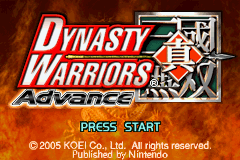
Check to see that the Game Boy® Advance is switched OFF, then insert the game cartridge and turn ON the power switch. At the title screen press START, and the Main Menu will appear.
Main Menu Options
Choose from 3 gameplay modes: Musou Mode, Free Mode, and Challenge Mode.
•
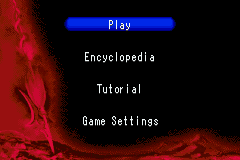
Encyclopedia: Get information about obtained Officers, Weapons, Items, and check to see which stages you have cleared.
•
Tutorial: Find out about game controls and useful hints.
Saving and Loading a Game
In "Tutorial," you can find many useful hints to help you achieve victory.
[Saving a game after clearing a stage (Musou Mode)]
•
In Musou Mode, you can save a game after clearing a stage.
•
You can save up to 3 games in all.
•
To load a saved game, select “Load Game” at the beginning of the game.
[Saving a game in the middle of a stage (Musou Mode and Free Mode)]
•
During play, press START and select “Quick Save” to save a game in progress.
•
You can only save one game at a time; previously saved game data will be overwritten.
•
To load a game saved during play, select “Resume” when you begin the game.
Selecting a Game Mode
[Musou Mode]
Select a force and battle your way through each stage. The officers you can choose will change depending upon the force you choose.
•
Resume: Continue a game that you have saved in the middle of a stage.
•
New Game: Begin a new game.
•
Load Game: Start the stage following the last cleared stage.
[Free Mode]
Select and play through a scenario. Play in Musou Mode and satisfy certain conditions to increase the number of scenarios and officers available in Free Mode.
•
Resume: Continue a game that you have saved in the middle of a stage.
•
New Game: Begin a new game.
[Challenge Mode]
Clear any or all of the three different Challenge Mode courses and attempt to set a new record.
•
Endurance: Defeat as many enemies as you can.
•
Time Attack: Defeat 100 enemies as fast as you can.
•
Battle Luck: Find the right treasure box to move on.
Selecting an Officer
After you select the game mode, choose your character. Choose either Wei, Wu, or Shu, and then select one officer belonging to that force. Life and attack power are different for each officer. In Musou Mode, the story will change depending on the force you choose. As you continue the game in Musou Mode, the number of officers you can play will increase.
In Musou Mode and Free Mode, as you develop your officer, his or her abilities will increase. The list of Ability Power-ups are displayed to the right of Basic Strengths.
[Basic Strengths]
The following graph displays officer fighting abilities.
•
HP (Life): Length of the Life Gauge.
•
MU (Musou): The power of your Musou attack.
•
AT (Attack): Attack abilities during battle.
•
DF (Defense): Defensive abilities during battle.
•
MV (Movement): The speed of your movement.
How to Play in Musou Mode
[Goals and Rules]
Dynasty Warriors is set amid the chaos of China at the end of the second century. You will take on the role of one officer and battle through the stages in order to achieve victory for your army. Victory conditions are set for each stage. At the Camp Screen that appears at the beginning of a stage, choose and confirm “Objectives.” While playing, press START to see the Camp Screen, where you can check the “Objectives.” [Equipping Weapons]
You can obtain weapons on the battlefield and other places. After obtaining a weapon, you can equip it by pressing the R button. You can also change which weapon is equipped by choosing “Change Weapon” in the “Armory.” Look here to find out about “Weapon Attack,” (related to the power of your weapon) “Element” (its characteristics) and “Skills.”
If Skill of your officer is lower than the Prerequisite of the weapon, you cannot equip it. Skill increases when you use the same weapon type in battle. Details about weapon “Element” can be found under “Elemental Effects” in “Tutorial.”
[Weapon Attributes]
•
Skill: Current weapon skill level.
•
Prereq: Prerequisite skill needed to equip.
•
Elem: Element attribute.
•
W Atk: Weapon Attack power.
•
Attack/Defense/Movement: Base stats.
•
Arrows: Show changes in abilities (Increase, Decrease, or Cannot be Equipped).
Game Flow
The game progresses by switching between Movement and Battle Phases.
[Movement Phase]
•
Allies and enemies take turns moving between areas.
•
If your unit and the enemy unit meet in the same area, a battle occurs.
•
If you defeat your enemy in battle, you will return to the Movement Phase.
•
Instead of moving, press the A Button to search areas for recovery items.
[Battle Phase]
•
You either achieve victory by defeating the required number of enemies, or you are defeated when your life gauge is depleted.
•
Defeat your enemies quickly and you gain an extra move in the Movement Phase ("Triumph").
•
Fail to defeat the enemy within the time required for "Victory," and you lose

.png)
 (En,Fr,De,Es,It).png)
