Getting Started
*Note: Illustration may not match all PlayStation 2 console types. For owners of SCPH-70000 series PlayStation 2 systems, refer to the setup instructions supplied with your system.* Set up your PlayStation®2 computer entertainment system according to the instructions in its Instruction Manual. Make sure the MAIN POWER switch (located on the back of the console) is turned ON. Press the RESET button.
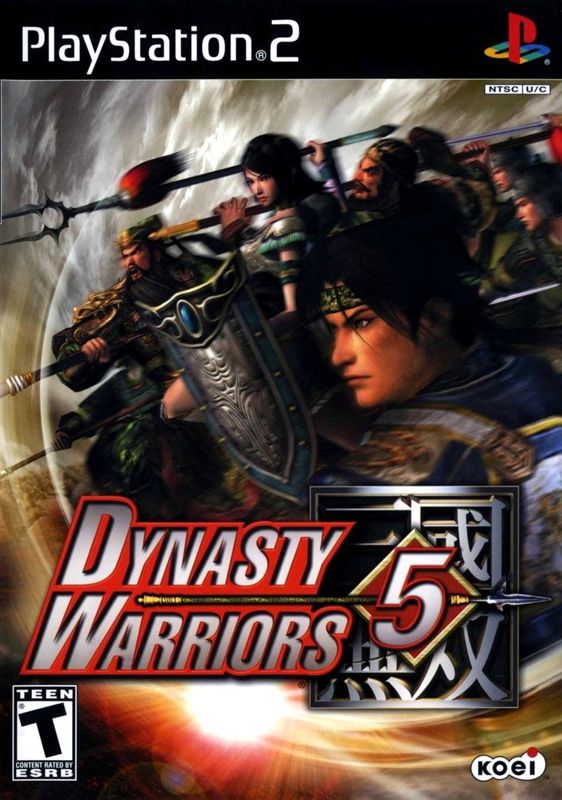
When the power indicator lights up, press the OPEN button and the disc tray will open. Place the Dynasty Warriors® 5 disc on the disc tray with the label side facing up. Press the OPEN button again and the disc tray will close. Attach game controllers and other peripherals, as appropriate. Follow on-screen instructions and refer to this manual for information on using the software. Starting Up
•
DUALSHOCK®2 analog controller
•
left analog stick (L3 button when pushed down)
•
right analog stick (R3 button when pushed down)
Starting the Game
How to start and set up the game.
1. Put the Dynasty Warriors® 5 disc in the disc tray. 2. Insert a memory card (8MB) (for PlayStation®2) into MEMORY CARD slot 1.
3. The intro movie will start when the power is turned on.
4. Press the START button to end the intro movie and bring up the title screen.
5. When the Main Menu appears, select a game mode.
*You must have a PlayStation®2 specific memory card (8MB) (for PlayStation®2) to save data, and you will need at least 150 KB free in order to save. Refer to your PlayStation®2 user's manual for details.*
Saving
Saving at the end of a stage (Musou Mode and Free Mode)
After you clear a stage, your results will be displayed. After viewing your results, you will be asked if you wish to save.
In Musou Mode, the maximum number of save files is 16. In Free Mode, you can save officer data and items that you have obtained during battle. If you select a save file with previously saved data in it, the old data will be overwritten.
Saving in the middle of a stage (Musou Mode and Free Mode)
Press the START button during play to bring up the Information screen and select INTERIM SAVE. You may resume your game after saving.
If you choose to save again at a later point in the stage, the previous interim save will be overwritten. If you save after clearing the stage, then any interim save data saved during the stage will be erased.
The number of times you may use the interim save function is dependent on the game's difficulty level.
•
Normal: up to three saves
Saving a game from the Options screen
You can save the game settings and records by going to the OPTIONS menu and selecting SAVE/LOAD (P.10).
In Challenge Mode (P.9), you can save once you have completed any course.
Loading
Continue a previously saved game (Musou Mode)
Select Musou Mode from the Main Menu. If you have previously saved data, NEW GAME and LOAD GAME will appear in the menu. Select LOAD GAME and choose from the list which game you wish to resume.
Loading a game saved in the middle of a stage (Musou Mode and Free Mode)
If you have gameplay data saved in the middle of a stage (INTERIM SAVE), then CONTINUE will appear in the menu.
Game Modes
Musou Mode
Select an officer from one of the kingdoms (Wei, Wu, Shu), and play the story for that officer. Depending on the officer you select, the stages you play and stories that unfold will change. If you satisfy certain conditions, the number of officers you will be able to choose will increase.
Free Mode
Select one scenario/stage to play. You will only be able to select scenarios that you have been able to play in Musou Mode. The difficulty level is preset for each scenario.
The officer development is the same in both Musou Mode and Free Mode. If you develop an officer in Free Mode, that development will also be reflected in the Musou Mode. If you are unable to clear a stage in the Musou Mode, try developing him/her in the Free Mode before trying the Musou Mode again.
Musou Mode/Free Mode (2 player)
In Musou Mode and Free Mode, 2 players can play in cooperation with each other. When 2 P PRESS START appears in the upper right hand corner of the screen, Player can join in by pressing the START button.
In Musou Mode, if a game was saved at the end of a stage, Player 2 can join the continued game.
Continue
You can continue a game saved in the middle of a stage. CONTINUE will appear on the Main Menu if there is data saved in the middle of a Musou Mode or Free Mode stage.
Challenge Mode
Attempt to beat the clock or destroy a certain number of objects, etc. in each Challenge Mode course. All
.png)

.png)

.png)

.png)
.png)
.png)

_1.png)


