SELECTING GAME MODE
ABOUT THE GAME SELECT SCREEN
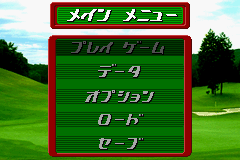
Select Play Game on the Main Menu Screen to display the Game Select Screen. Select the mode in which you would like to play with the D-pad, then press the A Button to confirm your selection.
•
Use the B Button to cancel your selection.
Available Modes
Tournament
Participate in a golf tournament and try to get a better score than the other participants. This mode is for one player.
Stroke
Experience a real golf competition and compete for the total number of holes. Up to four players may participate.
Match Play
Defeat your rival by squareing off against one friend and seeing who wins the most holes.
Training
Practice makes perfect by choosing a specific course and hole to practice on. This mode is for one player only.
•
In all game modes except Training Mode, shooting 3 over par will force you to give up and move on to the next hole.
You can compete against friends in Stroke and Match Play Modes using the Game Boy® Advance Game Link® cable (sold separately). Refer to page 16 and page 19 for instructions on how to use the Game Link® cable.
MAKING SHOTS
WHEN PUTTING
The Putting Mode is activated when the ball is on the green. Only the putter (PT) may be used in this mode.
1.
Determine the direction of shot.
Determine the direction of the putt using the left and right arrows of the D-pad. The onscreen marker indicates the slope of the green and is divided into levels according to the course undulation. Use this to guess how the ball will roll.
2.
Hit the ball.
Make the putt once the direction has been set. Use the A Button to activate the Power Gauge.
A putt requires two button presses. The actual putt takes place after command input has been completed:
•
Press the A Button to activate the gauge.
•
Adjust the width of the gauge and then press the A Button again to determine the strength of the putt.
MULTI-PLAYER MODES
Multiple participants can enjoy simultaneous play in both the Stroke Mode (up to four players) and the Match Play Mode (up to two players).
To play with multiple players, connect the Game Boy® Advance Game Link® cable (sold separately) to two to four Game Boy® Advance units before turning on the power. See page 19 for instructions on how to connect the cable.
Once the cable is connected, you will be asked to select a Game Mode (number of players). Use the D-Pad Button to make your selection and the A Button to confirm. The game will then begin.
DATA AND OPTIONS
You can view many kinds of data in this game. Select Data on the Main Menu Screen with the D-pad, then press the A Button to confirm.
REPLAY
Shots resulting in a birdie or better are automatically saved for later viewing in the form of a replay.
•
When data becomes FULL, replay information will be overwritten in the order that it was saved. You can use the L and R Buttons to specify the data to be saved.
•
Data is erased when the power is turned OFF. Make a backup save of any data that you want to remain even after the power is turned off.
STATUS
View data about the individual players appearing in the tournaments.
ABOUT OPTIONS
Here are the options that can be altered:
•
SOUND: Toggle the background music On / Off.
•
WIND: Toggle the setting that affects wind changes On / Off.
•
WEATHER: Toggle the setting that affects weather changes On / Off.
SAVING THE GAME
ABOUT SAVING DATA
Select Save / Load on the Main Menu Screen using the D-pad, then press the A Button to confirm.
•
Save: Select to save data.
•
Load: Select to load data.
The following kinds of data can be saved:
•
Game Modes, Option Settings, etc.
Data can be saved after the completion of each hole. Pressing SELECT when the score is displayed will display the Confirmation Screen. Select YES to access the Save Screen.
SAVE AND LOAD SCREENS
The save/load interface displays character play time and available slots.
SAVE / LOAD SCREEN
•
CHARACTERS: Lists player slots.
•
PLAY TIME: Shows duration played (e.g., 0:13:38).
•
STATUS: Displays "NO GAME TO LOAD" for empty slots.
OVERWRITE SCREEN
When saving to a slot that already contains data, you will be prompted:
•
OVERWRITE?: Select YES or NO.
CONNECTING THE GAME BOY ADVANCE GAME LINK CABLE
The Game Link® cable supports the following configurations:
•
2-PLAYER GAME: 1P and 2P
•
3-PLAYER GAME: 1P, 2P, and 3P
•
4-PLAYER GAME: 1P, 2P, 3P, and 4P