GETTING STARTED
1. Switch the Nintendo® Game Boy® Advance system OFF. Never insert or remove a Game Pak while the Game Boy Advance is ON.
2. Insert the Backyard Basketball® 2007 Game Pak into the slot on the Game Boy Advance. Press firmly to ensure the Game Pak is correctly inserted.
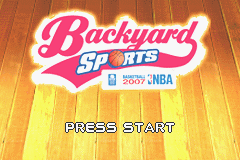
3. Switch the Game Boy Advance ON. The title screen should appear. If the title screen fails to appear, return to step 1.
4. When the title screen appears, press START to proceed to the Main Menu.
Note: For multiplayer games, connect two Game Boy Advance systems (each with a Backyard Basketball 2007 Game Pak) via a Game Boy® Advance Game Link® cable. (See “Multiplayer” on page 25 for details.)
WELCOME TO BACKYARD BASKETBALL® 2007
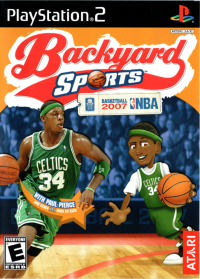
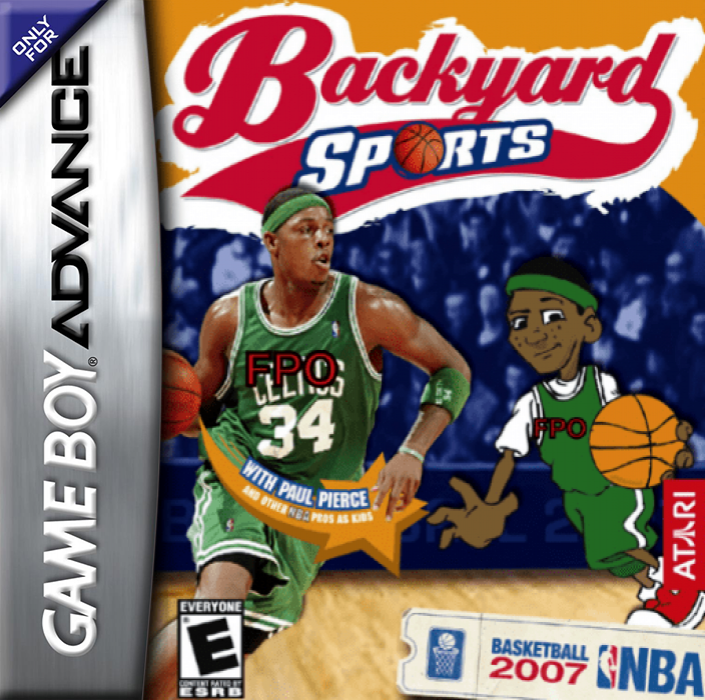
Backyard Basketball 2007 is back on the Game Boy Advance system! Create your own portable basketball team with Backyard Kids and cool kid versions of National Basketball Association® stars! It's slam-dunk action full of wacky courts and crazy power-ups! MAIN MENU
Pick-Up Game
Play a single game where you can choose a team, players and a court. The results of Pick-Up games do not affect Season Play statistics (see “Pick-Up Game and Season Play Setup” on page 12).
Season Play
Lead your team through a rigorous BBA season and play compete for the BBA championship (see “Pick-Up Game and Season Play Setup” on page 12).
Mini-Games
Test your shooting accuracy in a quick game of Hot Shot or Block Shot, practice your all-around basketball skills in Practice mode (see page 18) or see how long you can balance a basketball in Ball Balance.
Multiplayer
Play some two-player hoops in Multiplayer mode (see “Multiplayer” on page 25).
Options
Configure gameplay rules and general settings (see “Options” on page 9).
Extras
Check out the biographies for the Backyard Kids and the NBA pros as kids, view awards and learn about the conditions that influence a player's abilities. You can also see who helped create the Backyard Basketball 2007 game in the Credits section.
OPTIONS
Game Setup
•
Game Difficulty: Choose a difficulty level: Rookie, Pro or All Star.
•
Quarter Length: Choose 1-, 2-, 3- or 4-minute quarters.
•
Fouls - Violations: Turn fouls and violations ON / OFF.
•
Power-Ups: Turn power-ups ON / OFF.
•
Fatigue: Turn player fatigue ON / OFF. When set to ON, players will tire over the course of a game.
•
Shot Assistance: Turn Shot Assistance ON / OFF. When set to ON your players will automatically shoot the ball once the Shot Meter becomes fully charged.
The above gameplay options are set automatically, depending on the difficulty level you choose. You can change any of these options individually by using the + Control Pad.
General
•
Music: Turn the background music ON / OFF.
•
Fatigue Bar: Turn the fatigue bar ON / OFF.
•
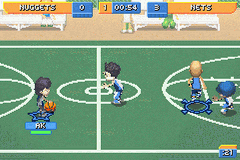
Display Initials: Turn player initials ON / OFF. Player initials help you see who is who on the court.
•
Auto Save: Turn the Auto Save feature ON / OFF. When set to ON, your progress will be saved automatically after each Season Play game. When set to OFF, you are prompted before saving a game.
•
Shot Meter: Turn the shot meter ON / OFF.
•
Brightness: Select screen brightness appropriate for the Game Boy Advance, Game Boy Advance SP or for a television.
PAUSE MENU
Press START to pause the game and display the Pause Menu. You can select from the following options:
•
Resume Game: Return to the current game.
•
Time Out: Call a timeout for your team to edit your player lineup.
•
Substitution: Substitute players on the bench for players on the court.
•
Quit Game: Quit gameplay and return to the Main Menu. Note: Your progress in the current game will not be saved.
PICK-UP GAME AND SEASON PLAY
Coach Sign-In Screen (Season Play only)
Create a New Coach
Create a coach and start a new BBA season. Enter a coach name, select OK and press the A Button.
Sign In Existing Coach
Select an existing coach and press the A Button to resume a season already in progress.
Copying a Coach
Select Copy and press the A Button, then select the coach you want to copy and press the A Button again to confirm.
Deleting a Coach
You can save up to two coaches. To delete a coach, select Delete and press the A Button. Select the coach you want to delete and press the A Button again to confirm.
PLAYER INFORMATION
Press the R Button to view more about the player, including his or her biography and skills.
PICKING PLAYERS
•
Use the + Control Pad to cycle through the available players and highlight the kid you want to select.
•
Select Yes and press the A Button again to confirm your choice.
•
Continue making picks until you have five kids on your team.
Note: In Pick-Up Game mode, Player 1 and the CPU alternate picking players.
CREATING CUSTOM PLAYERS
You can create and save up to ten




 (En,Fr,De,Es,It).png)
.png)
.png)


.png)
.png)

.png)

.png)
 (En,Fr,De,Es,It).png)


.png)