SKILL, CONTROL, ATTITUDE
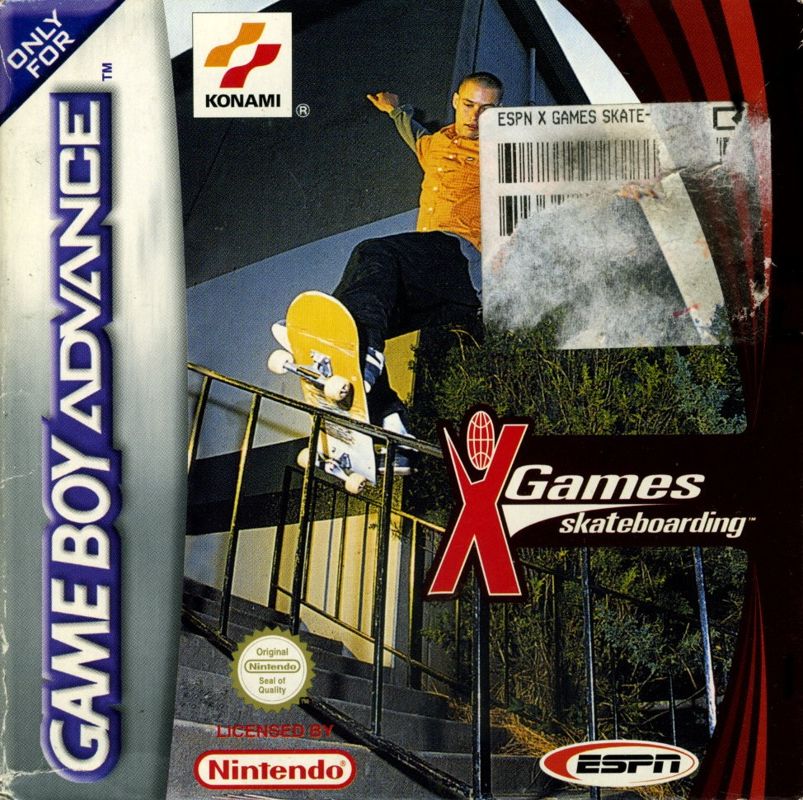
ESPN X GAMES SKATEBOARDING challenges you to take your skater from "poser" to "pro." This game offers two major modes:
•
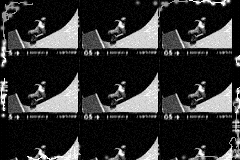
In VERT mode, you'll work to master tricks on the vertical ramp. •
In PARK mode, you'll pull tricks in different arrangements of transitions, ramps and rails. Three sub modes provide a hugely gratifying variety of contests:
•
X GAMES enters you in the world's most dizzying sports event where the top honor is a gold medal. •
FREE SKATE fulfills your need for no rules and no limits (and includes a Training feature).
•
X RAGE is a vert-style run with no rules for top scores, where you can also upgrade your skater's abilities.
STARTING UP
1. Insert the ESPN X GAMES SKATEBOARDING Game Pak into your Game Boy Advance and turn it on.
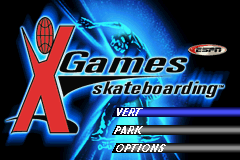
2. Wait until the Title Screen and Game Mode menu appear. Hold off pressing any buttons if you want to watch a gameplay demo.
3. When the Title Screen reappears, make a selection from the Game Mode menu to begin the game. Menu controls appear on the next page.
SKATER SELECT
Skate as one of eight skateboarding professionals:
Page through the skaters using the Control Pad Left / Right to see each one's Jump Height, Speed, and Balance skill levels. These abilities will improve as the skater competes in X Rage mode. When a skater is displayed, press the A Button to choose him.
SKATER TRICKS
ESPN X Games Skateboarding features 42 tricks, all of them available to all skaters. However, each skater begins the game with a different, limited trick set. To gain additional tricks, you first need to increase a skater's skills by competing in X Games. You can then use the increased skills to buy tricks for that skater. X GAMES
X GAMES is a series of 45-second runs in which you attempt to place in the top 3 in a field of 24 skaters. The points you earn translate into Skills that you can exchange in the Skate Shop for more or better tricks. Select your skater and stage. A short list of X Games rules appears. Then go for the gold! VERT X GAMES
Perform on the huge vertical ramp. Pulling multiple tricks will earn higher scores. In the PRELIMS, make two runs over the same stage in a timed bid for the highest score. You must rank in the top 10 of 24 skaters to advance to the Finals. In the FINALS, you're allowed three 45-second runs to earn a place in the top 3 for a medal. Highest score wins the gold. PARK X GAMES
Show off your tricks on a stage set with ramps, rails and verts. Use the wide amount of terrain to create different trick combinations. In this FINALS-only mode, you'll make two 45-second runs over the same stage. Rank in the top 3 of 24 skaters to win your medal. X RAGE
X RAGE mode is a 60-second VERT run to earn as many points as possible. Your only goal is to go for the top score and beat the top five existing scores. By collecting Dragon Gems, you also have the chance to increase your skater's score.
After you choose a skater and stage, you'll see a short list explaining the mode. At "3 ... 2 ... 1 ... X" begin your run. During an X Rage run, these indicators appear at the bottom of the screen:
•
X GAUGE: Fills or drains depending on how often and how well you perform tricks. Fill the bar completely to unlock a Dragon Gem. •
TIMER: Counts down the seconds remaining in the run.
•
SCORE: Shows the point values you gain for Jump Height, Speed and Balance, and your overall score.
DRAGON GEMS
When the X Gauge is completely full, a Dragon Gem appears on the ramp. Skate over it and your skater will Ollie high into the sky. During this jump, enter as many tricks as possible in combination before reaching the top of the jump. PAUSE MENU
Press START during a run to display the Pause menu. You will see some or all of the following options, depending on which game mode you're currently playing. Press START or the A Button to confirm your selection.
•
TRAINING: Toggle ON or OFF. (VERT Free Skate mode only.)
•
CONTINUE: Return to gameplay.
•
END RUN: Terminate the current run before your time's up. (X Games and X Rage modes.)
•
QUIT: Return to the Game Mode menu.
SAVING GAMES
Your game is saved automatically, including current Skills levels and scores data. This data will apply the next time you play the game. To clear the data and start fresh, enter OPTIONS mode from the Game Mode menu, then use the CLEAR SAVE DATA option.
OPTIONS
Select OPTIONS from the Game Mode menu, and then make your selection from the list that appears:
•
SKATE SHOP: Spend the Skills earned in X Games mode to increase and improve a skater's tricks. You can also unlock two extra skaters here. The Skate Shop additionally serves as 

_2.png)
.png)
 (En,Fr,De,Es,It).png)
.png)

_1.png)

_1.png)


.png)
.png)

 (En,Fr,De,Es,It).png)
.png)
_1.png)
.png)

.png)










_1.png)