Getting Started
•
1. Check the power switch on your Super Nintendo System. Make sure it is OFF before inserting or removing the game pak.
•
2. Insert your Street Fighter II: Turbo game pak into your Super Nintendo System and turn the power ON.
•
3. When the title screen appears, press the START button to display three options:
•
TURBO: Used to play Street Fighter II with TURBO rules and moves. Set the game speed by pressing the control pad left or right to select from 0-4 stars. Four stars is the fastest, while no stars moves at normal speed.
•
NORMAL: Used to play Street Fighter II with Champion Edition rules and moves.
•
OPTION: Used to change various options in the game.
•
4. Move the marker next to the type of game you wish to play and press the START button.
•
5. On the next screen, use the control pad to move the marker next to GAME START and press the START button.
•
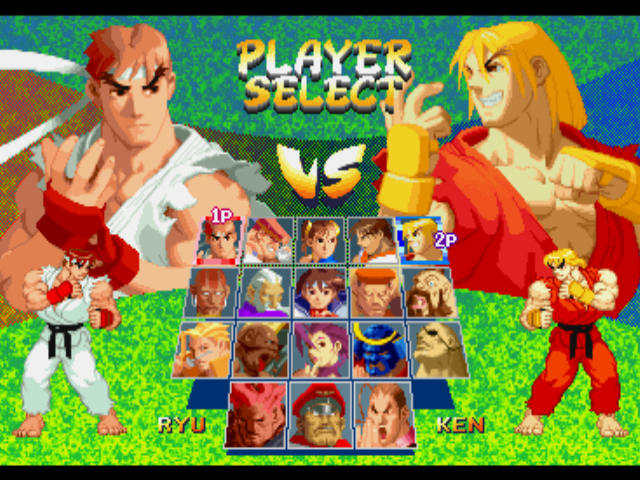
6. Once you begin the game, select your character by pressing the control pad in any direction to highlight them, then press any button.
•
7. To end the game at any time, turn the power OFF on your Super Nintendo System and eject your cartridge.
The Tournament Begins
Twelve fighters from across the globe have come together to face one another to see which of them has the strength, skill and courage to be crowned champion. Each fighter has mastered different skills and special moves, but it will take more than brute strength to defeat the others and earn the title of Grand Master.
Choose GAME START on the title screen and you will be able to select your champion for the tournament. As the tournament begins, your fighter will travel the globe to meet one of the twelve other challengers.
If a friend wishes to challenge you during the tournament, he can press the START button on his controller to interrupt your game.
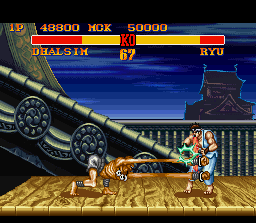
When the match begins, you must use your punches, kicks and special moves to knock your opponent flat on his back. Each time you hit him, his energy meter will decrease. Once your opponent's energy meter is totally red, he'll be down for the count. Win two out of three rounds and you will be declared the winner and earn the right to face the next challenger.
Screen Indicators
Using the V.S. Battle Mode
The V.S. Battle allows two players to have a STREET FIGHTER II competition. When the title screen appears, push the control pad UP or DOWN to move the pointer next to V.S. BATTLE and press the START button. When the next screen appears, each player chooses the character they wish to use and presses any button to continue.
On the next screen, Player One can press the SELECT button to highlight either the HANDICAP or STAGE SELECT option.
•
HANDICAP: Both players can press left or right on the control pad to increase or decrease the amount of stars. The number of stars determines the amount of damage a player's punches and kicks will do. This option allows two players of different skill levels to have an even match.
•
STAGE SELECT: Player One can select the location of the match by pressing the control pad in any direction.
After all the choices have been made, Player One can begin the match by pressing the START button.
Using the Option Mode
The Option Mode allows you to change certain aspects of the game. When the title screen appears, push the control pad UP or DOWN to move the marker next to OPTION and press the START button. When the next screen appears, push the control pad UP or DOWN to highlight the option you wish to change.
•
DIFFICULTY: Changes the difficulty of the computer opponent. Push the control pad left or right to highlight the number of stars. The more stars you highlight, the more difficult the opponents will be to defeat.
•
TIME LIMIT: Allows you to turn on or off the Time Limit. Push the control pad left or right to highlight either YES or NO. If you select YES, the fighters will have 99 seconds to knock each other out. If you select NO, the fight will continue until one player is knocked out.
•
CONFIGURE: Allows you to change the button configuration for your fighter's punches and kicks. Highlight the punch or kick you wish to change and then press the button you wish to use for that action. If you are using a CAPCOM FIGHTER POWER STICK, highlight SET and press any button to automatically configure the buttons. •
STEREO: Allows you to switch between STEREO or MONAURAL sound. Press the control pad left or right to highlight your choice.
•
MUSIC TEST: Allows you to hear the various pieces of music used in the game. Press the A, B, Y and X buttons to change the music. Press the R button to hear the music.
•
S.E. TEST: Allows you to hear the various sound effects used in the game. Press the A, B, Y and X buttons to change the effect. Press the R button to hear the sound effect.
To leave the OPTION MODE with your new settings, simply press the START button on your control pad.
Option Mode Screen Layout
•
DIFFICULTY: EASY to HARD (represented by stars)
•
CONFIG.: 1PLAYER / 2PLAYER
 (Rev 1).png)

.png)
 (Virtual Console).png)



 (fake jewel).png)





 (Rev 1).png)


.png)
.png)
_1.png)



.png)




.png)