How the Tournaments Work
Your goal is to work your way through the amateur ranks and become the BASSIN' World Champion. You CANNOT skip through the ranks to other tournaments or lakes without completing the tournaments in the appropriate order.
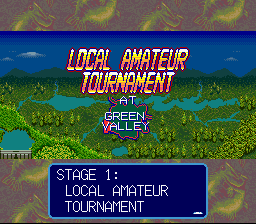
Stage I: Local Amateur Tournament
•
Held two times per year.
•
One-day tournament at Green Valley Lake.
•
Winner must have the highest cumulative Black Bass weight.
•
Top three anglers qualify for the Amateur Bass Championship.
•
If you do not qualify, you must try again next season.
Stage II: Amateur Bass Championship
•
One-day tournament at Onyx River.
•
Winner must have the highest cumulative Black Bass weight.
•
Top three anglers qualify for the Pro Bass Tournament.
•
If you lose, you return to the local level.
Stage III: Pro Bass Championship
•
Eighty professional anglers.
•
Held three times a year.
•
One-day tournament at Bronze Lake.
•
Winner must have the highest cumulative Black Bass weight.
•
Top Three anglers qualify for the Bassin' World Championship.
•
Hank Parker will compete in this tournament.
Stage IV: Bassin' World Championship
•
Thirty professional anglers.
•
One-day tournament at Bluestone Lake.
•
Winner must have the highest cumulative Black Bass weight.
•
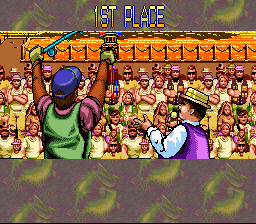
Top Three anglers are honored in the final celebration scene.
•
If you lose, you may try again at the next Pro Bass Championship.
Tournament Rules
•
1. Tournament hours: 7:00 a.m. to 4:30 p.m.
•
2. Only Black Bass will be included at the weigh-in.
•
3. Total weight determines your ranking.
•
4. A maximum of five (5) Black Bass may be kept in the livewell.
•
5. Extra fish should be culled.
•
6. A 1 lb. penalty is assessed for each minute an angler is late to weigh-in.
•
7. If you are more than 20 minutes late, you will be disqualified.
•
8. If your boat is damaged, you must return to the marina and weigh-in.
Starting the Game
Make sure the Power switch is OFF. Insert the Game Pak into the Super Nintendo Entertainment System Control Deck and turn the Power switch ON. After the demonstration mode, the title screen will appear automatically. Press the START Button. Next, select one of the following options: START GAME or VIEW RECORD.
Press the Control Pad Left/Right to select. Enter your choice by pressing the A Button.
Start Game Options
When you select START GAME, choose one of the following options:
•
REGISTRATION: Tournament registration and Start a NEW GAME/ CONTINUE A GAME.
•
ARRANGE DATA: COPY or ERASE existing tournament data. Press the Control Pad Left/Right to select and then press the A Button to enter.
•
Press the B Button to cancel your choice.
Registration
If you choose REGISTRATION, you can either begin a new game or continue an existing game.
•
A. CONTINUE A GAME: Select an existing record. This enables you to resume a game that you have already started.
•
B. NEW GAME: Select an EMPTY data field and begin the REGISTRATION process. If an empty data field is not available and you want to start a NEW GAME, you will have to use the ARRANGE DATA screen to ERASE an existing player file.
Registration Process
The initial REGISTRATION process is comprised of the following elements:
•
a. Input your name: You can enter up to seven characters of your first name and seven characters of your last name. If this is not enough, you will have to shorten your input. Press the Control Pad to select a character and then press the A Button to enter. Select END when finished.
•
b. Choose male or female.
•
c. Input more detail? Select NO to begin the Tournament Introduction, or select YES to choose additional player attributes:
•
i. Right Handed or Left Handed
Press the Control Pad Up/Down to select and then press the A Button to enter. The Tournament Introduction will begin after you complete these selections.
Arrange Data
The following options appear when ARRANGE DATA is selected. Press the Control Pad Up/Down to select an option and then press the A Button to enter.
•
COPY: Copy an existing file to one of the three fields.
•
ERASE: Erase an existing file to create an EMPTY file.
Copying Data
•
a. Select a record to COPY.
•
b. Select an area to store the record.
You will be asked to confirm your choice once you have entered your selection: IS THIS OKAY?
•
YES: Data will be copied to the new area.
•
NO: Introductory screen will appear.
Erasing Data
•
b. Confirmation: IS THIS OKAY? Select YES or NO.
•
**EMPTY will appear once the data field has been erased.
View Record
The following screen will appear when VIEW RECORD is chosen. Press the Control Pad Left/Right to select and then press the A Button to enter. Press the B Button to return to the title screen if you would like to start or continue a game.
.png)



.png)
