Start the Action
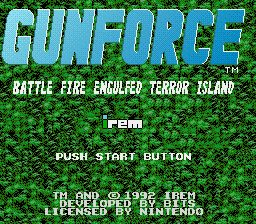
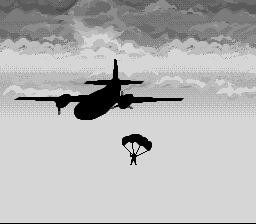
Fire up the action of GUNFORCE by simply turning on your system. This triggers the starting sequence. Grab your keypad and press "start" during the intro or when you see "press start" on the screen. Another option is to press "select" which takes you to the select screen.
If you want to zap past the starting sequence, you can press "start" again or "fire" and jump straight onto the firing line. You may discover you want to jump right into battle without the preliminaries. Fire away!
Select Play Options
The option you select will be highlighted. By pressing "select" again, you will return to the "press start" message. Even if player one is playing the game, player two can jump into the action by pressing "start." Select Play difficulty:
Gameplay Tips
Here are a few important notes for meeting the challenge and excitement of Irem's hit game, GUNFORCE! •
Flash: At the beginning of a new life, your player will "flash" for a few seconds. At this point, you are invincible. Make your move!
•
Moves: Use your control pad to move and point in a number of directions. You're in control. The next move is yours.
Lives and Continues
At the start of the game, each player has three credits and four lives per credit (12 lives total). If you die four times, the game says "continue," and you drop to two credits and get four more lives. It's a challenging game, and you'll need all the lives you can get!
•
Countdown: When one player's game ends in a two-player game, the "continue countdown" is displayed instead of the score.
•
Continue: When only one player is playing, the "continue" message takes over the whole screen.
•
Counter: When a continue option is displayed, the player must press "start" again before the counter reaches zero.
High Scores
If you get a high score, use the control pad to move the letters around on the display. To select a letter, press "fire."
You can enter a name or initials of up to four characters in length. There are also end and backspace options.
.png)

.png)
.png)



.png)

.png)


.png)


.png)


.png)








 (Beta 2).png)




 (Beta).png)
