Starting the Game
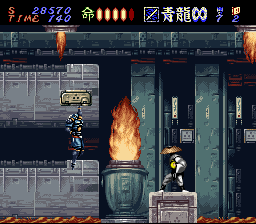
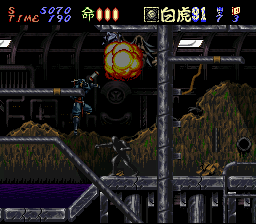
The game starts when you press the Start, A, B, X, or Y Button while on the Title Screen. The game is divided into 5 stages. You must destroy the boss at the end of each stage in order to advance to the next stage.
Continuing a Game
You lose one Hagane when your life gauge reaches zero or time runs out. After the game is over, the Title Screen will appear again and "CONTINUE" will be displayed on the screen.
You can continue your game from the stage where your game ended by pressing the Start, A, B, X, or Y button.
Music and Special Sound Effects
On the Config Screen, you can align the cursor with the options "MUSIC" or "SOUND" using up/down on the Control Pad. You can select numbers using left/right of the Control Pad or using the L or R Button.
You can listen to the music or special sound effect which correspond to this number by pressing the A, B, X, or Y Button. Similarly, selecting "MODE" allows you to select whether to listen to the music or sound effect in stereo or monaural sound.
Config Screen Options
•
WEAPON SELECT1 (Weapon select)
•
WEAPON SELECT2 (Weapon select)
•
SOMERSAULT-R (Special attack, backflip)
•
SOMERSAULT-L (Special attack, backflip)
•
SOUND (Special sound effects)
•
MODE (Stereo/mono switch)
•
EXIT (Return to Title Screen)
.png)


.png)
.png)
.png)
.png)

.png)






.png)

