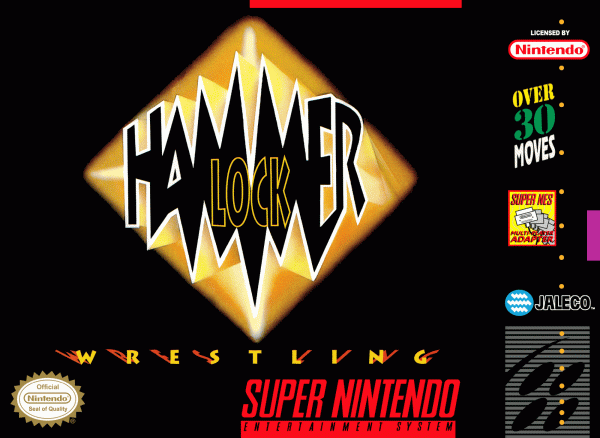
Object of the Game
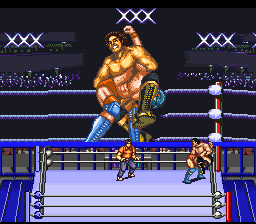
The object of the game is to win. You can win against the computer, by yourself, with a tag team partner, or against up to 11 of your friends with up to four players active at once.
There are three ways to lose a wrestling match:
•
Pinfall: Both of a wrestler's shoulders are pressed to the mat for a count of three.
•
Submission: A wrestler gives up the match, usually during a painful move or hold.
•
Count Out: One or both wrestlers are outside the ring for a count of 20.
A draw is called when neither player loses before the time expires. In matches with no time limit, the match only ends when there is a winner. If you own a Multiplayer Adapter, you can wrestle with up to four friends.
Getting Started
•
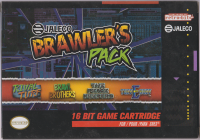
1. Place the Hammerlock cartridge into your Super NES and turn on the unit.
•
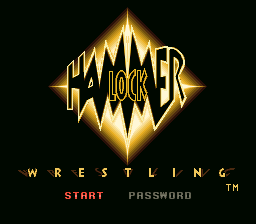
2. The Jaleco screen will appear, followed by the title screen. •
3. Press START to select to start a new game or continue with a password.
Select Mode
There are four different modes that the player can choose from the options screen. Use the control pad to move up and down through the mode options. To select a mode, press the A, B, or START button. Press the Y button to back up a step.
•
Exhibition Match: Play one match with up to 4 human players. You can wrestle one-on-one or as a tag team with one, two, or four human players. These matches are one fall only, with the option to try again with new characters or return to the title screen.
•
Champion League Match: Up to six players compete in a league for the most overall points. Every player wrestles every other player. A pin or submission earns 5 points, a ring out earns 3 points, a draw earns 2 points, and a loss earns 0 points.
•
Tournament Match: Up to 8 players compete in a single-bout elimination tournament with no time limit. If playing alone, you can choose to watch the computer-controlled matches or just have the winner reported.
•
Top Ranking Match: Wrestle through all the characters in the game in an attempt to become champion. Your opponents will get progressively harder as you progress.
After Match Screen
After you play a match, a screen is displayed showing the winner and loser. The middle of the screen displays the match duration (if it had a time limit) and the move that won the match.
Options Screen
Before each match, you are given options to select for your chosen game mode. Press LEFT and RIGHT on the control pad to scroll through options. Press A, B, or START to select an option, and press Y to go back a step.
•
Number of Players: Select the number of human players (up to 8). This option is for Champion League and Tournament matches only.
•
Single Tag: Selects whether the match is a one-on-one match (single) or a tag team match (tag). All modes have this option.
•
Human/Computer Match Up: Selects which players are human and which are computer-controlled. All modes have this option.
•
Time Limit: Selects the time limit for the match. This option is for Exhibition and Champion League matches only.
•
Difficulty Level: Selects how hard the computer wrestlers will be, from Level 1 (easiest) to Level 4 (hardest). All modes have this option.
Passwords
After you lose a match in Top Ranking match mode, a password is displayed on the screen. Use the control pad to highlight a letter, and press the A or B buttons to select it. The Y button will erase the last letter selected, or let you exit the password screen to return to the game mode select screen.