Getting Started
Turn off power to your Super NES. Insert the Jurassic Park: The Chaos Continues Game Pak and plug a Controller into port one for a one-player game. Plug both Controllers in for a two-player game.
Turn on the power to your Super NES. The Ocean logo will appear, followed by a brief story detailing Lewis Dodgson's plot to take control of Jurassic Park.
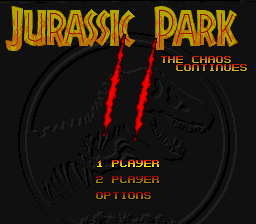
Press the Start Button at any time to go to the Title Screen. From there, you can start a one-player game, a two-player game, or go to the Options Screen.
If you select a two-player game, the player using Controller One will control Alan Grant, and the player using Controller Two will control Sergeant Wolfskin. Both characters have identical weapons and movements.
Options Screen
Use the Control Pad to move up and down to select options. Use the Start Button to return to the main menu.
•
Difficulty Settings: There is a different ending for each game setting (Easy, Normal, and Hard). Playing in the Normal game mode has one additional mission, while playing in the Hard game mode has two additional missions.
•
Define Keys: If you don't like the controls, you can change them to suit your preferences.
•
Energy Equalling: For two-player games only. If this is turned on, the player with the most energy has the option of giving some of their energy to their partner.
•
Sound: Select Mono, Stereo, or Surround. This game features Dolby Surround Sound, which places sound effects in the room to match the position of objects on screen. You can still enjoy the game in Stereo or Mono sound if you do not have a Dolby Surround system.
The Missions
Once you begin a game, you have the option of completing your missions in any order. When the Mission Screen appears, use the Control Pad to move up and down the missions, then use the Start Button to begin a mission.
At the start of each mission, you will receive a mission briefing outlining your objectives. Press any button to continue the message. Use the Control Pad to accept or abort the mission, then press any button to continue.
Six missions are shown at the start of the game:
•
Raptor Attack: Deal with dangerous Velociraptors in the underground power complex. Find the building's security system, gas the entire complex, and get out as fast as you can! •
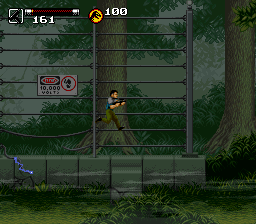
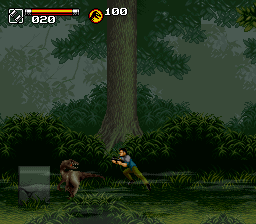
T-Rex Carnage: BioSyn engineers have let the Tyrannosaur loose from its paddock. Make your way carefully through the dense jungle while avoiding the Raptors that are everywhere.
•
Blockade: The BioSyn task force has taken over the park's Control Room to download cloning data. Find a way around the guards at the main entrance and stop BioSyn from erasing Hammond's discoveries.
•
High Ptera: Climb to the top of Nublar Mont to repair the damaged radio antenna. Watch out for BioSyn guards and protective Pterodactyls.
•
Seek and Destroy: Find the Raptor nest in the volcanic caverns deep below the jungle, plant the explosives, and escape before the blast. Watch out for flying Dimorphodons, collapsing bridges, and falling lava. •
Protect the Gallimimus: Stop the BioSyn commandos and free the Gallimimus before they are destroyed or airlifted out. Avoid land mines and keep an eye out for bomb-dropping choppers. Mission Progression
As you complete each mission, you will be able to select from the remaining missions.
Throughout the game, additional emergency missions will come up randomly. These must be dealt with immediately. To successfully complete the game and save Jurassic Park, you must complete all the normal and emergency missions.
 (En,Fr,De,It).png)

 (En,Fr,De,It).png)
 (En,Fr,De,It) (Beta).png)
