Getting Started
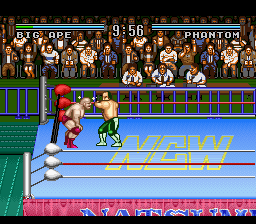
This game can be played with 1 or 2 players or against the computer.
To begin, insert the game pak into your Super Nintendo unit and switch the On button. Once the unit has been turned on, the title screen will appear, and the demo will run. You can skip the demo by directly pressing the start button.
Using the Control Pad
Starting the Game
At the title screen press start when starting from the beginning. When continuing, enter your password and select the mode using the A button.
Select the mode of your choice. In this mode, you can choose the number of players, the difficulty, and the length of the match. This is done by moving the cursor using the control pad and pressing A or Start to confirm.
Player Configurations
Player Selection
Select the player of your choice using the control pad and pressing A or Start to confirm.
Game Over Conditions
•
1. Pinned by opponent. (3 count)
•
2. Defeat by ring out. (10 count)
•
3. Defeat by being on top of the rope. (5 count)
•
4. Draw by double ring out. (10 count)
How to Continue
At the end of the game, pressing the Select button will cause a password to appear. Record this password in order to continue.
Championship Tournament
In this mode, after deciding which player you want to be, you must defeat every player in order to win the tournament.
You may choose the length of the match to be 10 or 20 minutes, and you can select the difficulty setting of either easy, normal, or hard.
Championship Tag Match
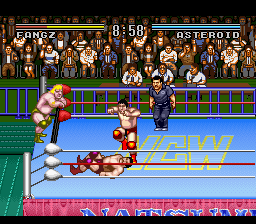
This mode is basically the same as the Championship Tournament, however, you have another player waiting at the side of the ring to relay you when you get tired.
In order to tag the resting player, move in the player's direction and press L at the same time. This will put the resting player into play.
In the 2 player tag mode, you and another person are one team. The resting player is put into action by tagging him.
Round Robin
In the Round Robin mode you can choose to play from zero to six players against zero to six computer players. First select, in the mode option, how many human players against how many computer players you would like to challenge.
Then select your players and a grid will appear. Move the square to choose your match. The winner will be represented with an O and the loser with an X. The player with the most O's is the winner of the tournament.
Round Robin Tag Match
This mode is the same as the Round Robin, however, you have another player waiting at the side of the ring to relay you when you get tired.
In order to tag the resting player, move in the player's direction and press L at the same time. This will put the resting player into play.
In the 2 player tag mode, you and another person are one team. The resting player is put into action by tagging him.
Exhibition Match
This is the two player mode. This is a 2 human player single match game.
.png)

.png)
.png)
.png)
