Starting the Game
•
1. Turn OFF the power switch on your Super Nintendo Entertainment System. Never insert or remove a Game Pak when the power is on. •
2. Insert BASS Masters Classic®: Pro Edition into the slot on the Super NES. To lock the Game Pak in place, press firmly.
•
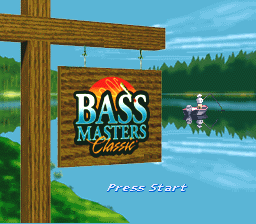
3. Turn ON the power switch. The B.A.S.S. (Bass Angler Sportsman Society) logo will appear (if you don't see it, begin again at step 1).
•
4. Press START to exit the title screen and the tournament rules will appear. Press SELECT to continue reading the rules or press the B Button to exit.
•
5. After you have exited the tournament rules screen you'll see the New Game signpost highlighted. Press the Control Pad Left/Right to select "Amateur" or "Pro" anglers, then press START to begin a new game. If you've saved a game, you may choose Load Game by pressing the Control Pad Down to highlight it, then press the START Button.
The Dock Area
The Dock Area consists of the following locations:
•
Go Fish (Start Tournament)
To highlight a spot, press the Control Pad Left/Right. To select a spot press the B Button.
The Bait Shop
In order to win the tournament you must have the right equipment. The only place to purchase supplies is the Bait Shop.
To go to different sections of the shop, press the Control Pad Left/Right, then press the B Button to see the different products in that section. To buy equipment, press the B Button. The dollar amount of the item will be subtracted from your prize purse.
To get advice on how to use a particular piece of equipment, press the Control Pad Down to the option Help For The Item, then press the B Button. Press the B Button after highlighting a Bait Shop option to back out of looking at an item.
The Bait Shop features the following options:
Bait Shop Controls
•
A Button and Y Button simultaneously: Automatic reel-in (Note: If you have a fish hooked on the line and you use the Automatic reel-in feature the line will break and your lure will be lost.)
•
Control Pad Left/Right: Turns the fish in that direction when it is moving away from the boat.
•
X Button: Activates wide-angle view feature
Reel Pricing
Fishfinders
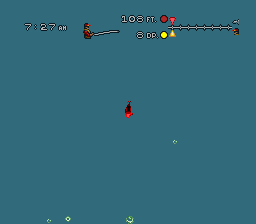
Fishfinders make a sonar "blip" sound when the boat is directly over the fish. You should note that location on the overhead map, backup your boat and then cast into the noted area.
•
Eagle™ Supra Pro I.D. - $95.00
•
Eagle™ Ultra II Split Screen LCD - $300.00
•
Lowrance® X-70A LCD - $480.00
•
Lowrance® LMS-350 LCD Chart - $800.00
Note: When using the Eagle™ Ultra II Split Screen LCD, press the Control Pad Up/Down to scroll the fishfinder view screen. Press Control Pad Down/Up to scroll the Eagle™ Ultra II.
Note: Press Control Pad Down to get the last 50 readings from the Lowrance® LMS-350 LCD.
Note: When using the three more expensive fishfinders, lunker bass will appear as vertical lines three dots long.
Talk
Advice is the only thing that is free at the bait shop, so be sure to Talk with the old angler.
Exit
Highlight Exit in order to leave the bait shop and head out to the water.
Tourney Info
This screen displays all of the relevant information about the BASS Masters Classic. Anglers can find out the temperature, water conditions, season, number of competitors, current standings, boat position on the overhead lake map, the name of the lake currently being fished, and the tournament day.
Note: The lake description is only available before you have started a tournament.
An example of the Tourney Info screen display:
•
THIS IS THE 1ST TOURNAMENT ON THE BASSMASTER TRAIL.
•
THE RECORD BASS FOR THIS LAKE IS 7 POUNDS 15 OUNCES. YOU MUST PLACE IN THE TOP 5 TO QUALIFY FOR THE NEXT TOURNAMENT.
Practice Pond
Visit the Practice Pond to perfect your technique before you enter the tournament. This mode is not timed, so spend plenty of time catching lunkers.
Go Fish: Tournament Rules
Now that you know how to catch the fish, you'd better learn the rules to the tournament.
•
1. Hours - Tournament hours run from 7:00 am to 3:00 pm.
.png)

.png)
.png)
.png)
.png)



.png)

.png)
.png)
.png)
.png)

.png)


.png)

.png)

.png)



.png)