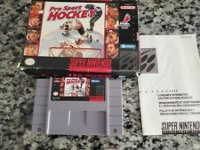
Title Screen Menus
Using the Menus
•
Press A to select an item from a menu.
•
Press B to cancel a selection or return to the preceding menu.
•
Press LEFT or RIGHT on the control pad to highlight your selection on the Practice/Season screen, then press A to confirm.
Setup Options
•
1P VS COM: One player competes against the computer.
•
1P VS 2P: Two players compete against each other (Exhibition and Shootout modes only).
•
1P AND 2P VS COM: Two players on the same team compete against the computer (Exhibition mode only).
•
COM VS COM: Two computer-controlled teams compete against each other.
•
OPTIONS: Opens the options menu.
•
RECORD: Displays information about a complete season after winning the Super Cup.
Customizing Options
Press UP or DOWN on the control pad to highlight an option with the hockey stick. Press LEFT or RIGHT to adjust the highlighted choice in yellow.
•
PERIOD TIME: Adjusts period length (Real hockey is 20 minutes; regular setting is 5 minutes).
•
MUSIC: Turns background music ON or OFF. Sound effects remain audible when OFF.
•
STEREO: Selects STEREO or MONO audio.
•
PENALTY: Turns referee penalty calls ON or OFF.
•
FATIGUE: Turns player fatigue ON (players tire) or OFF (players stay fresh).
•
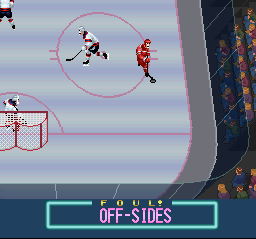
OFFSIDES: Turns offsides calls ON or OFF.
•
ICING: Turns icing calls ON or OFF.
•
GK AUTO: Set to ON for computer-controlled goalies, or OFF for manual goalie control.
•
HOME LUCK: Set to ON to give the home team goalie a blocking advantage and decrease the away goalie's effectiveness. Set to OFF for equal luck.
•
TIE GAME: Choose OVERTIME (sudden death fourth period) or SHOOTOUT to resolve ties. Regular season games always end in ties.
•
EXIT: Press START or highlight EXIT and press A to return to the Setup menu.
Team Selection
Highlight a team on the 24-team grid using the control pad. Red bars at the top of the screen indicate team strength in five categories:
•
SHT (Shooting): Speed and accuracy of shots.
•
POW (Power): Size, weight, and checking ability.
•
QIC (Quickness): Skating speed and sharp turns.
•
DEF (Defense): Ability to stop shots and intercept passes.
•
GOL (Goalie): Overall effectiveness of the goalkeeper.
Press A to select the highlighted team.
Saving and Changing Teams
The battery automatically saves your team after one Regular Season game. To change teams, go to the Schedule screen and use the Reset feature.
Warning: Resetting the season destroys all saved data from your old season.
Season Menu
•
GAME START: Begins the next scheduled game.
•
STANDINGS: Displays division records (Wins, Losses, Ties, Goals For) ranked from best to worst. Press UP or DOWN to change divisions.
•
RANKINGS: Ranks all 24 teams in the league by overall record, showing Wins, Goals For (GF), and Goals Against (GA).
•
SEASON SCHEDULE: Displays the 82-week schedule in 4-week blocks. Press UP or DOWN to scroll. Your next game flashes on and off.
•
RESET: Press X on the Schedule screen, select YES, and confirm with YES again to restart the season with any team.
•
LEADERS: Lists the top ten scorers in the league by rank, name, team, and goals scored.
•
START OVER: Returns to the title screen.
Match Announcement
Displays team names, power bars, and home/away status.
•
SETUP: Opens the LINE EDIT screen to customize your lines.
•
GAME START: Opens the LINE SELECT screen to choose starting lines.
Line Edit
Teams are divided into five basic lines:
•
Scoring 1: Top point-scoring combination.
•
Scoring 2: Secondary point-scoring combination.
•
Checking: Defensive combination that checks well.
•
Power Play 1: Best combination when outnumbering the opponent.
•
Power Play 2: Secondary power play combination.
Press UP and DOWN to scroll through players. Press LEFT and RIGHT to view player details:
•
Position: RW (Right Wing), LW (Left Wing), RD (Right Defenseman), C (Center), LD (Left Defenseman).
•
Number: Player's jersey number.
•
Skill Ratings (1-9): Shot (S), Power (P), Quickness (Q), and Defense (D).
•
Goals / Assists / Percentage (PCT) / Penalties (PNM): Season statistics (Season mode only).
To swap players, highlight a player, press A, select a replacement from the list at the top of the screen, and press A again. Press START when finished to go to the LINE SELECT screen.
Line Select
Use the control pad to view team statistics and configure your starting lineup:
•
Team Stats (Season Mode Only): Team Percentage (PCT), Goals Fielded (
.png)

.png)

.png)
.png)



.png)

.png)

_1.png)