Beginning Your Game
Insert the game pak into your SNES and turn the power on. Pressing Start at the title picture will allow you to begin an adventure by first registering your name. A total of 3 files can be saved.
If data is already saved, you can choose from the following options:
•
Start Adventure: This will start your game from the beginning, first asking you to register your name.
•
Continue Adventure: Move the cursor using the ✚ Control Pad to any of the quests saved and press the Ⓐ Button to continue.
•
Erasing Data: Move the cursor using the ✚ Control Pad to the data file which you wish to erase and press the Ⓐ Button.
Note: Once erased, data cannot be recovered!
Talking to Others
You will need to collect important clues and information to finish your quest. Speak to others by approaching them and pressing the Ⓐ Button. To advance text to the next page, press the Ⓐ Button again.
General Party Condition and Command Window
Pressing the Ⓑ Button will bring up the party and command window. Here you can view your party and execute the following commands:
•
Magic: Press the Ⓐ Button and select the character whose spells you wish to see or use.
•
Item: Press the Ⓐ Button to call up the items your party is carrying.
•
Equip: Press the Ⓐ Button and select the character whose current equipment you wish to check or change.
Character Status Levels
Choosing the Status option allows you to view your strength and power level status:
•
"L" Level: The level of experience and ability. The higher the better.
•
"Star of Actoss": The symbol of a hero who has awakened as a soldier, allowing them to begin using magic spells. Note: "Kustera" cannot attain this status.
•
"Pennon": The status level reached after "Star of Actoss".
•
"Banalette": The status level reached after "Pennon".
•
"Aqutallion": The final status level reached after "Banalette".
•
"Kustera": This is also a status level name.
Character Status Attributes
•
"HP": The number of hit points. This number will increase as you gain levels.
•
"MP": The number of magic points. In order to use spells, you must retain some MP.
•
"EP": The number of experience points earned through defeating enemies in battle. Earning EP helps you gain levels quickly.
Other Party Options
•
Order: Change the order of members in each party. It is best to put stronger party members first and weaker ones last, as enemies attack front party members more frequently.
•
Set: Change the name of anyone in your party at any time. Select the Set and Rename options to input a new name.
•
Swap: Switch control to your other traveling party. Pressing Ⓐ on this command starts you where your other party last was. The inactive party will pitch a tent to signify they are resting. Note: This command can only be used after at least one Kustera person joins you.
Barriers
If your party encounters a barrier, you can cross it by simply pressing the Ⓐ Button.
Note: Some barriers can only be crossed by one of your two parties. If you cannot cross, use the Swap command and try crossing with your other party.
Modes of Travel
You can enhance your travel through the use of the following vehicles:
•
"The Queen Elza": A ship for the hero's party only.
•
"The King Ocean": A ship for your non-hero party only.
•
"The Final Star Airplane": A helicopter for the hero's party.
•
"The Algos": A carrier where both parties may store their ship or helicopter.
Note: You can operate any of the above by approaching them and pressing the Ⓐ Button. Control them using the ✚ Control Pad. Be sure to get off in a place where your party can walk.
Battling Enemies
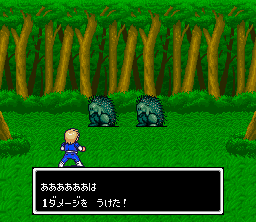
When monsters appear, the scene automatically changes to a 3D battle scene. Press Ⓐ to fight, select your target, and confirm with the Ⓐ Button for each party member. Use the Ⓑ Button to cancel any undesired choices.
The battle menu options are:
•
Fight: Fight using equipped weapons.
•
Magic: Fight using a character's magic spells, or recover and aid the party.
•
Guard: Decrease the damage of an enemy attack on a particular party member.
•
Item: Use an item from your inventory during battle.
•
Auto: Automatically fight the enemy until someone is defeated. Party members will automatically attack and only use magic or items to recover ailing allies. Press the Ⓑ Button repeatedly to cancel this mode.
•
Run: Attempt to escape the battle. Sometimes you cannot run and must fight.
•
Animate: Toggle enemy battle animations ON or OFF.
•
Mes Spd: Determine the speed of dialogue messages during battle.
Message speed settings:
•
0: The fastest message speed.
•
21: The slowest message speed.
•
∞: Message speed is determined by the player, who must press Ⓐ to advance the text.
Fainting
If your HP reaches 0, you will become "Faint" and can no longer fight. You must be treated to recover from this condition