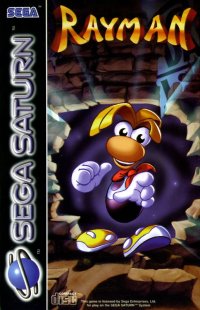
In this 2D platformer, players control the limbless hero
Rayman as he navigates through whimsical, music-themed worlds to restore balance to his universe. After the villain Mr. Dark steals the magical Great Protoon and scatters the friendly Electoons, Rayman must defeat various bosses and recapture the lost creatures. The ultimate goal is to reassemble the Protoon and defeat Mr. Dark to return harmony to the world.
The Story of Rayman
In Rayman's world, nature and people live together in peace. The Great Protoon provides and maintains the harmony and balance in the world. Unfortunately, the evil Mr. Dark steals the Great Protoon and defeats Betilla the Fairy as she tries to protect it. The Electoons, who used to gravitate around it, lose their natural stability and scatter all over the world.
Strange phenomena begin to occur in the now-unbalanced world. Freaks and hostile characters appear, capturing every Electoon they can find. The disappearance of the Great Protoon neutralized all of Betilla the Fairy's powers, and she needs time to regenerate her energy before she can help.
Rayman must free the Electroons and recapture the Great Protoon from its mysterious kidnapper. He must reassemble them all to restore the world's harmony. Gameplay Overview
Rayman does not have arms or legs, but neither do the bad guys. You might meet the "bosses" more than once in the different worlds described below. Always be on the lookout for the Antitoons, Mr. Dark's foot soldiers. They are small, but they are dangerous. The Dream Forest
Rayman has to proceed through the jungle without ever falling into the swamp waters. He will come across hunters and explorers and meet Tarayzan, his first friend. •
Help Tarayzan get dressed to see what happens.
•
The big boss is Moskito, a persistent giant mosquito.
Band Land
In a scene filled with clouds and slippery sheet music bars, Rayman must advance among music instruments. These include drums, maracas, cymbals, and more. •
Avoid wrong notes while moving forward.
•
Escape from trumpets to face the deafening Mister Sax.
Blue Mountains
Rayman has to move forward, avoiding rock avalanches and stone creatures. In these mountains, Rayman meets the Musician and helps him recover his lost guitar. •
The big boss to defeat is Mister Stone, a creature made of rock.
Picture City
This is the world of images and mirages. Once Rayman walks across the stage of a small theatre, he comes across beings straight from a pirate movie or a science fiction film. •
In particular, he will meet Space Mama, a tough cookie with a deadly rolling pin.
The Caves of Skops
This is a troubling underground world entered through Joe the Extraterrestrial's cheerful snack shop. First, Rayman has to plug in his friend Joe's shop sign while avoiding the spiders. •
Work your way around the stalactites in the cave to find the lair of Skops the Scorpion.
Candy Chateau
Welcome to the world of desserts where Mister Dark is hidden and guarded by clowns performing amazing stunts.
•
Be careful, Mister Dark is diabolical!
Now that you know what to expect, get ready for a mind-bending adventure. Good luck!
The Basics
Rayman has to free the imprisoned Electoons to re-establish order in his world. For each level there is a medallion with 6 empty spaces, each of which corresponds to a cage of Electoons, which you have to find. Each time you free a cage of Electoons, one space on the medallion is filled. In order to enter the Candy Chateau level, you must first free all of the Electoons in the first five worlds. At the start of the game, Rayman can carry out simple actions such as walking, jumping, holding onto vines, and crawling. As you progress through the game, Rayman gets new powers including a punching fist, the ability to hang onto platforms, a grabbing fist, the ability to run, and a special helicopter feature. Betilla the Fairy grants him these very special powers. A brief explanation of how to use your new powers will appear on the screen each time you get one. Once you have acquired a new power, it will be useful to you throughout the rest of the game. However, you should also backtrack to thoroughly explore the levels you have already gone through because you probably haven't seen it all yet. Some surprises are waiting for you, things that you were unable to reach the first time you went through.
Navigation and Maps
At the beginning of each game, a map of Rayman's world will be displayed. Each time you have completed a level, the next paths available to you will be highlighted on the screen. Most of the time, you will be able to choose between two directions. The "normal" exit to any level is at the end of it. Exits are indicated by an exit sign. You can also exit the first stage of a level by going back out through the entrance door.
Controls and Saving
Place the Rayman cartridge in the Game Boy® Advance and set the power switch to on. When you start the game, you will be asked to Choose A Game that you would like to play. By moving the white fist on the left side of the screen up or down with the Control Pad, you can choose between one of three saved game slots. Press the A Button to choose a slot. You can then name your game by pressing up or down on the Control Pad to rotate the letters and pressing the A Button to make your selection. Once a game is named, make sure the white fist on the bottom of the screen is pointing to the word “Start” and hit the A Button. You will now begin your adventure.
There are two types of powers: permanent powers (those that you keep no matter what happens in the game) and temporary powers. The permanent powers are distributed by Betilla the Fairy.
•
Crouch/Crawl: From the start of the game, you can make Rayman crawl. Press down on the Control Pad to crouch. Hold down and left or right on the Control Pad to crawl in that direction. •
Telescopic fist: Press B Button to send off the fist. The longer you keep the button pressed, the further the fist will go.
•
Hanging onto platforms: When Rayman jumps or falls, he automatically hangs onto the nearby platforms. You can save your game each time you finish a stage when you are on the world map. To save, move Rayman to one of the save spots on the map, which are marked with the Magician's top hat. You will be asked if you want to erase your previously saved game. If you choose “Yes” your new game will be saved in the save game slot you chose at the beginning of the game. When you start up RAYMAN, you can decide to continue to play a game that you started and saved earlier. You can choose from up to three previously saved games. The commands at the Save/Load screen permit you to do one of two things: ERASE or COPY a game.
•
ERASE: Allows you to erase the saved version in order to restart the game from the beginning.
•
COPY: Allows you to duplicate the saved version of a current game. As a result, you can continue playing the game, and if you are not pleased with your performance, you can restart the game from the point where you copied the previously saved game.


 (En,Fr,De,Es,It).png)
 (En,Fr,De,Es,It).png)
 (En,Fr,De,Es,It).png)
 (En,Fr,De,Es,It) (Beta).png)
 (En,Fr,De,Es,It).png)
 (En,Fr,De,Es,It).png)
 (En,Fr,De,Es,It) (Beta).png)



_1.png)



.png)


_crop_1795585020.png)


.png)

_1.png)







 (En,Fr,De,Es,It).png)