Getting Started
•
Ensure the power is switched OFF before inserting the Game Pak. Never insert or remove a Game Pak when the power is ON.
•
Insert the *Sonic Advance™ 3* Game Pak into the Game Boy® Advance slot as described in the instruction booklet. •
Turn the POWER switch ON.
Initial Setup
•
Select Language: Use the Control Pad ▲▼ to choose and the A Button to select.
•
Enter User Name: Select up to 6 characters using the Control Pad. Press the A Button to enter and the B Button to delete the last character. Use the arrow marks on the right to move the cursor, and select END to finish.
The name you enter will be displayed on record and ranking screens. User Name and language settings can be modified later via OPTIONS at the Title Menu.
Title Menu
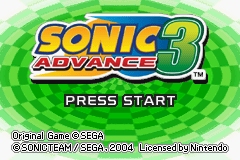
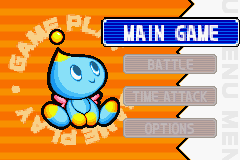
From the Title Screen, press START to access the Title Menu. Use the Control Pad ▲▼ to choose from the following options and press the A Button to select.
•
MAIN GAME: The main story mode for 1-2 players.
•
BATTLE: Multi Player Battle mode for 2-4 players.
•
TIME ATTACK: Retry previously opened Zone Acts for the fastest possible time.
•
OPTIONS: Change various game settings.
Main Game Modes
•
SINGLE PLAYER: Play with a CPU partner.
•
MULTI PLAYER: Connect 2 Game Boy® Advance systems for a second player to control the partner character.
•
MULTI-PAK MODE (Battle): Team Race. 1 Game Pak required for each player.
•
SINGLE-PAK MODE (Battle): Find Chao. 1 Game Pak required.
Exploring the Zone Map
Once characters are selected, you are transported to the Zone 1 Map. The map contains Act Rings and Transporters that lead to Action Stages, gameplay areas, and features. •
Starting Play: Search for and jump through the Act Ring marked “1” to enter Act 1.
•
Progression: Clear all 3 Acts (in any order) to challenge the Boss and move to the next Zone.
•
Walls: Certain walls look different; use character combinations and techniques to break through them.
Zone Features
•
Hidden Chao: Found at various locations in each Zone. Pick them up to transport them to the Chao Playground.
•
Omochao: Friendly Omochao are positioned around the course. Press Control Pad ▲ for a gameplay hint.
•
Special Keys: Earned by clearing each Act after finding 10 Hidden Chao. Use 1 Special Key to unlock the Special Stage Transporter in the Zone Map. Each key is single-use.
•
Mini-Games: Each Zone has 2 mini-games accessed via Transporters in the Zone Map. Stand beneath a transporter to be tracked in. These can only be entered once per game.
Special Stage
•
Each Zone has 1 Special Stage accessed via a transporter in the Zone Map.
•
You must hold a Special Key to enter. Each Key is used once; earn another to re-enter.
•
Use the Control Pad and A Button to fly through a 3D environment.
•
Collect the required amount of Rings before reaching the end of the course to obtain one of the 7 Chaos Emeralds.
Boss Area
•
Accessible only after clearing all 3 Acts.
•
Find the Boss Transporter in the Zone Map and stand beneath it to enter.
•
Defeat Dr. Eggman's boss robot to proceed.
Sonic Factory & Chao Playground
•
Sonic Factory: Located at the start of each Zone Map. Accessible via a Ring. •
Change player characters (lower level pipe).
•
Transport to previously cleared Zones (numbered pipes).
•
Chao Playground: Accessed via the Sonic Factory (middle left exit). •
View Hidden Chao collected per Zone.
•
Check for obtained Chaos Emeralds.
•
Press SELECT on the main Chao screen to view the Chao Map for all Zones.
Multi Player Main Game
•
Connect up to 2 systems via Game Boy® Advance Game Link® cable.
•
2 Game Paks are required for MULTI PLAYER mode. Game data is saved only on Player 1's Game Pak.
•
Gameplay: Partner character is chosen and controlled by Player 2.
•
Player 1's system controls entry to boss areas, Sonic Factory, and Act Rings. •
Both characters can perform Tag Actions and suffer damage/lose rings if attacked.
Battle Modes
There are two BATTLE modes available for 2 to 4 players. The aim is to race through a MAIN GAME Act and jump through the Goal Medal first. The game ends after 10 minutes if no winner is decided.
•
Requires 1 Game Pak (inserted in Player 1's system).
•
Player 1 selects BATTLE, then SINGLE-PAK MODE.
•
Other systems connect without Game Paks.
•
Player 1 confirms character selection and presses START to begin.
•
Requires 1 Game Pak per player.
•
All players select BATTLE, then MULTI-PAK

_1.png)
 (En,Ja,Fr,De,Es,It).png)



_1.png)



.png)

