Getting Started
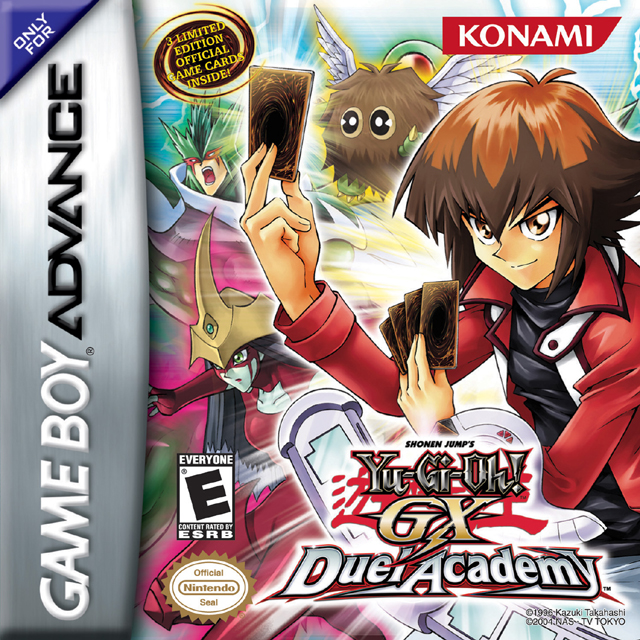
Insert the Game Pak correctly into the Game Boy® Advance and turn the power ON to display the Title Screen.
Title Screen Controls
•
Press the Control Pad Left/Right to select “New Game” or “Continue.”
•
Press the A Button to confirm.
*Note: The “New Game” option is the only one available for the first playthrough.
Starting a New Game
Select “New Game” to enroll in the Duel Academy and play from the beginning. If saved data from a previous game exists, a warning screen will appear. Press START to erase the old data and start fresh, or press B to cancel.
Name Entry
Enter a name of up to eight letters. Use the Control Pad to move the cursor and choose ← to delete a letter. Select “END” to confirm and exit.
Continuing a Game
Select “Continue” to load a saved game. You can save your progress from the PDA Menu.
Saving Progress
•
Select “Save” from the PDA Menu to save your game.
•
Quitting without saving will result in lost play data.
BECOME THE KING OF GAMES
Battle rivals at the Duel Academy to earn the rank of “King of Games!” Follow these steps to progress:
1. Find an Opponent: Wander the Map Screen or use the “Send mail” function on the PDA.
2. Win the Duel: Defeat your rival to earn Duel Points (DP).
3. Buy Cards: Use DP at the Shop to purchase card packs.
4. Strengthen Your Deck: Add new cards to your Deck to prepare for future duels.
5. Pass Exams: Complete exams to raise your rank and become the King of Games.
DUEL ACADEMY - Map Screen
Life at the Duel Academy revolves around the Map Screen, which displays your current location, time, and time of day.
Time System
•
Weekends: Time passes as AM, PM, and Night when you are outside your room. Return to your room and select “Go to sleep” to advance to the next day.
•
Weekdays: Time skips forward if no events are scheduled. On Tuesdays, new card packs arrive at the Shop.
Traveling
On weekends, choose a destination on the Map Screen and press the A Button to travel. You will automatically speak to characters present at that location.
Your Room Menu
When in your room or at the end of the day, access the following options:
•
PDA Display: Access the PDA Screen.
•
Go to sleep: Proceed to the next day.
•
Look at tutorial: View gameplay information.
•
Timed Duel: Play a Timed Duel.
Using the PDA
Access the PDA Menu from the Map Screen or your Room. The menu includes:
•
Status: View results and collected data.
•
Forbidden/Limited Cards: View the current card ban list.
•
Calendar: View appointments for the next 12 months.
•
Edit Deck: Edit your card decks.
•
Send Mail: Request duels with other characters.
•
Options: Change animation speed, activation timing, battle directions, and simple battle settings.
•
Link: Trade cards and play Link Battles.
Forbidden/Limited Cards
View the current list of Forbidden, Limited, and Semi-Limited Cards. Use the Control Pad to switch between lists.
Calendar
View scheduled appointments, including Duels (arranged via mail), Exams, and Allowance days (when you receive DP).
Send Mail
Use this to request duels. Select the recipient, date, and time. When the recipient accepts and chooses a location, the duel is arranged. You cannot travel once a duel is imminent.
Options Menu
•
Animation Speed: Choose from four settings.
•
Activation Timing: Set to “Manual” to control Quick-Play Spell and Trap Card timing.
•
Simple Battle: Shortens attack directions.
•
Duel Directions: Toggle opponent duel directions on or off.
Link Features
Use a Game Boy® Advance Game Link® Cable for trading and battles.
Trade Card
Trade single cards with friends. Remove desired cards from your Main Deck before trading.
1. Select the card to trade.
2. Both players select “Start Trade” to exchange.
Link Battles
Duel against friends using special rules:
•
All Forbidden and Limited cards may be used.
•
Do not keep Forbidden/Limited cards in your standard deck if playing Link Battles; create a separate deck.
•
Winners do not receive Duel Points.
•
The “Surrender” option is unavailable.
Link Battle Setup
1. Connect consoles.
2. Player 1 selects the match format: Single Duel or Match Duel.
3. Player 1 sets the time limit (None, 10 Minutes, or 30 Minutes) and starts the duel.
DUEL ACADEMY - Shop
Purchase card packs using Duel Points (DP). The Shop is located in the Main Academy Building and is open Saturday mornings/afternoons and Tuesdays. It is closed on Sundays.
Buying Packs
•
Select packs and add them to your basket.
•
Press START for pack details.
•
Press the A Button to confirm purchase with DP.
Pack Information
View pack names, card counts, basket limits, remaining stock, and price.



_1.png)
_2.png)
.png)
.png)
.png)

_1.png)

 (Rev 1).png)

 (Rev 2).png)


.png)








_1.png)




.png)

