GETTING STARTED
*Note: Illustration may not match all PlayStation®2 console types. For owners of SCPH-70000 series PlayStation®2 systems, refer to the setup instructions supplied with your system.*
Set up your PlayStation®2 computer entertainment system according to the instructions in its Instruction Manual. Make sure the MAIN POWER switch (located on the back of the console) is turned ON.
Press the RESET button. When the power indicator lights up, press the OPEN button and the display will open. Place the Fantastic 4™ disc on the disc tray with the label side facing up. Press the OPEN button again and the disc tray will close.
Attach game controllers and other peripherals, as appropriate. Follow on-screen instructions and refer to this manual for information on playing the game.
MAIN MENU
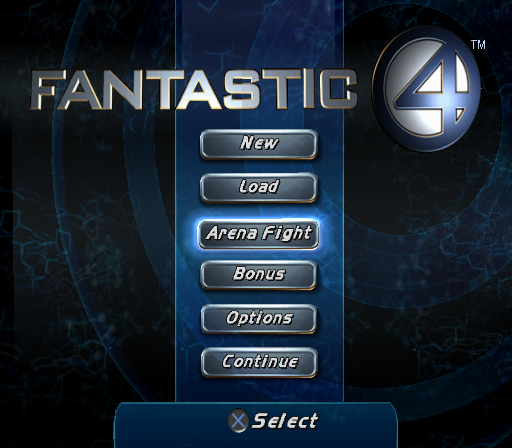
New
To start a new game, click on New. Select your difficulty level: Easy, Medium or Hard. Then select Single or Coop play.
Load
Click on Load to load a previously saved game.
Arena Fight
Select Arena Fight in the Main Menu to access arena fights. Choose between two modes to start:
•
Practice Room: Play up to all four heroes and switch between them at any time. Practice your combos and cosmic attacks.
•
Survival Mode: Battle waves of enemies and maximize your score. In Coop, out-battle the other player for bonus points.
Additional arena environments, enemy sets and game modes are unlocked as you progress through the game and discover "F4 secrets."
Bonus
Select the Bonus button in the Main Menu to access bonus content (such as unlockable levels, movies and production art). Bonus items are purchased using points in the Upgrades screen.
Options
Select the Options button in the Main Menu to change controller configuration, adjust music and sound effects and enable or disable controller vibration.
HOT SPOTS
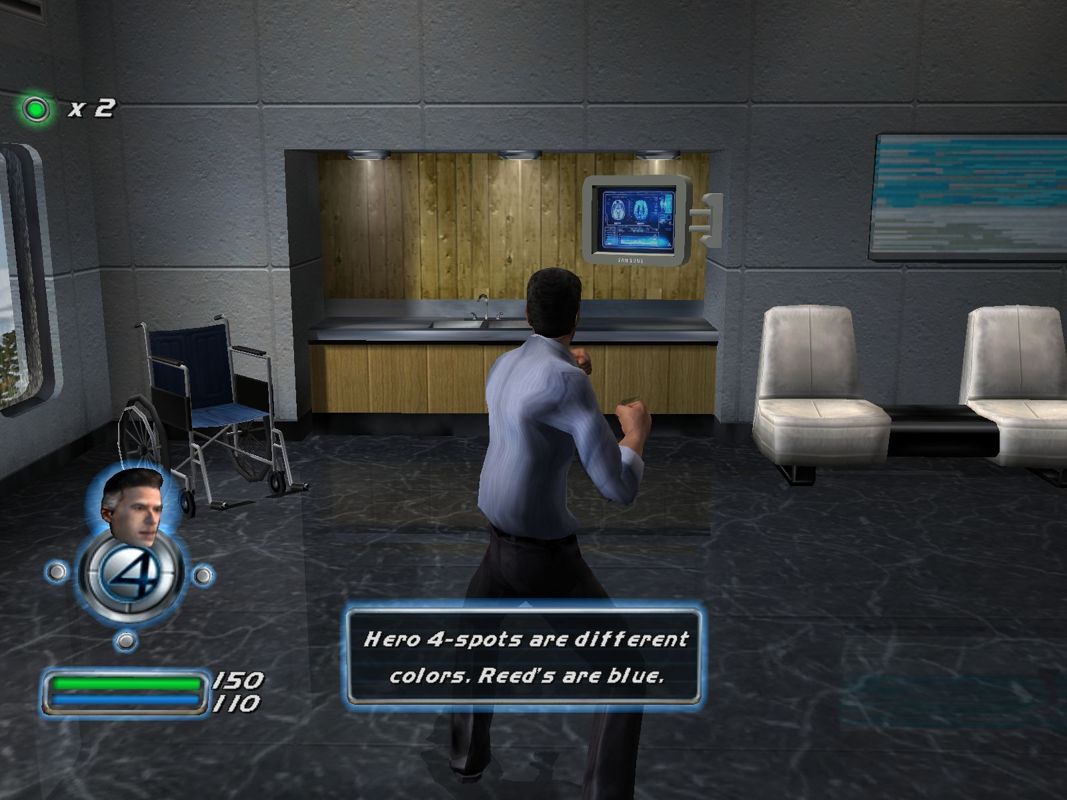
Hot spots perform context-sensitive animations for special hero maneuvers. Look for the glowing "4" icon on the ground.
Some hot spots are only accessible to certain characters and are indicated by color: blue for Reed, white for Sue, red for Johnny and yellow for Ben. To activate a hot spot, position yourself over the glowing "4" icon and press the Action button. COMBAT
Fantastic 4 is an action brawling game, so you need to master all aspects of combat to succeed. Try using different combinations of moves to finish enemies with special maneuvers. Character Switching
You can switch to other hero characters any time they're available. If a hero character is available, his or her face appears on-screen in the HUD (Heads-Up-Display). Switch to a different hero by pressing the correct direction on the directional buttons.
Combos
Perform combos using sequential presses of the attack buttons. You'll unlock additional extended combos as you progress through the game. Specific combos are necessary to defeat the most challenging enemies.
Grappling and Throwing
Each character has different grappling abilities. Heroes can pick up enemies and objects (the Action button) as they fight their way through the levels, and then throw them for maximum damage! Explore the limits of each hero to find the enemies and objects that can be picked up. Grappling also initiates Team Combos.
Cosmic Power
Each character has different cosmic powers accessed by pressing the Cosmic button plus another button. Holding down the Cosmic button also gives you a speed and defense boost, but drains your cosmic power bar.
Supers
Each character has a super move accessed by pressing the Cosmic + Jump buttons. These super moves do major damage and become available as you successfully complete three and four-hit combos. The gold "4" icon in the upper left corner of the screen shows when you have supers available.
Targeting
Targeting is initiated by holding the Target button. A targeting reticule appears on the nearest enemy. Switch targets by pressing directions on the right analog stick.
You can also strafe with the left analog stick and dodge with the left analog stick plus the Jump button. Targeting mode is especially good for throwing objects and enemies into other foes, using a hero's long-range attack or homing in on a boss.
Team Combos
Characters can perform special maneuvers with each other for the ultimate finisher on an enemy. To perform a team combo, walk up to a hero that has grappled an enemy.
You can grapple an enemy with one hero, then switch to a second hero. Face the grappling hero and press the Grab button to perform a team combo.
Buddy Buffs
Heroes can use their powers on each other to help in certain combat situations. Hold the Cosmic button plus a direction on the directional buttons. The character corresponding to the direction pressed receives the buddy buff.
You can also call for a buff from your nearest teammate by pressing the direction corresponding to the current hero. Each hero has a different power (either offensive or defensive) they can help with. Practice to find out which ones work better in certain situations.
Lives
Each hero starts with three lives. The green dot in the upper left-hand corner of the screen shows the number of available lives you have. Earn extra lives by completing bonus tasks and/or collecting special power-ups.
UPGRADES
You can upgrade hero moves whenever you have enough points available. Push
.png)

.png)
.png)
.png)



.png)

.png)



.png)
