PlayStation®2 Setup
Set up your PlayStation®2 computer entertainment system according to the instructions supplied with your system. Check that the system is turned on (the on/standby indicator is green).
Insert the Nicktoons™: Attack of the Toybots! disc in the system with the label side facing up. Attach game controllers and other peripherals as appropriate. Follow the on-screen instructions and refer to this manual for information on using the software.
Memory Card
To save game settings and progress, insert a memory card (8MB) (for PlayStation®2) into MEMORY CARD slot 1 of your PlayStation®2 system.
You can load saved game data from the same memory card or any memory card (8MB) (for PlayStation®2) containing previously saved games.
Starting a New Game
After the power is turned on, the game displays the corporate logos and then the title screen. Press the START button to access the Main Menu screen.
Main Menu Choices
•
New Game - Begin a brand new game of Nicktoons™: Attack of the Toybots!
•
Load Game - Load a previously saved game.
•
Options - Adjust audio and control settings.
•
Multiplayer - Play one of the stand-alone 2-player levels.
•
Art Gallery - View a selection of the game's production art.
•
Credits - View a list of the evil geniuses who helped create this game.
Autosave Feature
Nicktoons™: Attack of the Toybots! uses an "Autosave" feature. To use it, make sure you have a memory card (8MB) (for PlayStation®2) inserted into MEMORY CARD slot 1 of your console.
As long as you have a memory card (8MB) (for PlayStation®2) inserted, your game is automatically saved. You can also play without a memory card, but your game will not be saved.
2 Player Co-Op
Nicktoons™: Attack of the Toybots! includes three stand-alone levels - two platforming and one Mech-suit - that you and a friend can play straight away. Make sure you have two controllers set up, select your level from the Multiplayer option in the Main Menu, and away you go!
In each of these levels, you'll have to work together to reach the end; you can't do it on your own.
Co-Op Tips
•
Don't let your buddy stray off-screen for too long or you'll both be reset to the last checkpoint you passed. Work together to clear the level!
•
If you find your way blocked by a door, ask your buddy to find a control box that he can activate or destroy.
Mech-Suits
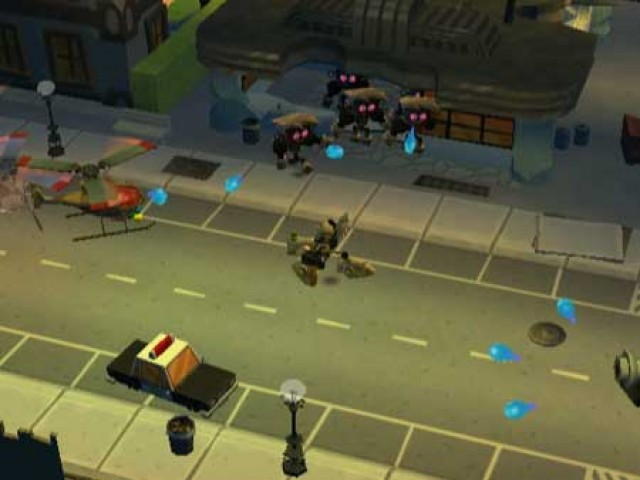
Prepare for Mech-suit mayhem! When the bad guys leave the factory and take over Amity Park, Jimmy Neutron rolls up his sleeves and builds his pals some serious power armor - equipped with goo spitters and goo throwers - so that they can kick some serious evil-toy butt!
Find enough circuits to upgrade your Mech-suit's goo thrower and make it even more powerful!
Multiplayer Mech-Suit Mayhem
Can't wait to try 'em out? Then grab a friend and jump right into one of the multiplayer levels found in the Main Menu.
Mech-Suit Controls
•
Use the left analog stick to keep your Mech-suit moving at full speed!
•
A little Goo goes along way. Just use the right analog stick to take aim and fire.
•
When a little Goo won't do, hit the R2 button for a jumbo-sized shot of extra-sticky, state-of-the-art, super Goo!
.png)

.png)
.png)
.png)

.png)


.png)


_1.png)






.png)
.png)

.png)