GETTING STARTED
Set up your PlayStation®2 computer entertainment system according to the instructions in its Instruction Manual. Make sure the MAIN POWER switch (located on the back of the console) is turned on.
Press the RESET button. When the power indicator lights up, press the open button and the disc tray will open. Place the ATV: QUAD POWER RACING™ 2 disc on the disc tray with the label side facing up. Press the open button again and the disc tray will close.
Attach game controllers and other peripherals, as appropriate. Follow on-screen instructions and refer to this manual for information on using the software.
MEMORY CARD (8MB) (for PlayStation®2)
ATV: QUAD POWER RACING™ 2 only supports MEMORY CARD slot 1. To save game settings and progression, insert a memory card (8MB) (for PlayStation®2) into MEMORY CARD slot 1.
ATV: QUAD POWER RACING™ 2 features an AutoSave system, and the game will automatically save your game progression at certain points. Insertion or removal of the memory card (8MB) (for PlayStation®2) after switching the console on may cause data to be overwritten or lost.
ATV: QUAD POWER RACING™ 2 also supports manual save and load of game data from the Main Menu, and after performing a manual save / load, the game will again AutoSave your progression at the relevant points.
INTRODUCTION
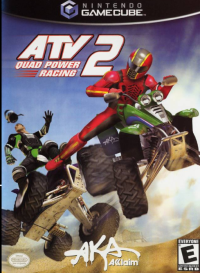
ATV: Quad Power Racing™ 2 puts you behind the wheels of some of the most powerful all terrain vehicles in the world and pushes you to the limit with insane death-defying stunts, exaggerated power slides and mind-blowing big air jumps. It features a wide range of all terrain vehicles and official pro riders offering a perfect blend between motorcross racing, freestyle and all the insane thrills and spills of extreme over the top action.
If you think you need something extra to be a winner, you may find yourself resorting to dirty tricks like kicking or ramming your opponents. Whether you're racing across the many challenging terrains or pulling off mad stunts in the arena, the thrills and excitement are unbeatable. If you're really skilled, you'll get to put together your own custom championship. So fuel up and get ready for a ride that's unreal.
MENU NAVIGATION
•
➤ button Confirm/select/advance
•
directional buttons/ left analog stick Move highlight/toggle settings
MAIN MENU
•
ATV ACADEMY Learn to ride before you take on the other modes. See page 12 for details.
•
CAREER Bring up your rider from Amateur to Master status, unlocking items as you progress. See page 12 for details.
•
SINGLE RACE Get right into racing. See page 13 for details.
•
ARCADE Arcade-style antics rule as you try to advance through progressively tougher race challenges. See page 13 for details.
•
FREESTYLE Indoor mayhem reigns as you try to pull off your best tricks. See page 14 for details.
•
CHALLENGE Take challenges from top riders to show your skills.
•
TIME TRIAL You and your bike try to beat the best times. See page 14 for details.
RIDER PROFILE
Your game progress is tracked through a rider profile. The first time you start the game (or if no profiles have been saved), you'll be asked to create a profile before you advance to the Main Menu.
Once you have advanced, you can also access the profile feature from the Options menu. Choose one of the rider personalities, enter a name, then off you go. When you are done, highlight OK and press the button.
NAME YOUR RIDER
RIDER SELECT
Before you get into action, you'll need to select your rider. You can select any of the available riders. Each rider is shown in the middle of the screen, with their name, stats, skill level and certificate displayed around them.
Riders are rated in several categories, including Ability, Technique, Aggression, Strength and Skill level. Riders begin as "Newbies" with a career status of Amateur. As a rider progresses, he can earn upgrades for their stats which will elevate them to the Professional and Superstar levels.
To select a rider, press or on the + directional button or left analog stick to cycle through to the desired rider, then press the button. To view the Rider Bio for the currently highlighted rider, press the button. To view the Trick Book for that rider, press the button. This will list the currently available tricks and their controls.
BIKE SELECT
There are three bikes available when you start play, and more can be unlocked by either simply completing the two sections of the ATV Academy or earning Gold medals in Career mode.
ATV SELECT
Bike ratings appear beside the currently highlighted bike. Bikes are rated in these categories:
TRACK SELECT
In Single Race, Time Trial and Multiplayer Single Race, you can select any available track to race on. In other modes, you race on tracks in the order presented. Additional tracks
.png)


.png)
.png)
.png)
.png)


.png)
.png)

.png)
.png)

.png)

_1.png)
.png)


.png)


 (En,Fr,Es).png)
.png)


.png)

.png)
_1.png)

