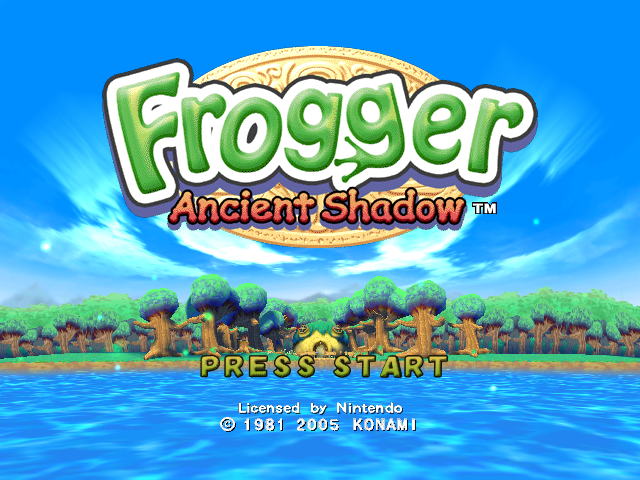
Main Menu
The Main Menu is where you can hop into action with single and multiplayer games, enter secret codes to unlock hidden elements, and set game options. To highlight a selection, use the + Control Pad. Press the A Button to select.
Story
This is the main Ancient Shadow adventure. Frogger embarks on a long journey through seven unique areas and 25 different levels. At least one level must be completed before Challenge mode can be accessed.
Challenge
In Challenge mode, you compete to complete any Story mode level in the fastest possible time. Levels must be completed in Story mode first to be available here.
If you select New Game after the Start screen, this option is not available.
Multiplayer
Take on up to three other players, either computerized or human, in head-to-head, Frogger-frenzied competition. Secret Code
Secret codes are awarded in Story mode by finding statues in hidden areas. Another source is the Ninendo DST™ version of Frogger Helmet Chaos. Enter them here to unlock hidden elements in the game. Options
Adjust sound and Controller settings to your liking.
Exit
Mom's calling you to the dinner table? Better go then. You don't want to miss out on fried frog legs!
Story Mode
Frogger is minding his own business when Lily hops in to turn his world upside down. Now Frogger is off and hopping to take care of the latest trouble around Firefly Swamp. There are two steps required when starting a new game in Story mode: signing in and finding a place to save your game.
Sign In
When you sign in, you create a player name under which all game data is saved (Story, Challenge, Secret Codes, Options).
To get started:
1. Press the Control Pad in any direction to highlight a character and then press the A Button to enter it. Continue until your player name is complete.
2. When you are finished, press Start/Pause to highlight END, and then press the A Button. At the confirmation message, press the Control Pad to highlight YES, and then press the A Button. Or highlight NO to continue entering your player name.
Player Name
Story Mode Area Map and Levels
After completing the Practice level, the Save Game screen appears and prompts you to save your progress. Frogger then lands on the Area Map, which allows him to navigate to all other areas in the game. Only three areas show at first: Practice area, Frogger's House, and the first unexplored area, Tears of Spirits. As Frogger progresses, new areas become available and appear on this map. Each area contains four unique levels, and there are seven areas for a total of 28 levels. Levels are selected after you enter an area. Levels become available one at a time.
Once you complete a level within an area, the next level can be selected, or you can replay a completed level.
To visit any available area and level:
1. Use the + Control Pad to move Frogger to an area and then press the A Button. 2. Use the + Control Pad to highlight a level. The best scores for the level are displayed in gold, silver, and bronze finishers. Press the Y Button for score details. Press the A Button to select a level and start the challenge, or press the B Button to return to the Area Map.
Challenge Mode
Challenge mode is identical to Story mode in how you play the game and move between areas and levels. The only difference is that you are being timed.
You must successfully complete a level in Story mode to play the same level in Challenge Mode. Challenge mode cannot be selected until at least one level is completed in Story mode.
After you select Challenge from the Main Menu, the Area Map appears.
1. Use the + Control Pad to hop to an area, and then press the A Button.
2. Use the + Control Pad to highlight a level. The best scores for the level are displayed in gold, silver, and bronze finishers. Press the Y Button for score details. Press the A Button to select a level and start the challenge, or press the B Button to return to the Area Map.
Multiplayer
Hop around in some frog-to-frog competition with Frogger and friends. There are seven multiplayer games and one single-player game. First, select your character. Press the Control Pad to highlight a character, and then press the A Button to select it. Each human player must choose a character. There are always four players—the game automatically fills any open slots with computer-controlled opponents.
Select a multiplayer game type. Use the + Control Pad to scroll through a display of each game type and then press the A Button to take on the competition.
Multiplayer Games
Bug's Samba
Avoid the big bugs and the baby bugs (when they hatch). Each hit consumes a life. Use the Tongue Grab to move hatching eggs into your opponent's path. The frog with the most lives remaining when time expires is the winner.
Firefly Surfing
Jump to dodge obstacles and reach the goal. Side jump when the sign is given. Whoever reaches the goal first wins!
**Tower of the Wani
.png)

.png)

_1.png)
_1.png)
 (En,Es,It) (SGB Enhanced) (GB Compatible).png)

_1.png)






.png)

.png)
