Setup
Set up your PlayStation® game console according to its Instruction Manual. Make sure the power is off before inserting or removing a compact disc. Insert the METAL GEAR SOLID disc 1 and close the Disc Cover. Insert game controllers and turn on the PlayStation® game console. Follow on-screen instructions to start a game. Thank you for purchasing Konami's METAL GEAR SOLID. Before playing, please read this manual carefully to ensure correct use.
PlayStation® Console Diagram
Resetting the Game
•
To reset the game to the Title Screen at any time, press and hold the following buttons for 3 seconds: Start, Select, L1, L2, R1 and R2. Any unsaved data will be lost!
Starting the Game
•
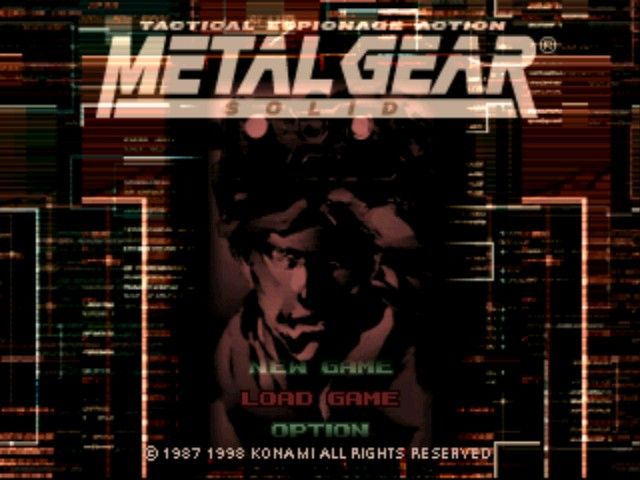
NEW GAME: Begin the mission. Select the difficulty of the mission: EASY, NORMAL or HARD.
•
NOTE: The EXTREME difficulty setting can only be selected after completing the game on 1 of the other settings.
•
LOAD GAME: Select this to view the Data Selection Screen. You must have previously saved a game to the Memory Card. (See p. 27 "Saving & Loading")
•
SPECIAL: View information from your previous operations.
•
OPTION: Adjust various game settings. (See p. 38 "Briefing & Options")
•
BRIEFING: View the mission briefing videos. (See p. 38 "Briefing & Options")
•
VR TRAINING: Train in a VR environment. (See p. 40 "VR Training & Special")
Changing the Discs
This game uses two discs. When the Disc Exchange Screen is displayed, exchange the discs following the on-screen instructions.
If you have Disc 2 save data, you can start the game from Disc 2.
About the CD Icon
If the Playstation's working environment is unsuitable or if it has been in operation for a very long time, the CD-ROM may not read properly. When the CD-ROM continues to read improperly for an extremely long time, the CD Icon may appear on the screen. When this happens, we recommend that you interrupt the game and turn the power off temporarily.
Camera Modes
"Metal Gear Solid" employs a variety of camera modes to create a feeling of participating in an infiltration mission packed with tension and excitement. Familiarize yourself with each unique camera mode and use them to your advantage. Behind Mode
Use "Behind Mode" to spy on your surroundings while remaining hidden. Stick up against certain walls or other objects by pressing and holding the Directional Button and the camera position will move to give you a strategic view of your area. First Person View Mode
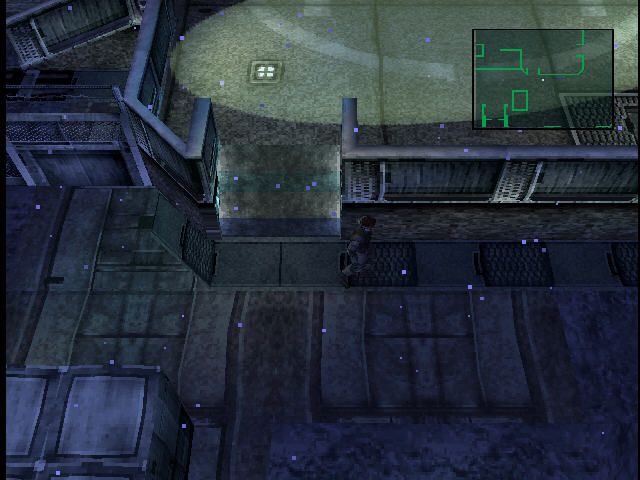
Use "First Person View Mode" to closely examine your immediate surroundings. When you press the First Person View Mode Button, the camera shifts to the player's viewpoint. If you press the Directional Buttons while holding the First Person View Mode Button, you can change the direction that Snake is looking in. While in First Person View Mode your field of vision is represented as a green cone on your radar. (See p. 42 "Advanced Techniques")
Intrude Mode
"Intrude Mode" operates when you are crawling through narrow areas. When crawling in tight, narrow spaces, the camera shifts to the player's point of view. Advance by pressing up on the Directional Button and press down to go backwards. You can also turn right or left by pushing in either direction. You can use the First Person View Mode while in Intrude Mode to get a better look around.
Enemy Alertness Level
Infiltration Mode
Infiltration Mode is the standard mode when Snake has not been discovered by enemy soldiers or surveillance cameras.
Enemy soldier movement in Infiltration Mode
In Infiltration Mode, enemies generally patrol along a certain route. When the enemy soldiers hear a noise in Infiltration Mode, they leave their patrol route and investigate in the direction of the noise. This is called "Noise Mode" and the enemy's field of vision is displayed on the radar as a red cone.
If the enemy soldiers search the area where the noise was made and find nothing unusual, they will return to their normal patrol routes. It is also possible to intentionally make a noise to lure the enemy soldiers in a particular direction. When you kill an enemy in this mode, he may drop an item.
Alert Mode
When Snake is discovered by an enemy soldier or a surveillance camera, the game enters Alert Mode. In Alert Mode, the enemies already know that Snake is around, so even if a noise is made, the game will not enter "Noise Mode". Enemy soldier movement in Alert Mode
In Alert Mode, the enemy soldiers will call in reinforcements and attack Snake. If the soldiers lose sight of Snake, the game will enter Evasion Mode.
Evasion Mode
In Evasion Mode, the enemy soldiers are no longer patrolling their routes and are actively searching for Snake. If the soldiers lose sight of Snake, the game will enter Evasion Mode.
Enemy soldier movement in Evasion Mode
If the enemy soldiers rediscover Snake in Evasion Mode, the game will reenter Alert Mode. On the other hand, if the player can stay out of sight of the enemy until the counter reaches zero, the game will once again enter Infiltration Mode and the enemies will quickly return to their patrol routes.
In Evasion Mode, just
 (Disc 1) (Rev 1).png)

 [NTSC-U] [SLUS-00594].png)
 (Disc 2).png)
 (Disc 1).png)


.png)

.png)

.png)

.png)

.png)