Unlimited Time Mode
Choose a surfer and a board. Ride as long as you want without a timer. Relax and place your tricks as you like. Best Score Mode
Choose a surfer and a board. Aim for the best score in less than three minutes. You can save your best scores.
Icon Challenge Mode
Icons appear on the left of the screen as your surfer advances. Each icon displays the buttons for a trick. You must memorize them as they only appear three times.
Like in Best Score mode, try to collect as many icons as possible in less than three minutes. If you wait too long, the icon disappears.
Beach Selection
After selecting the game mode and surfer, choose your beach. In FreeSurf mode, you can select all beaches unlocked in Career mode.
•
Note: Play in Career mode to unlock other levels.
Career
Continue Career
This option allows you to resume a career in progress.
New Career
This option allows you to start a new career. The current career is deleted if you have not saved it beforehand.
Save/Load
Save
This option allows you to save the game.
Please refer to the NINTENDO GAMECUBE instruction manual for information on formatting and deleting files from a Memory Card. You can only load one career at a time. When you play in Career mode, everything you unlock is saved in the "KSPS SYSTEM SETTINGS" file. Even when you start a new career with another surfer, all unlocked options and secrets are saved. These options are also available when you reload a career or switch to Multiplayer or FreeSurf mode.
You can save multiple careers by giving them distinct names. If you use a name already in use, you will overwrite the previously saved file and lose that career.
Load
This option allows you to load a previously saved career. You can choose any previously saved career.
Delete
Use this option to erase a saved career.
•
Note: If you do not save the current career before loading a new one, you will lose the progress of that career.
The Game
You can now make your dearest wish come true and become a pro surfer. Join Kelly and the best surfers in the world at paradisiacal spots.
In Career mode, you'll surf the best spots and face the best surfers. Achieve level objectives to unlock new spots and boards. Increase your stats and learn new tricks. Don't forget to save your game before moving to the next level! Surfer Choice
Once Career mode is selected, choose your surfer. Scroll through the different surfers using the controller or →.
Surfer Characteristics
•
Rotation: Determines the surfer's rotation speed in the air.
•
Speed: Determines the speed at which the surfer moves on the wave.
•
Air: Determines the height your surfer jumps.
•
Balance: Determines your surfer's balance.
•
Note: These characteristics increase as your surfer's stats increase in Career mode.
Notebook
After starting a career, the notebook appears. It allows you to view photos taken during your professional surfing career.
Surfer Bios
When you select a surfer, you can read their biography. Select it using the controller. You will find a quick overview of your favorite surfer's career.
Tricks Manual
To learn specific tricks for each surfer, open the Tricks Manual. Select the Tricks Manual option using the controller. Then choose the type of trick (aerial, tube, face or exit) and press button A to watch the animation. Personal Outfit
Personal outfits must be earned!
Choice of the Board
Board Stats
•
Rotation: Board rotation speed
•
Thickness: Board thickness
Combined Stats
•
Rotation: Combined surfer and board statistics selected.
•
Speed: Combined surfer and board statistics selected.
•
Air: Combined surfer and board statistics selected.
•
Balance: Combined surfer and board statistics selected.
Career Objectives
In career mode, you will encounter different types of challenges. When you arrive at a beach, these challenges are indicated. Reach the "required" objective to unlock a new beach.
By completing secondary objectives, you will receive cheats, equipment, and stat points. You will visit all beaches twice in the game.
•
Note: You will need to return to a beach and choose the second group of objectives at a certain point.
Photo Challenge
During your career, you can take photos for magazine covers. Place your best tricks to make magazine covers. Icon Challenge
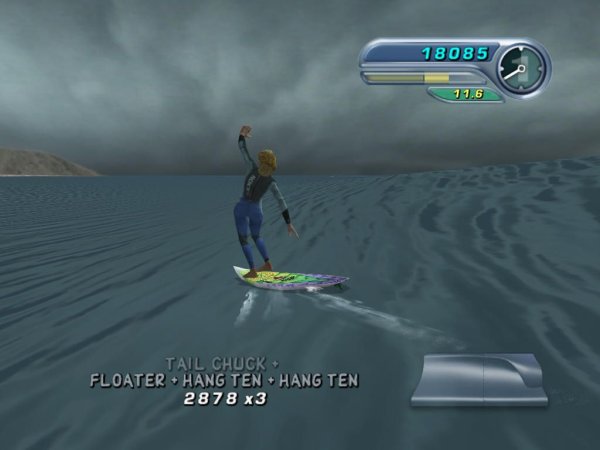
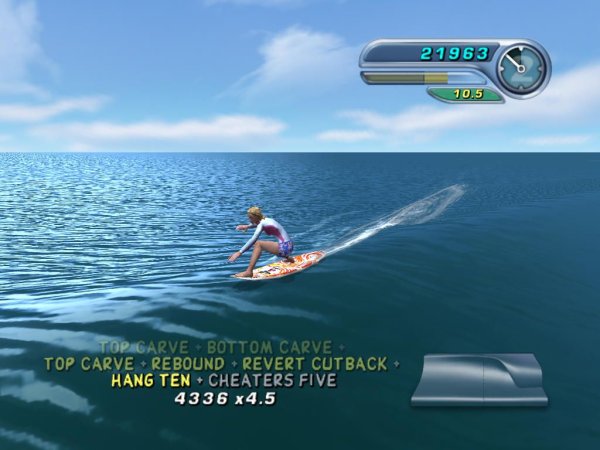
Icons appear on the left of the screen. They inform you that you must perform a certain trick to move to the next icon. Obtain as many as possible.
Competition
In competitions, you must finish first. Your score is calculated over three heats. Get high scores and perform crazy tricks to take first place! Obstacle Challenge
Press the Z button when the icon appears on the screen to help you aim at the object.
Screen Display
Pause Menu
Options
You will find other game options here.