Getting Ready
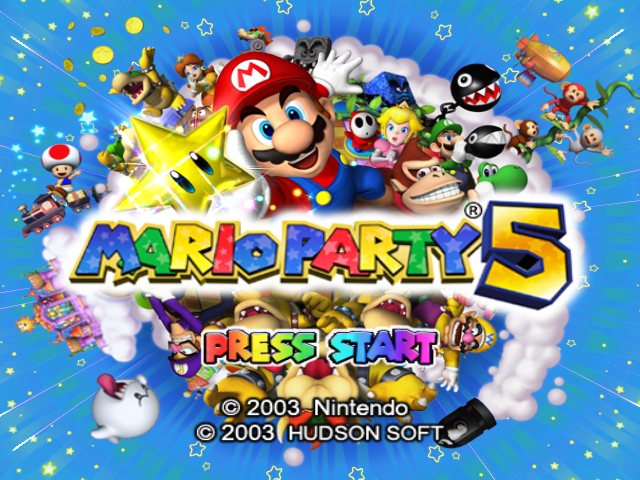
Place the Mario Party 5 Game Disc in the Nintendo GameCube system and close the Disc Cover. Insert a Memory Card into Slot A, then turn the power ON. Press START/PAUSE to skip the opening movie.
Memory Card Information
Mario Party 5 requires 5 blocks on your Memory Card. You can save up to 3 games on a single Memory Card. Continuing from a Previous Save
If you have previous save data, choose Play from the options.
You can save data in Party Mode during the game. In Story Mode, you can save your progress once you've cleared a board. If you lose, your data is saved automatically.
In both modes, if you start another game and save it, your save data from the first game will be lost. Be careful!
Copying and Erasing Data
•
To copy save data, select the file that you want copied and choose "Copy" from the menu. Next, choose where to save the copied data and confirm.
•
To erase save data, select the file that you want erased, choose "Erase" from the menu, then confirm.
Playing for the First Time
Press START/PAUSE on the title screen to access the File selection screen. Choose one of the three save files, then enter a name. After confirming the name, select the file and choose Play.
•
Date and Time of Last Save
CAUTION!
•
Refer to your Nintendo GameCube Instruction Booklet for more information about formatting Memory Cards and saving data. •
Do not remove the Memory Card, press the RESET Button, or turn the power off while saving. Doing so can damage your save file, and it can also cause damage to your Memory Card.
Game Modes
Party Mode
Up to four players can challenge each other in this mode. Compete in a Battle Royal or team up for a Team Match!
Story Mode
Battle against Bowser and the Mini Bowsers, Bowser's triple-trick treat! This mode is for one player only. Mini-Game Mode
Play all of the mini-games you have unlocked!
Super Duel Mode
Design and battle custom fighting machines. This mode is for one or two players.
Bonus Mode
Play three exciting bonus games, Mario Party-style! Beach Volleyball, Ice Hockey, and Card Party await. Options Mode
Set sound and rumble settings in this mode.
Party Mode Rules
The rules are easy: whoever has the most stars at the end wins. To get stars, you need to win coins in the mini-games. Then use your winnings to grab more stars on the board than your opponents.
Turn Flow
This is how a single turn works.
•
You can set the number of turns.
•
Hit the dice block to see how many spaces you'll move.
•
The space you land on may trigger an event.
•
Previous two steps repeated for each player.
•
If bonuses are turned on, three bonus prizes will be awarded after the set number of turns have been played.
•
The final standings are set, and the Dream Star is determined!
Rules Explanation
There's a tutorial that explains each rule and how it affects game play. Before setting the rules in Party Mode, we recommend referring to the tutorial at least once.
Rule Settings
Rules
You can play Party Mode two ways:
•
Battle Royal: Four players compete against each other.
•
Team Match: Two teams of two players each duke it out. Teams compete to get the most coins and stars.
Continue with the A Button. Go back with the B Button.
Set Number of Players
Four players will always participate in a game. If there are fewer than four human players, the remaining players are controlled automatically.
Choose Character or Team
Choose the character you want to use with the cursor. Then choose a character for each CPU player as well. Set the ability of the CPU character to Easy, Normal, or Hard.
When playing a Team Match, press left or right on the Control Stick to set the teams.
Choose Board Map
Select which board map you want to play.
Set Number of Turns
Set the number of turns you want the game to last. You can set it between 10 and 50 turns, in multiples of 5.
Choose Mini-Games
Set the mini-games that can appear during the game. Choose one of the following options:
•
All - All mini-games are available.
•
Easy - Only easy mini-games are available.
•
Action - Only action mini-games are available.
•
Skill - Only difficult mini-games are available.
•
Goofy - Only goofy mini-games are available.
Set Bonus Awards
If you turn the bonuses on, then hidden blocks containing coins become available on the board map. Also, at the end of the game, three bonus prizes of one star each will be awarded to players based on their performances.
If you turn the bonuses off, then no bonus awards are handed out, and the winner is decided based only on the number of coins and stars earned during the game.
Set Handicap
Set handicaps for players or teams by changing the number of stars under the characters. Tilt the Control Stick left or right to choose the character, then tilt it up or down to set the number of stars.
Once you have finished all the settings
.png)

_2.png)