GETTING STARTED
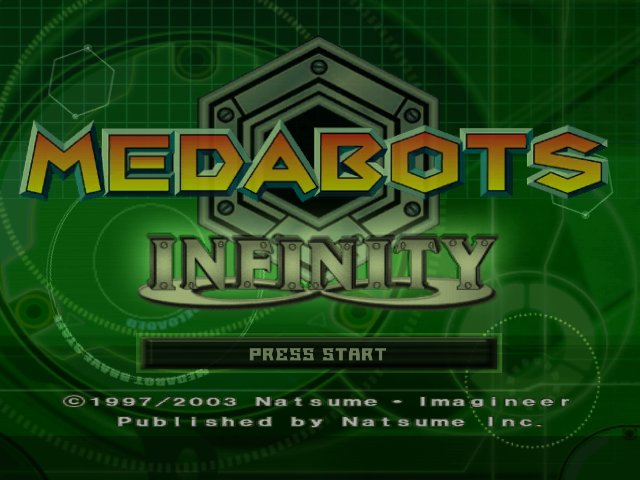
On the Start screen, press START to enter the main menu.
MAIN MENU
Scenario Mode
In Scenario Mode, join Ikki as he tries to save the missing amusement park attendees from the clutches of the evil Rubberobo Gang! Unlock new arenas and Medaparts as you journey to become the best Medafighter. You can either start a new game or load a saved game here.
VS Mode
In Versus Mode, you can Robattle against another player using your custom Medabot you have created in Scenario Mode (Saved Data from Scenario Mode is required for each player) or choose one of the pre-existing Medabots. Play against a friend or the computer.
Edit
In Edit Mode, you can create your own Meta-mind boggling arenas, save them and play them. Create arenas using the various traps and items found in Scenario Mode! To create an Arena, you must first have a saved Scenario Mode.
Trade
In Trade Mode, you can trade Arenas, Medaparts (Must first complete Scenario Mode) and Medals (Must first complete Scenario Mode). Each Memory Card must have 3 blocks of free space when trading Arenas, as well as a saved Scenario Mode on it. GBA Link
You can connect your Medabots: Infinity Nintendo Game Cube™ game to your Medabots: Metabee Game Boy® Advance game or your Medaobts: Rokusho Game Boy® Advance game to unlock various unique and rare Medaparts. Option
In the Option menu, you can change your Nintendo GameCube™ Controller settings, the sound options, and the brightness level of the game. YOUR MEDAWATCH
Access information about your Medabots, the Medaparts, Medals and Items you have by using your Medawatch while exploring Toru-Toru Land. Press the B Button to activate your Medawatch. In an Arena, you don't have access to your Medawatch.
Medabots Select
Listed here are the Medabots you have set up. With the exception of Metabee, you start with a frame and add Medaparts and Medals. Add/change them in the Medaparts Change menu. Medaparts Change
In this menu, change the Medal and Medaparts you have equipped. If you're not sure about what each Medapart or Medal does, go to the Medaparts Info and Medal Info menus. Medaparts Info
Find out what the Medaparts you have can do when equipped. Press the Y Button to see a Medaparts attributes, a brief description of what it does and to see what it looks like.
Medal Info
Find out what the Medals you have can do when equipped. Press the Y Button to see the attributes of the Medal, a brief description of its Medaforce power and to see what it looks like. Library
In the Library, you can find out information on all of the Medabots you have encountered. Press the Y Button to see what they look like.
Item
The Item menu shows you what Items you are holding and gives you a brief description of what they are or do.
SCENARIO MODE
There's been some trouble lately at the popular amusement park, Toru-Toru Land...it seems that some of Riverview's kids have gone missing. Join Ikki as he begins his journey as a Medafighter and tries to save the missing amusement park attendees from the clutches of the evil Rubberobo Gang! Register
Give yourself and your Medabot a name. When the Name Yourself screen comes up, your name appears as Ikki (the Medabots' hero). If you want to change that name, use the Control Stick to move the cursor over the letter you want and then press the A Button. When you have selected all the letters in your name, press START to confirm. Name your Medabot (its default name is Metabee) in the same way. Enter an Arena
Located throughout Toru-Toru land are helpful Information Stations that tell you the name of each arena, where you should be going and the last arena you completed. They also list the top Medafighters that have completed the arena.
If an arena is unlocked, you can just walk right up to the doors and press the A Button. If you are not allowed access, be sure to check one of the Information Stations for the arena or mission you should be doing next.
Saving Your Game
Use the Information Stations to save your game. Access the Information Station and press the X Button to save your current game progress.
Set Up Your Medabot
When entering a new arena, you must first set up the Medabot you want to use. You can find out what Medaparts you have, what they do, and whether you want to change them for that level.
Navigate through the menu by pressing the L or R Buttons. When you want to scroll through a category's sub-menu, use the Control Stick to move the cursor and press the A Button to select your choice. After you've made your changes, press START to enter the arena.
Scenario Mode Robattle Arena
Within Scenario Mode, you face two types of Missions. In some arenas, you will have to Robattle all the enemies to complete the Arena Mission and then you will be able to move on and complete
.png)

.png)

_1.png)
.png)

_1.png)
_1.jpg)









.png)


.png)