Getting Started
THE NINTENDO GAMECUBE™ SYSTEM
USING THE NINTENDO GAMECUBE™ CONTROLLER
MENU/SUB-MENU NAVIGATION
Throughout this manual, Up, Down, LEFT and RIGHT will signify pressing Up, Down, LEFT and RIGHT on the Control Pad. To navigate through the game menus (i.e. Options), use the Control Pad (Up, Down, Left or Right depending on the menu) to highlight a selection.
To activate a selection or access the next menu, press the A BUTTON. Press the L Button or R Button to cycle categories. To go back to the previous menu and/or cancel the previous selection, press the B BUTTON.
QUITTING A GAME IN PROGRESS
To quit a game in progress, press START or the Z Button during the game. The Pause Options Screen will appear. Select Quit.
When asked "Are you sure?", confirm by selecting Yes. You'll then return to the Main Menu.
Main Menu
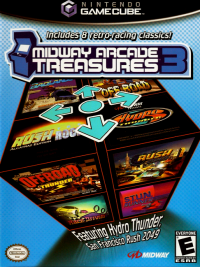
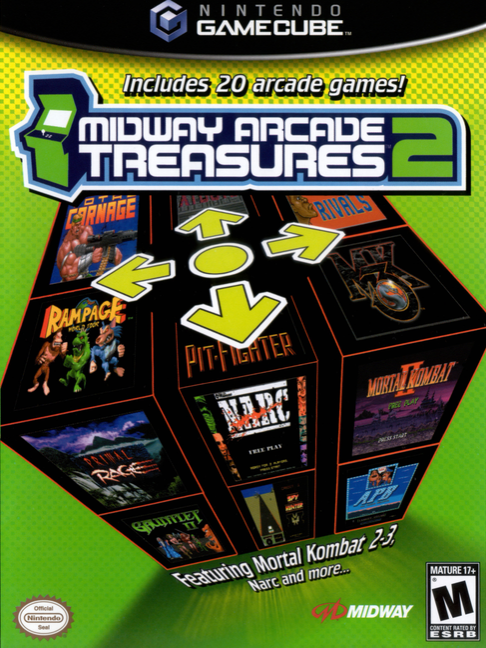
The Main Menu displays an icon for each of the 20 games included in MIDWAY ARCADE TREASURES 2. Press the Control Pad Up or Down to highlight an icon. A game preview will be displayed in the center of the screen.
Press START or the A BUTTON to select the game and go to the Main Title Screen.
OPTIONS
To view the selected game's options, press the K Button. The options for the selected game will be displayed. You can use this menu to adjust each game's Game SETTINGS and your CONTROLLER SETUP, as well as using the Load and AUTOSAVE options.
It's recommended that you study the controls for the game prior to playing (see CONTROLLER SETUP next page).
GAME SETTINGS
Each game includes adjustable game settings, but they will always be different, based on the game you select. To make changes to game settings, press the Control Pad Up or Down to highlight an option, then press the Control Pad LEFT or RIGHT to make changes.
CONTROLLER SETUP
See next page.
BONUS
The Bonus menu provides information regarding the HISTORY of the game you've selected from the Main Menu. There is also a GALLERY that includes original game promotional and advertising material, as well as a Video library that includes Interviews with the original developers of the game.
Once you've selected History, Gallery or Video, press the Control Pad to highlight an item, then press the A Button.
Single Player Games
APB
APB is the ultimate cops and robbers game where you portray Officer Bob, driving the police car in hot pursuit of lawbreakers. The levels of gameplay are measured in days. In order to progress to the next level, the player must meet the daily quota.
There are multiple objectives to challenge both novice and experienced players:
•
Meet the daily quota by arresting the offenders (litterbugs, drunks, dopers, honking taxis, hitchhikers, bikers, speeders and others).
•
Send APB criminals to jail (Sid Sniper, Juan Fingers, Freddy Freak, Hans Oop and many more).
•
Collect bonus time, extra fuel and police car enhancements.
The game is over when you obtain too many demerits. Demerits are given for not arresting the day's quota of criminals, shooting innocent vehicles, crashing the police car and running out of gas.
By driving through the speed shop, you can select from several different enhancements for his police car, including: faster acceleration, higher top speed, radar, armor, guns and better brakes. There are many levels of each of these enhancements for you to acquire. The ability to build a more powerful police car is an added incentive for you to use the add-a-coin game continuation and maintain this vehicle.
Hard Drivin'
How would you like to test drive a high-powered sports car on a stunt course? Now you have your chance! Have you ever jumped a draw bridge or driven a vertical loop? These thrilling stunts, among others, are found in Hard Drivin'.
Maybe high-speed driving is your type of excitement. Put the pedal to the metal and try to keep your control around the corners, weaving in and out of traffic while avoiding oncoming cars. All this and more await you behind the wheel of Hard Drivin'.
Two Player Games
ARCH RIVALS
This one-on-one basketball game basically follows the normal rules of basketball, but does not account for fouls. Players can actually fight for control of the ball.
The game basically follows the same rules as basketball. Two points are awarded for each basket made. Three points are awarded for completed shots made from outside the three-point line. The game does not account for fouls so players are encouraged to use the Punch feature to make the game more enjoyable.
•
To Shoot or Pass, press the appropriate button.
•
To "Take out" an opponent, hold the button down longer.
•
If your teammate is holding the ball, you can "tell him" to Shoot or Pass by pressing the corresponding button.
•
To block, press and release the Shoot button.
•
To punch, aim your player at the ball and press the Pass button.
•
To perform a Diving Steal, press the Pass and Shoot buttons simultaneously.
CHAMPIONSHIP SPRINT
Two players can compete head-to-head, or a second player can enter a game at any time if one player is
.png)

_2.png)
_3.png)
.png)