GETTING STARTED
TITLE SCREEN
The Title Screen stays on until the A Button or START/PAUSE is pressed. Pressing either takes you to the Main Menu.
MAIN MENU
•
The player can highlight a game by pressing the +Control Pad or Control Stick left, right, up or down.
•
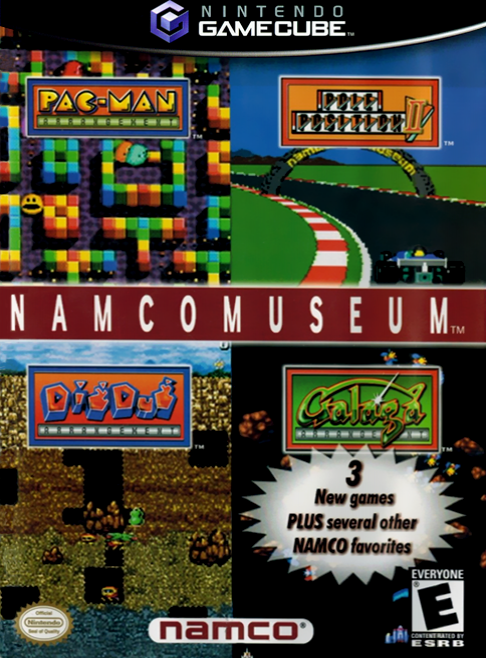
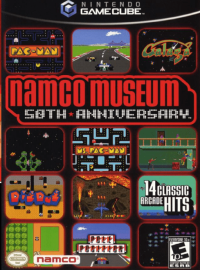
The games are listed in the following order:
1. Pac-Man
2. Pac-Man Arrangement
3. Galaga
4. Galaga Arrangement
5. Dig Dug
6. Dig Dug Arrangement
7. Pole Position
8. Pole Position II
9. Ms. Pac-Man
10. Galaxian
11. Pac-Attack (Locked)
12. Pac-Mania (Locked)
•
Pressing the A Button selects the game.
•
Pressing START/PAUSE displays the Main Menu Options.
MAIN MENU OPTIONS
Volume
Press the +Control Pad or Control Stick right/left to adjust the music and sound effects volume.
Start Up Mode
Determines whether the test patterns from the original arcade machine are displayed.
Rumble Feature
Press the +Control Pad or Control Stick right/left to turn on or off the Rumble Feature.
Restore Initial Settings
Restores all Main Menu Options and each game's Settings to their default setting.
Credits
Select this to view the credits. Press the +Control Pad or Control Stick up/down to speed up the scroll. Press the A or B Button or START/PAUSE to return to the Main Menu.
Load High Scores / Options
Select this to load High Scores and Options from your Nintendo GameCube™ Memory Card. Insert a Nintendo GameCube™ Memory Card in Memory Card Slot A. Save High Scores / Options
Select this to save High Scores and Options to your Nintendo GameCube™ Memory Card. Insert a Nintendo GameCube™ Memory Card in Memory Card Slot A. Done
Select this to return to the Main Menu.
PAC-MAN
How to Play the Game
The purpose of the game is to eat all the Pac-Dots from each maze while avoiding the attacks of the four ghosts. When all the Pac-Dots are eaten up, Pac-Man can proceed to the next round.
Rules
•
If you touch a ghost, Pac-Man will lose one life.
•
The game is over when all lives are lost.
•
An extra life is awarded by scoring 10,000 points. (This value is on the Settings Screen and can be changed with the Bonus Option.)
Power Pellets
Chomp down on a Power Pellet and Pac-Man will have the power to eat ghosts. When a Power Pellet is eaten, the ghosts change to a dark blue color for a short time. The ghosts start flashing before they turn back to their normal color, so watch out!
After a ghost has been eaten, its eyes return to the Ghost Home, then the ghost is regenerated. The more ghosts Pac-Man eats in succession, the more points they are worth.
Fruit
Fruit appears twice in each maze. Munch these for bonus points. The more mazes you complete, the more the fruit is worth.
Warp Tunnels
Go through these tunnels and Pac-Man will appear out on the other side of the maze. Use them to slow down a ghost that's hot on your tail.
How to use the Controller
•
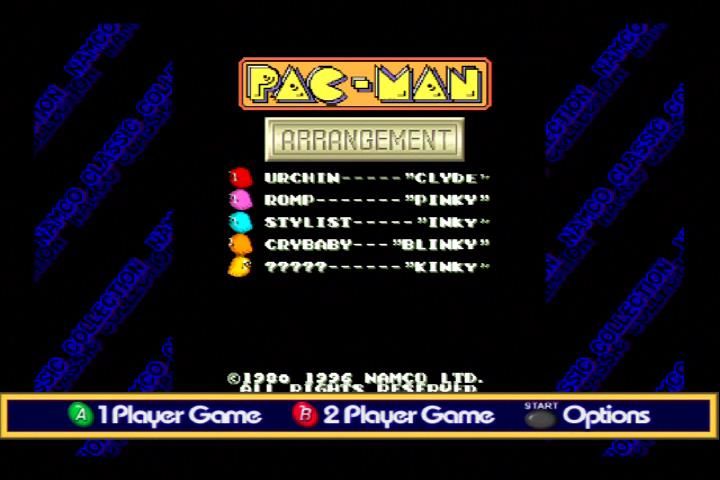
Start 1 Player Game: Press the A Button.
•
Start 2 Player Game: Press the B Button.
•
Insert Credits: Press the Y Button.
•
Options: Press START/PAUSE.
•
Continue: This will return you to game play.
•
Settings: This screen allows you to change the following settings:
•
Lives: Choose to start with 1, 2, 3 or 5 lives.
•
Bonus: Set the point value that must be reached to earn an extra life.
1. 10,000 points
2. 15,000 points
3. 20,000 points
4. None
•
Volume: Press the +Control Pad or Control Stick right/left to adjust the music and sound effects volume.
•
Done: Select this to return to the Options Window.
•
Tips: This option opens up a list of tips for Pac-Man. You can scroll through by pressing the +Control Pad or Control Stick right/left. This option can be exited by pressing the B Button at any time or by highlighting Done and pressing the A Button.
•
Screen Size: This allows you to select the size of the game window: Normal, Medium or Small. This is to compensate for some televisions that display text beyond the viewable screen boundaries.
•
Return To Main Menu: Returns you to the Main Menu.
Arcade Controls
•
During game play, the +Control Pad or Control Stick controls the movements of Pac-Man.
•
To Pause during the game, press START/PAUSE. This will bring up the Pause Options with the following choices:
•
Continue: This will return you to game play.
•
Quit Game: This will return you to the Pac-Man Title Screen.
•
Volume: Press the +Control Pad or Control Stick right/left to adjust the music and sound effects volume.
•
Screen Size: This allows you to select the size of the game window: Normal, Medium or Small.
.png)


.png)










.png)