SIGNATURE PLAY
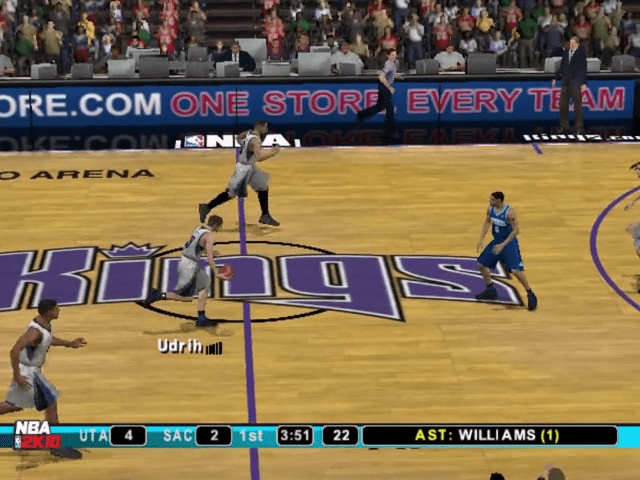
Signature Play combines all of NBA 2K's player Signature Styles with new Signature Tendencies and facial expressions. This creates an unbelievably realistic NBA experience.
UPDATED ROSTERS
Capitalize on the latest off-season's big trades, free agency moves, IR placements, and ratings adjustments.
DEEPER ASSOCIATION
NBA 2K's deep franchise mode is enhanced with an NBA.com interface, development drills, player ambitions, and more.
2K SPORTS ONLINE PLAY
Take your game online and go head-to-head, participate in leagues, and compete in tournaments with other players through broadband connectivity.
ONLINE
Put your skills to the ultimate test by signing Online and challenging opponents all over the country!
You must have room on your memory card (8MB) (for PlayStation®2) for Your Network Configuration File (94KB). Once you connect Online, you'll be shown a menu with options.
Please note that all described online features are scheduled to be available until November 2010. We reserve the right to modify or discontinue online features on 30 days notice. Check www.2ksports.com/serverstatus for details.
QUICK MATCH
This is the quickest way to find a game and allows you to search for ranked matches.
•
The button will return you to the main Online menu.
•
Once a match has been found, you will be brought to the Team Setup screen, which functions the same as it does in Exhibition (select your team, uniforms, etc.).
LOBBIES
Choose from Beginner, Advanced, or the Street Lobby to meet up with friends, scout opponents, and find the match you want.
•
Press the button to send a challenge.
•
Press Up / Down on the right analog stick to view challenges.
•
The button will return you to the main Online menu.
•
Once you accept a challenge, or your challenge is accepted, you will be brought to the Team Setup screen, which functions the same as it does in Exhibition (select your team, uniforms, etc).
LEADERBOARDS
View the stats leaders of everyone Online!
•
Use the L2 button and R2 button to scroll the pages UP and DOWN.
•
Press the button to go back to the main Online menu.
FRIENDS
Choose this option to view your friends list.
•
Highlight any of your friends with UP or DOWN on the left analog stick.
•
Press the button to bring up a list of options for that friend.
•
Options include inviting to a game, sending/receiving messages, and removing or blocking people on your friends list.
DOWNLOADABLE CONTENT
Occasionally, updated rosters will be available for download to reflect changes that happen to teams during the basketball season. Those rosters can be downloaded here.
•
Press the button to see a list of available downloads.
•
Press the button to go back to the main Online menu.
NOTE
If you experience difficulty joining an online game in NBA and are using an Internet sharing device (e.g. broadband router or firewall), you may need to enable Port Forwarding (sometimes called Virtual Server) on the device. Please refer to the manual that came with your Internet sharing device for specific setup instructions.
You will need to forward both UDP and TCP port to the IP address assigned to your PLAYSTATION®2 console. This may require changing your network settings from an "Automatic" IP address (DHCP) to a "Manual" IP address. NBA 2K10 includes a Network Configuration GUI for setting up and modifying these files.
If you continue to experience difficulty joining online games, try bypassing your Internet sharing device by connecting your PLAYSTATION®2 console directly to your DSL or cable modem. In this case, you may need to reconfigure your Network Configuration before your PLAYSTATION®2 console will connect to the Internet.
.png)

_1.png)
.png)

.png)


.png)
.png)


