SETTING UP
HARDWARE SETUP
Amazing Island™ is a one to four player game. Connect the NINTENDO GAMECUBE™ Controller to Controller Socket 1 for one player. For up to four players, connect controllers to Sockets 1 to 4 respectively. SAVE FILES
Amazing Island™ is a NINTENDO GAMECUBE™ Memory Card compatible game (Memory Card sold separately). 3 blocks of free memory space are required to create System Data. Never turn OFF the NINTENDO GAMECUBE™ power or remove the Memory Card while data is being saved. Please refer to the NINTENDO GAMECUBE™ booklet (pages 18-20) for directions on how to format and erase Memory Card files. STORY
One day, an eleven-year-old boy named Andy discovered an old book called "The Secrets of the Amazing Island" stashed away in a dusty storeroom. The story was an ancient picture book that told all about a mysterious island where incredible creatures lived together happily. Andy found it fascinating!
Our story begins one night, after Andy has fallen asleep... "Help us!" A voice called. "Won't you save us from our fate?"
Before he knew it, Andy found himself floating above an ancient island. Moments later, he began to fall. As he landed on the ground, he woke up from his dream, but the world he woke up to was not the world he had known before.
WHAT IS AMAZING ISLAND?
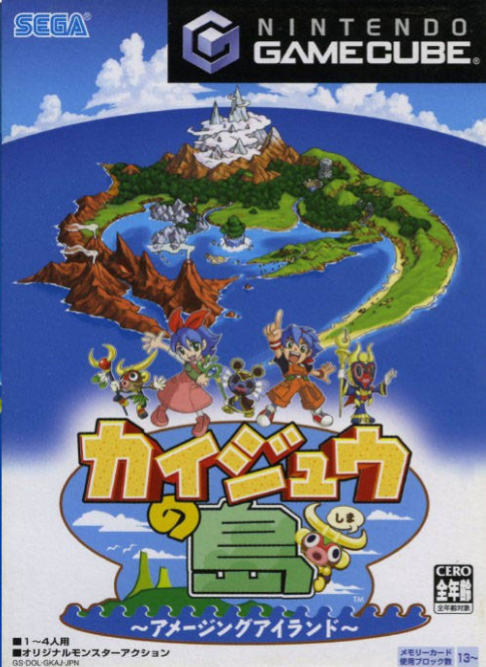
The legendary "Amazing Island" exists somewhere in this world. It is a peaceful island inhabited by the Maboo tribe and the fantastic monsters they created.
One day however, trouble found its way to Amazing Island. The dark magician "Black Evil," harnessing the negative power of the human world, overwhelmed and took over the island. One by one the Maboo fell under his grasp, until finally the whole island was his. With Black Evil in charge, even the human world isn't safe.
One of the few remaining Maboo named Lagu called out for help from the human world. Only one with a pure heart can respond to the call...
After Lagu, the Elder, and the other Maboo had finished explaining, Andy agreed to try and save Amazing Island from Black Evil.
•
"The only one that can oppose Black Evil and his Eviling sidekicks, is a monster created with a pure heart."
•
"Before attempting to defeat Black Evil, there are a series of trials that must first be cleared, and a host of Evilings that must be defeated."
Andy went to the Hall of Life that sustains the Maboo, and from the Water Mirror created a monster in his own image to form a perfect partner. Take control of Andy and help him to create his partner monsters, clear the trials, defeat Black Evil, and save Amazing Island!
STORY MODE
After selecting Story Mode, choose between Begin new game, or Continue saved game.
BEGIN NEW GAME
•
Use to choose whether the player character should be a boy or a girl, and press the Button to select.
•
Next, enter a name for the player character. Use and the Button to enter up to 8 alpha-numeric characters. If you get stuck, try selecting Random to see the game's suggestion.
•
Finally, choose whether the Rumble Feature should be set to ON/OFF for the new game and press the Button to select.
CONTINUE SAVED GAME
A menu will display all the games stored on the Nintendo GameCube Memory Card. Choose a game and press the Button to select. You will find your player character returned to the Elder's Hut. Before you can continue playing, you will need to access the System Menu and select Load Monster to call your partner. Select the monster you wish to play with and press the Button to select.
Only monsters created within the current Play Data can be selected here.
MABOO VILLAGE INTRODUCTION
HALL OF LIFE
Here you can create your partner monster. The monster you design will be given form and brought to life by 3 Maboo named Folu, Chinto and Lagu.
ELDER'S HUT
The house of the Maboo elder. Here you can hear about Amazing Island, and access the System Menu. Make sure you save games here before exiting, and be sure to save your monster too.
SYSTEM MENU
•
Save Game: Saves your game progress and System Data.
•
Load Monster: Only displayed when you don't have a monster with you. This allows you to call a monster saved from a previous game. You can also call preset monsters.
•
Change Monster: Replaces the monster currently in play with a previously saved or preset monster.
•
Save Monster: Save the monster currently in play.
•
Delete Monster: Choose a monster on the Memory Card to erase its data.
•
Monster Cards: Send a monster to a GameBoy® Advance to enjoy Card Battle. Monsters from Preset Cards cannot be saved.
TRANSPORTERS
These are the areas that connect the village with the various Courses. At each Transporter is a watchman. When you're ready to attempt a Course, speak to the watchman and he'll send your monster to the first Action Stage. SHOP
Using the money earned at the Action Stages, you can purchase decorations, patterns, voices and various other customizations for your monster. As you clear each Course, a new shop will open with a whole range of new items. VIEW RANKING
Once you've cleared the first Course, the character Ow L. Ranking appears in the center of the village. By approaching him you
.png)

.png)

.png)
.png)