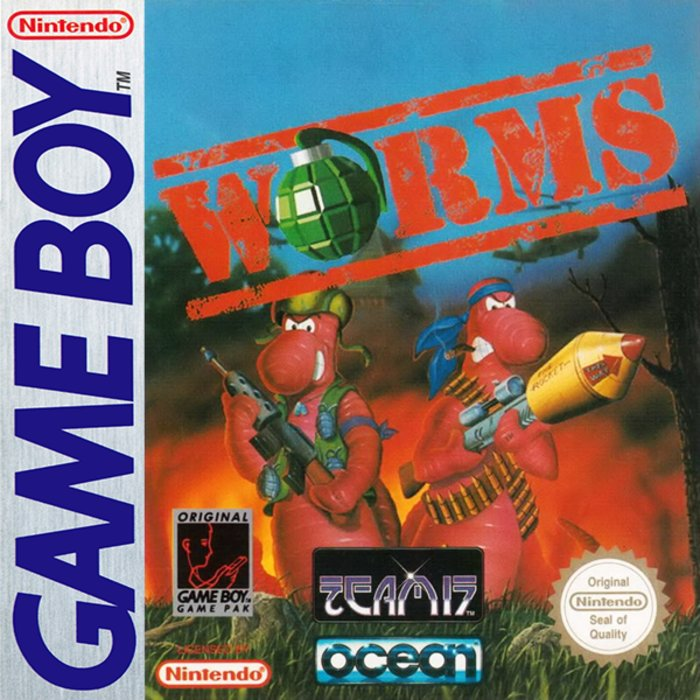
Worms is an ideal game for friends to enjoy. Players can configure the game through many options and tailor the style of play. It's a game you can pick up for a few spare minutes or play for an entire weekend.
INSTALLATION
Make sure the power is OFF. Insert the WORMS cartridge into the GameBoy and turn the power switch ON. In a few moments the WORMS introduction sequence will appear. CONTROLS
•
SELECT: View team names and energies. Access Weapon Selection.
GAMEPLAY DETAILS
SCREEN DISPLAY
The screen consists of the landscape and Worm Panel. The Worm Panel can be called up to display a Strength Indicator, Team Energies and Weapon Selection with each press of the SELECT Button.
ENERGY PANEL
The Energy Panel is visible by pressing the SELECT Button once. The bar gets depleted as worms take hits. Overall team totals are shown and not individual worms.
CLOCK
The clock shows you how many seconds remain in the current turn.
WEAPON CRATES
These drop from time to time and contain a variety of goodies. They can only be collected by the current worm and can also be destroyed by blasting them, which is a tactic in itself.
DIFFERENT LANDSCAPES
A number of landscapes feature in the game, offering an endless stream of gameplay opportunities.
•
ARCTIC: Slippery, snow bound level with snowmen and all things icy.
•
FOREST: Lots of woodland cover.
•
MARS: Low gravity affects jumping and weapons in this weird landscape.
•
DESERT: Strange stone pillars dominate the barren land.
MENU OPTIONS
GAME START
Begin the game with the current settings. From this menu, you will go to the Team select options and then onto the game itself. You must select at least 2 teams with which to play (to a maximum of 4, each having 4 worms).
When teams are highlighted, the following options are available. More teams can be listed by clicking DOWN and the list can go back again by clicking UP.
Once the teams are selected, click on one of the following to begin the game:
•
LEAGUE (Updates WORM STATS after the match)
•
FRIENDLY (Doesn't update your WORM STATS)
•
TOURNAMENT (3 / 8 player mode)
The game will then go to the landscape generation screen where a landscape will be selected for play. After that, the play order will be decided and the battle will commence!
WORM STATS ABBREVIATIONS
The WORM STATS displayed at the end of each game use the following abbreviations to evaluate the game:
•
AVG: The average hit ratio for each Worm Team.
•
PER: The number of perfect shots fired by each Worm Team.
TEAM ENTRY
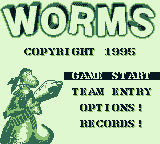
When you first load WORMS up, a selection of default teams are already present and these can be selected. You can edit and customise your teams by entering your own team names and Worm-names via the TEAM-ENTRY menu. Entering a new team will delete the old Worm data for that team slot.
The details and records of your teams will be stored in the Worm List. You can enter teams of Worms to be controlled by Human players (HUMAN) or alternatively you can select from any of the eight Computer (CPU) opponents of varying skill. The default control setting for all eight teams is HUMAN.
You can also edit how much energy the worms have (75, 100 or 150). The more energy they have, the longer the game and the more damage they can sustain. You can select a team or worm name to change the 8 character default text (the first worm is automatically made the captain).
Options to clear the current team are also available. Exit when you are finished.
OPTIONS
This allows you to tailor the specific set-up of the game to your own requirements.
•
Pages 2 & 3: WEAPON OPTIONS
GAME OPTIONS
MOVE TIME
(10 seconds - Unlimited time, Default = 30 secs)
The shorter the move time, the tougher the game and the quicker you must think. When first playing the game and exploring the weapons, unlimited time is recommended.
As soon as you become experienced, switch back to a timed game as it's much more fun and the pressure really piles on. The default is 30 seconds to allow players to get comfortable with the movement and weapon selection.
ROUNDS REQUIRED TO WIN
(1 or 2, Default = 2)
This is how many rounds you must win in order to win the match. If there are a lot of you, or you do not have much time to spare, setting the level to 1 is perhaps a good option. It also means serious business and the realisation that one mistake could cost you the whole shooting match!
Playing over 2 rounds, with 4 players could take upwards of an hour, depending on the strategy employed by the competitors. Please bear this in mind if you only have 20 minutes to spare! Also remember that this game is seriously addictive and there is a distinct possibility that 3 or 4 hours later you will find yourselves uttering the immortal "just one more match, eh?". Take heed of this warning!
ROUND TIME
(5 Mins - Infinite, 15 Mins is the default)
The round time. Infinite round time
.png)

.png)

.png)