Introduction
Worms combines the best elements from the very best games ever created. It requires great thought, strategy and elements of sheer outrageous fortune. It provides the players with an almost infinite range of playing possibilities and we guarantee that no two games will ever be the same! It does take a little while to get into the swing of things however. Despite everyone's insistence that you should not have to read a game manual to be able to play, we recommend that you at least look over the worm control methods. You should also learn how to work (and get the best out of) the weapons that are available.
Worms can be played by 1-4 players at the same time. It's a turn-based game so you'll only need one machine. Prepare to be at odds with loved ones, get ready to shout abuse at your best friend and be willing to exact unadulterated terror on those who plot to hurt your worms.
Worms is the ideal way for a few friends to enjoy a few hours. Players can configure the game through a myriad of options and tailor the whole fashion of play. It's a game you can pick up with a few spare minutes or play for an entire weekend!
The Concepts of Play
Think of a landscape, any landscape. Grab some platoons of little pink Worms and liberally scatter. Give them weaponry, tools and an eye for the enemy. The aim is to ensure that you are the last team standing. Take no prisoners!
Teams take it in turns to bombard the enemy with whatever weapons they feel is likely to reap the best reward. Some weapons are limited in terms of supplies and therefore strategy is required for the best results. Tools are available to move around the landscape and to hide away. However, this strategy is frowned upon in action-circles and likely to cause great offence! Menu Controls
•
Move Highlight: Control Pad Up and Down
Gameplay Details
Energy Panel
The energy panel is visible by scrolling the screen to the top. The bar gets depleted as worms take hits. When a team wins a round a small trophy appears next to their name. The totals shown are overall team totals and not individual worm ones.
Clock
The clock shows you how many seconds remain in the current turn.
Bottom Panel
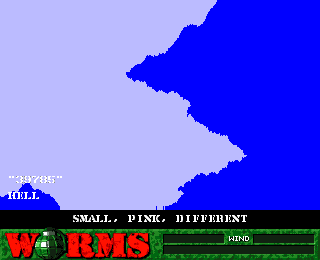
This displays the wind direction (left or right) and the approximate strength. This should be used when firing weapons that are affected by the wind. The wind changes often.
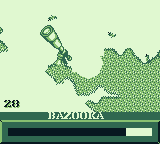
The bar below is the power indicator and is used when gauging how much power to put into certain weapons.
Weapon Crates
These drop from time to time and contain a variety of goodies. They can only be collected by the current worm and can also be destroyed by blasting them, which is a tactic in itself.
Different Landscapes
A number of landscapes feature in the game and there is an endless stream of gameplay possibilities.
•
Arctic: Slippery, snowbound levels with snowmen and all things icy.
•
Forest: Lots of woodland cover.
•
Mars: Low gravity affects jumping and weapons in this weird landscape.
•
Desert: Strange stone pillars and gigantic stagecoaches dominate this barren land.
•
Secret: Can you find the hidden levels?
Menu Options
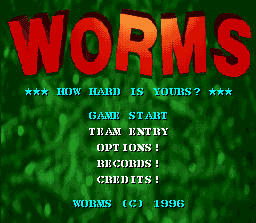
After the introduction screens have ended, the main menu will appear. Highlight an option using the Control Pad and press the SELECT Button to select. The layout of the main menu is as follows:
Combat Negative or “Dark Side” Play
Some people, even some of our people, elect to play the game with what has become known as “the dark side” methods. Usually this involves heavy digging and hiding away, teleporting to far reaches. If you find that this becomes too much for you, you can tailor the game to ensure that people cannot use such tactic.
Therefore, as an antidote to tiresome tactics (as employed by dull people) you could set up the weapons as follows: Of course, you will soon find what balance of weapons suits your groups play best. Do experiment and tinker with the balance of the game, but the defaults we set up are what we consider to be very reasonable for getting the best out of the game - as long as the spirit of action and derring-do remain!
Records
•
View Wormlist: Reviews the current Wormlist
•
Clear Stats: Clear current worm statistics
The Game Stats appear at the end of a match. They are concerned with which team won, which Worm stood out against the rest, which Worm played embarrassingly badly - that kind of thing. Whilst most abbreviations are painfully obvious to anyone, here's a few quick explanations just to make things clear.
On the first Stat screen each Team's success is measured in the following way:
•
PD: Shows how many matches have been played
•
WN: Shows how many matches have been won
•
LT: Shows how many matches have been lost
•
FOR: Shows how many points the team has
•
AGN: Shows how many points have been scored against the team
•
DIF: Shows the difference between FOR and AGN
One point is awarded for every Worm
.png)

.png)
.png)
.png)
