GETTING STARTED
Set up your PlayStation®2 computer entertainment system according to the instructions supplied with your system. Check that the system is turned on (the on/standby indicator is green). Press the OPEN button to open the disc cover.
Place the World Series of Poker: Tournament of Champions disc with the label side facing up in the disc holder, and then close the disc cover. Attach game controllers and other peripherals as appropriate. Follow the on-screen instructions and refer to this manual for information on using the software. Memory Card (8MB) (for PlayStation®2)
To save game settings and progress, insert a memory card (8MB) (for PlayStation®2) into MEMORY CARD slot 1 of your PlayStation®2 system. You can load saved game data from the same memory card or any memory card (8MB) (for PlayStation®2) containing previously saved games.
ONLINE PLAY
Take World Series of Poker: Tournament of Champions to the next level! You can play up to 9 players in multi-player Poker games against other poker enthusiasts across the country as well as up to 9 players in the uniquely customizable My Poker Room online. The following setup instructions may not match all PlayStation® 2 console types. For owners of SCPH-70000 series PlayStation® 2 systems, refer to the setup instructions supplied with your system.
To play online you must have a broadband internet connection and network adaptor (Ethernet/modem) (for PlayStation 2) connected to your PlayStation™ 2 computer entertainment system. You'll need to have your network configuration file saved on your memory card (8MB) (for PlayStation 2). Network setting(s) can be created using the network adaptor start-up disc included with the network adaptor (Ethernet/modem) (for PlayStation 2). Quickmatch in Online Play
When you select Quickmatch, it will search for any Texas Hold'Em game not yet started and add you to the game lobby. If Quickmatch does not find any Texas Hold'Em games it will create a No Limit Texas Hold'Em game for you so people may join your game.
Setting up your EyeToy™ USB camera (OPTIONAL)
If you have an EyeToy™ USB camera (for PlayStation 2), you can allow other players to see you during the game. This is an optional feature and is not required for online play. Your EyeToy™ USB camera connects to either of the two USB connectors located on the front of your PlayStation 2. With the USB Symbol facing up, insert the EyeToy™ USB camera cable into one of the USB connectors. The blue LED power indicator on the front of the camera should light up to indicate your EyeToy™ USB camera is ready to use. For tips on how to get the best picture quality as well as troubleshooting, please refer to the instruction manual of your EyeToy™ USB camera.
Setting up your headset (OPTIONAL)
If you have a certified PlayStation 2-compatible USB headset, you can chat with other players during online play. This is an optional feature and is not required for online play. Your PlayStation 2-compatible USB headset connects to either of the two USB connectors located on the front of your PlayStation® 2. With the USB Symbol facing up, insert the cable into one of the USB connectors. Once connected the headset is always on. Make sure the microphone is not too close to your mouth. You can adjust the headset volume with the volume control on the headset wire and you can adjust where the voice chat outputs by going to the Sound Options menu and changing the Voice Chat Playback option. For tips and troubleshooting, please refer to the instruction manual of your PlayStation® 2-compatible USB headset.
WSOP: TOURNAMENT OF CHAMPIONS - MAKING YOU THE BEST OF THE BEST
Chris "Jesus" Ferguson has selected you as the most promising rookie to win an invitation to the Tournament of Champions. But before you get there you need to sharpen your poker skills, and earn points through Harrah's tournaments known as the World Series of Poker Circuit Events. As Chris Ferguson's protégé, he will take care of your buy-ins and give you tips on how to play better poker, as well as tips on how to take down some of the top poker pros you'll be facing. Do you think you have what it takes to be crowned the Champion of Champions?
Difficulty
There are three difficulty settings to choose from:
•
Amateur - A light amount of participants and a small amount of points to earn to unlock the Tournament of Champions.
•
Semi-Pro - A large amount of participants and a large amount of points to earn to unlock the Tournament of Champions.
•
Pro - The largest amount of participants and the largest amount of points to earn to unlock the Tournament of Champions. Note: In this difficulty setting you can't let your bankroll drop to zero or your career is over.
Edit Player
To get started in World Series of Poker: Tournament of Champions you need to create a character. To edit your character, simply highlight the desired option and it will automatically appear on your character. When you've made all the desired changes press A to go back, and a confirmation message will appear. You can either keep the changes you've made or go back and edit your player more.
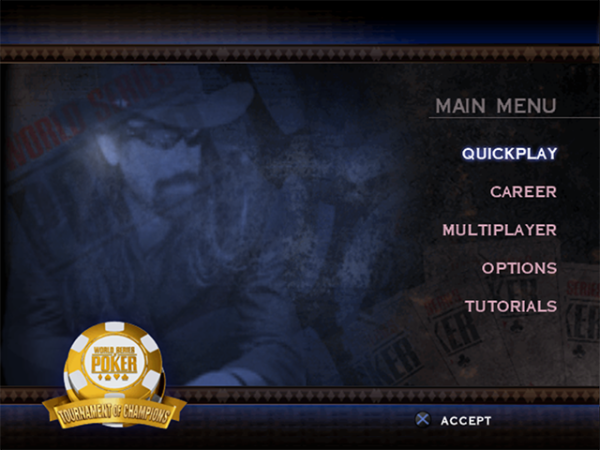
Main Menu