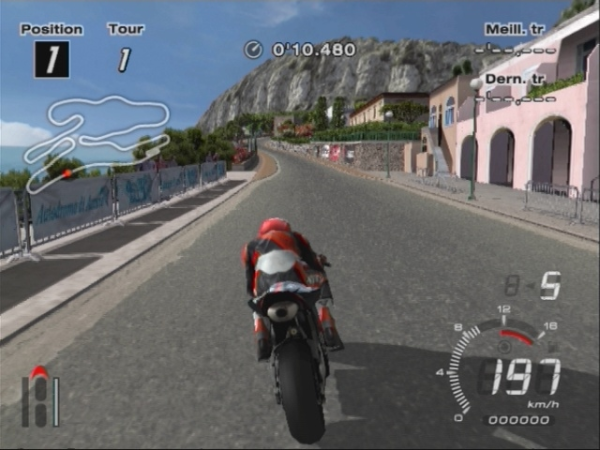
Console Ports and Buttons
Setting Up Your PlayStation®2 Console
Set up your PlayStation®2 console according to the manual. Ensure the MAIN POWER switch (on the back of the console) is ON.
Press the on/standby/reset button. When the POWER indicator turns green, press the open button to open the disc tray.
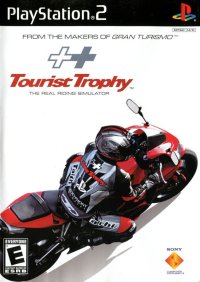
Place the Tourist Trophy The Real Riding Simulator™ disc on the disc tray with the label side facing up. Press the open button again to close the disc tray.
Attach a DUALSHOCK 2 analog controller and other peripherals as appropriate. Follow on-screen instructions and refer to this manual for software use.
Memory Card (8MB) (for PlayStation®2)
To save game settings and progress, insert a memory card into MEMORY CARD slot 1 of your PlayStation®2 console. You can load saved game data from the same card or any memory card containing previously saved games.
Game Modes
Arcade Mode
An arcade-style mode for quickly jumping into a race with 1 or 2 players. You can use any bike acquired through Tourist Trophy Mode in Arcade Mode.
Tourist Trophy Mode
A simulation-style mode with a variety of race challenges. A Memory Card (8MB) (for PlayStation®2) is required to play Tourist Trophy Mode.
Replay Theater
View or manage replay data saved in Arcade Mode or Tourist Trophy Modes. You can also take photographs of the race while watching replays.
Music Theater
Listen to Tourist Trophy's music soundtrack. Choose music tracks to use during replays and slide shows.
Options
This menu allows you to change various game settings.
Save Game
Save your game data to a Memory Card.
Credits
View the credits.
Arcade Mode Menu
1-on-1
A single-player mode for a 1-on-1 race using street bikes.
Race
A single-player mode for a four-person race using race modified models.
Time Trial
A single-player mode where you choose your course and bike, then aim for the fastest lap time. The number of laps is unlimited.
To stop the trial, press START and select "EXIT" from the Pause Menu. You can display a ghost during the time trial by selecting "BEST RUN LOAD" in the Race Menu and choosing the desired Best Run Replay.
2 Player Battle
A two-player mode to race against a friend via split-screen. The race screen will be divided top to bottom if "WIDTH SETTING" is "NORMAL" in the Options screen menu, and left to right if set to "WIDE".
Arcade Mode Game Flow
1 Choose Course
Choose the course you want to play. This screen shows the course map and total length of the highlighted course.
2 Choose Bike
Choose the bike you want to use. Select a subcategory for bike selection (by manufacturer, etc.). Once chosen, you can customize its paint job.
3 Choose Rider
Choose the rider you want to use. There is no difference in rider abilities. Once chosen, select your transmission, tires, and riding style.
4 Proceed to the Race from the Race Menu
The Race Menu appears before and after the race. Choose "START" to begin the race.
The following items may appear on the race menu, depending on your mode and current status:
•
Replay: View a replay of the previous race.
•
Save Replay: Save the replay of the previous race.
•
Save Best Run Replay: Save the replay of your Best Run on the previous race.
•
Quick-Settings: (Arcade Mode) Quickly change settings.
•
Settings: (Tourist Trophy Mode) Change settings.
•
Load Best Run Replay: Load a Best Run replay to enable Ghost.
•
Ranking: View race results and records.
•
Options: View game-related settings.
•
Best Shot Photo: Take best shot photos of the previous race.
Tourist Trophy Mode Menu
License School
Challenge Mode
Select a bike and paint job, then take on goal-specific challenges. Clearing the challenges acquires the chosen bike.
Garage
Manage acquired riders and bikes, and change your riding form.
Riding Gear
Select riding gear from your available set. New gear appears once awarded.
Photo Mode
Manage pictures taken during a photo run and replay views.
Race Event
Enter a race with bikes chosen for this mode. Various rewards may be acquired depending on results.
Practice
Choose a course and run practice races to learn the course or improve skills. You can practice alone or against a computer-controlled opponent.
Tourist Trophy Mode Game Flow
Create Save Data
To play Tourist Trophy Mode, you need to create save data. If you insert a Memory Card (8MB) (for PlayStation®2) with no save data into MEMORY CARD slot 1 and begin Tourist Trophy Mode, the Create Save Data screen will appear. Input your name and rider height.
Getting Your License
In License School, you will learn to handle your bike while working to acquire your license. There are four license types: Novice, Junior, Expert, and Super. Higher