Title Screen Demonstration
Insert the cassette into the console and turn on the power switch. The title and demonstration screens will appear automatically.
Press the start button to call up the OPTION SCREEN.
Game Level Setting
The Difficulty Level sets the strength of the computer player. Select from four levels of difficulty. NORMAL is recommended for beginners.
Move the joystick up or down to select the desired level, then press the A Button.
•
EASY MODE: The simplest level. Great for mastering the fundamentals.
•
NORMAL LEVEL: A level of average difficulty. Good for practicing real battle.
•
HARD LEVEL: The most difficult level. You've spent too much time in the minors. It's time for the big leagues.
•
ARCADE LEVEL: An intermediate level between HARD and NORMAL, equal to the arcade setting. Practice at home and get through the arcade game with one coin.
Notes on Using the Memory Card
To save and load game data using the MEMORY CARD (SOLD SEPARATELY), place the card carefully into the MEMORY CARD SLOT of your console and follow the procedures listed below.
Loading Data
If the MEMORY CARD has been correctly placed in the MEMORY CARD SLOT before play begins, the LOAD SCREEN will be displayed. Choose YES with the joystick, and load data by pushing the A Button on your controller.
Action will then resume from the point at which you left off.
Saving Data
After placing the MEMORY CARD in the appropriate slot, when the GAME OVER message has been displayed, the SAVE SCREEN will appear on your television. Selecting YES with the joystick and pressing the A Button will save game play at the stage at which you left off.
With certain software, game data will be stored automatically. Please note that saving new data on the card will erase previously stored data.
Formatting a New Memory Card
New MEMORY CARDs need to be formatted. To do this, follow the procedures in the order listed below.
•
Set the game cassette and MEMORY CARD in your NEO GEO HOME SYSTEM correctly.
•
While pressing all four buttons down on the controller, press the RESET button on the NEO-GEO HOME SYSTEM console.
•
The DATA SCREEN should then appear on your television. Choose the CARD FORMAT command.
•
Press the A Button to finish formatting.
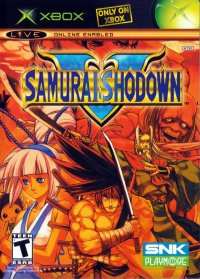
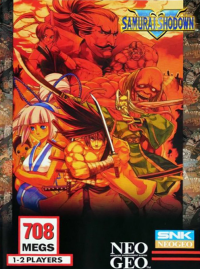
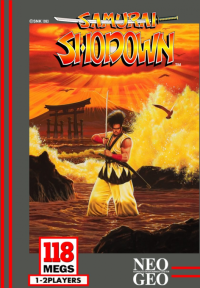
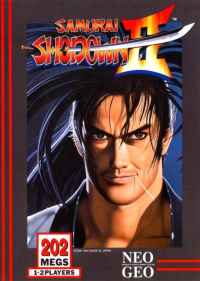
Samurai Showdown Title Card
•
When the player faces right.
•
POWERFUL ATTACK (at the same time)
•
DASH: SHIFT JOYSTICK TWICE QUICKLY TO DASH
•
POWERFUL ATTACK (at the same time)
•
RAGE: The RAGE GAUGE increases when hit. When it becomes full...
•
1993 SNK CORP MADE IN JAPAN Memory Card - Load
Having inserted the memory card (sold separately) in the front slot, the LOAD SCREEN should appear. Selecting YES will allow you to continue the game at the stage where you left off.
For further details, see the USING THE MEMORY CARD section of this pamphlet.
Selecting Characters
Choose one of the twelve characters with the red cursor and make your selection by pressing the A Button. With 2-Player matches, follow the same procedure to select your character.
It is possible to choose the same character, so chill!
Game Start
After selecting your desired character and stage, let the carnage begin! To bypass the Demonstration Screen, press the A Button.
Duelling
Each match consists of two duels. The first player to win two duels proceeds on to the next opponent. In the case where there is no winner, the judge will decide the victor.
Determining the Winner
A few words from Slick Sukihiro, Judge of Duels in SAMURAI SHODOWN. If the battle is not decided within the given time limit, the will be conducted. The results will determine the winner.
Samurai SP.
•
A kind man devoted to clay of TAM
•
protects the life and welfare of
•
LA CENAN, he is particularly and
Bonus Stages
As you proceed through the game, Bonus Stages will appear. From various places (indicated by the arrow cursor), straw dummies will periodically appear.
Position your character carefully and plan your slices to the closest fraction of a second to cut these dummies and rack up those points.