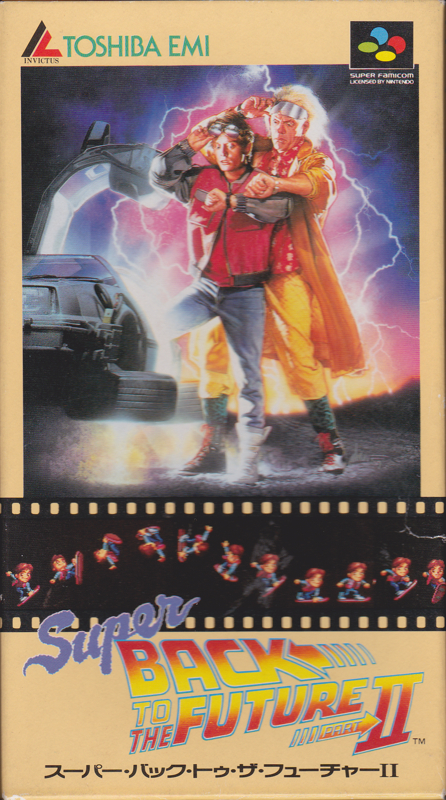
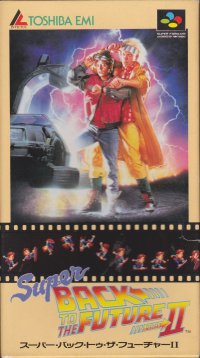
*Super Back to the Future II* is a side-scrolling action-platformer based on the classic sci-fi film. Players control Marty McFly as he rides his futuristic
hoverboard through time to save his future children and retrieve a stolen sports almanac from his nemesis, Biff Tannen. By navigating hazardous levels and defeating enemies, players must restore the timeline and save the world from a ruined, crime-ridden future.
The Movie Storyline
"Super Back to the Future II" is a game adaptation of the movie "Back to the Future Part II" directed by Robert Zemeckis.
Biff, the arch-nemesis of the McFly family, brought a sports almanac he obtained in the future back to the past. He used it for gambling and used the money he made to change the future to his liking. The future Biff created is a ruined world ruled by violence.
Marty sets out on another time-travel adventure to retrieve the almanac from Biff and restore the world to normal. In the game, Marty uses the hoverboard he obtained in the future to embark on an adventure to retrieve the almanac held by Biff. The Game Story
Marty managed to return from the past. His time-traveling adventure was over, and he was supposed to be able to return to a normal high school life with his girlfriend, Jennifer.
However, Marty's friend, the genius scientist Doc, suddenly returned from his time travel to the future with a warning. He told Marty and Jennifer that they must come with him to the future because their kids are in danger.
It seems that Biff's family is putting their future children in danger. To save his children from this crisis, Marty's new adventure begins.
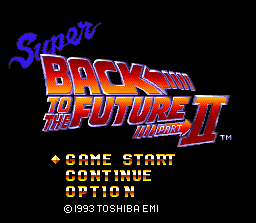
Title Screen
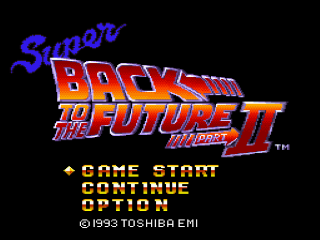
On the title screen, selecting GAME START takes you to the game screen, selecting CONTINUE takes you to the password screen, and selecting OPTION takes you to the option screen.
Use the D-pad to highlight the item you want to select, and press the A button to enter the chosen mode.
Password Screen
During the game, a password is displayed every time you enter a new stage. By entering these passwords on this screen, you can start the game from your favorite stage.
To enter a password, use the following controls:
•
Up and Down on the D-pad: Select characters.
•
Left and Right on the D-pad: Change the input position.
•
A Button (on FIX): Confirm the password after moving the cursor to FIX.
Game Screen
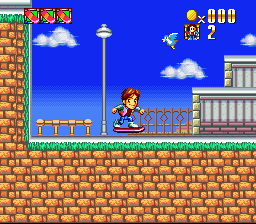
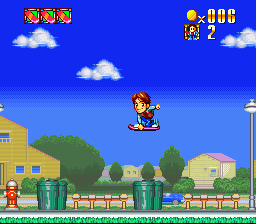
The game screen displays important status information in the corners of the screen:
•
Upper Left: The number of hoverboards that absorb damage for Marty.
•
Upper Right: The number of coins currently held and Marty's remaining lives.
Stick and Climb
During the game, walls will appear where Marty can stick his hoverboard. If you repeatedly jump while the board is stuck, you can climb higher and higher. Boss Battle Switches
It is quite difficult to deal heavy damage to the boss characters that appear in the game, as normal attacks deal very little damage. When there is a switch on a boss stage, using it skillfully will make it easier to defeat the opponent.
Brake Attack
If you press the D-pad in the direction opposite to the direction of travel, the hoverboard's brakes will be applied. The board will not stop immediately; instead, it will slip and travel a certain distance. If you collide with an enemy while slipping, you can deal damage to them. The slipping time is longer the faster the hoverboard's speed is. Accelerate with the B button and kick the enemies away all at once!