Tile Set
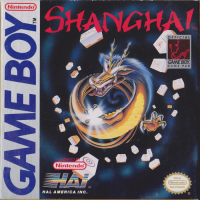
"Shanghai" utilizes 144 Mahjong tiles. The set includes 36 Character tiles, 36 Bamboo tiles, 36 Circle tiles, 12 Dragon tiles, and 16 Wind tiles. There are also 4 Flower tiles and 4 Season tiles.
Game Board Layout
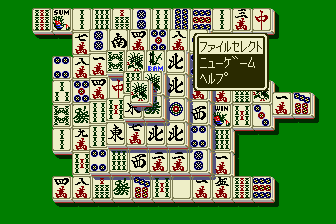
Tiles are stacked in a mountain shape, reaching up to 5 layers high and becoming taller towards the center. The view is from directly above, showing only the tiles in the topmost layer. The stacking method remains constant, but the tile arrangement varies for each game.
Pattern Selection
The game includes 50 distinct pattern types stored in files, which can be selected via the "File Select" option. Choosing "New Game" generates a random arrangement that is not derived from the stored files.
Objective
Find and remove pairs of tiles with identical patterns to clear the level. A tile can only be removed if its left or right side (the long edge) is not touching another tile. You cannot remove tiles that have another tile on top of them or have a completely hidden pattern. Removing all 144 tiles clears the level.
Removal Rules
•
Tiles in a pair must have the same pattern. Any combination of Flower and Season tiles is accepted as a match.
•
Only tiles where the far left or far right side is open (not touching another tile) can be removed.
•
Only one pair (2 tiles) can be removed at a time.
Main Menu Commands
Access these commands by pressing the select button on the main screen:
•
File Select: Choose from 50 stored tile arrangement patterns.
•
New Game: Start a game with a random arrangement not found in the files. This is valid for both finished and in-progress games.
•
Help: Displays a submenu with the following commands.
Help Submenu Commands
•
Playback: Go back one move at a time by pressing the I button.
•
Re-try Again: Restart the game from the beginning with the same tile arrangement.
•
Hint: Press the I button to display removable combinations. If three or more tiles of a pattern exist, their colors change, but only one pair can be taken.
•
Music: Choose from 3 BGM tracks or silent mode.
•
Cursor: Select the cursor speed. Use the control to adjust and the I button to confirm, or the II button to cancel.
End of Game
The game ends when all 144 tiles are removed. Clearing the level several times in a row grants the title of "Master".
Versus Mode
In Versus Mode, up to five players compete to remove the most tiles. While one pad is sufficient, up to five pads can be connected. Select "New Game" and then "Challenge" to begin. Determine the number of players (2 to 5) and the time limit per turn. Use the controls to make selections and press the 1 button to confirm.
Versus Setup Options
•
Players: Select 1, 2, 3, 4, or 5 players.
•
Time Limits: Select 60 sec, 30 sec, 20 sec, or 10 sec per turn.
Multiplayer Screen
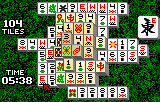
The help command is unavailable during multiplayer games. The screen displays the remaining time limit and the number of tiles taken by each player. Scores are tallied at the end of the game.
Sample Score Display
•
Rank 1: 2 players with 11 points
•
Rank 2: 5 players with 11 points
•
Rank 3: 3 players with 10 points
•
Rank 4: 1 player with 8 points
•
Rank 5: 4 players with 6 points



.png)



.jpg)

.png)








.png)

_1.png)


_1.png)






_1.png)



_1.png)


_1.png)