Starting the Game
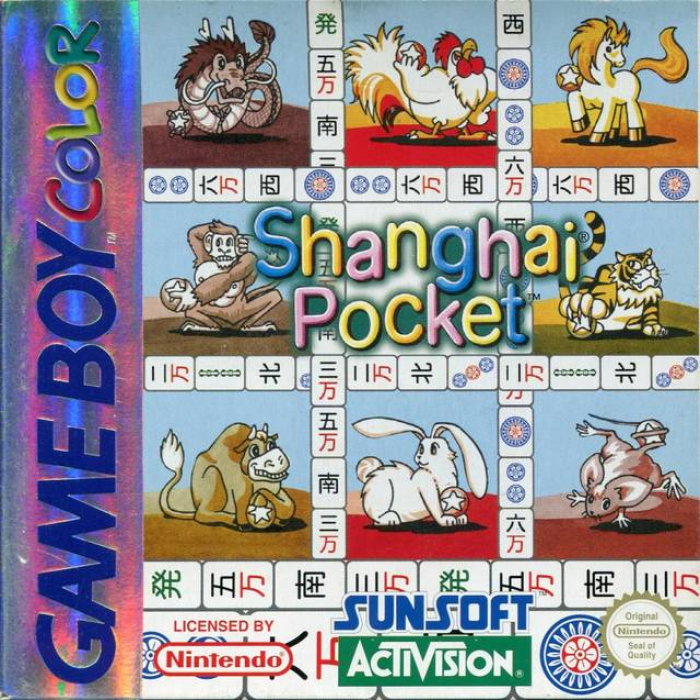
Insert the Shanghai Pocket game pak into your Game Boy, Super Game Boy, or Game Boy Color and turn on the power. Press the START button when the Title Screen appears.
Controls
Game Select Screen
After pressing START on the Title Screen, you can choose from three game modes. Shanghai is for addictive one-player fun. Gold Rush and Kong Kong are for playing against the computer or against a friend using a Game Boy Game Link.
•
Control Pad: Move frame to select a game
•
A button, START button: Play selected game
Shanghai Stage Select Screen
When you select Shanghai from the Game Select Screen, you come to the Stage Select Screen.
•
Control Pad: Select stage
•
A button: Play selected stage
•
B button: Return to the Game Select Screen
•
SELECT button: Go to the Config Screen
VS. Mode Select Screen (Kong Kong, Gold Rush)
When you select Kong Kong or Gold Rush from the Game Select Screen, you come to the VS. Mode Select Screen.
•
Control Pad: Select human or computer opponent, and computer opponent's speed.
•
A button: Play using the selected settings.
•
B button: Return to the Game Select Screen.
•
SELECT button: Go to the Config Screen.
Config Screen
After pressing Select on the Shanghai Stage Select Screen or on the VS. Mode Select Screen for Kong Kong or Gold Rush, you can configure the game.
•
BGM: Turn background music on or off using the Control Pad.
•
TIME: Set the desired timer setting for the Shanghai game. Shorter times are harder! Default is 7 minutes.
•
LEVEL: Set the difficulty level for Shanghai or Gold Rush. Default is Normal.
•
TILES: Change the tile graphics, row by row.
•
RETURN: Put the cursor here and press A to activate the settings and return to previous screen (Stage Select or VS. Mode Select).
•
Control Pad: Move cursor and change settings.
•
A button: When cursor is on Return, activates the indicated settings.
•
B button: Return to the previous screen, canceling all changed settings.
The Tiles
The Config Screen allows you to select the tile graphics. Shanghai is usually played with Mah-Jongg tiles, but other tiles are available.
•
ROW 1: Choose the "Craks" suit or Arabic Numerals.
•
ROW 2: Choose the "Bams" suit or Roman Numerals.
•
ROW 3: Choose the "Dots" suit or Squares.
•
ROW 4: Choose Chinese or English "Winds and Dragons."
•
ROW 5: Choose Japanese or English "Seasons and Flowers."
How to Play (All Games)
On the game screen, you can move the cursor with the Control Pad. Take matching tiles a pair at a time by selecting them with the A button.
To remove a pair, the tiles must both match and be "free" at the same time. A tile is considered free if no other tile is on top of it and if it can slide out to the left, to the right, or in both directions. If you selected a wrong tile, press the B button to cancel.
The four Season tiles (Summer, Autumn, Winter & Spring) all match each other. The four Flower tiles (Orchid, Plum, Chrysanthemum & Bamboo) all match each other.
Game Controls
•
Control Pad: Move cursor
•
B button: Cancel a selected tile
•
SELECT button: Bring up menu (in Shanghai only)
Shanghai
A full game of Shanghai will challenge you for hours, or you can just play a single stage anytime you like. You can adjust the challenge by adjusting the time and difficulty settings in the Config Screen. At the Config Screen you can also change the tile designs to Arabic and Roman numerals, and turn the music on and off.
You can get to the Config Screen from the Stage Select Screen. During a game, you can go to the Stage Select Screen by hitting the Select button, then selecting Quit from the menu. Keep in mind that any Season tile matches any other Season tile, and any Flower tile matches any other Flower tile.
Rules
•
The game takes place in twelve stages, played on twelve different layouts (named for the twelve animals in the story).
•
You can play the twelve stages in any order.
•
Each stage begins with 144 tiles.
•
Remove all the tiles, one pair at a time, within the time limit, to clear the stage.
•
If time runs out, the game is over, but you can try again.
The Shanghai Menu
Press the SELECT button during the Shanghai game to display the Menu. Press the Control Pad up/down to toggle through the options, and press the A button or START button to select a Help option.
•
BACK 1 MOVE: Put back the last pair that was removed. You can use this repeatedly, and put back all the removed tiles if you want to undo an early mistake without starting over.
•
HELP: Show one matching pair (they are briefly highlighted).
•
START OVER: Put all the removed tiles back on the layout and restart the timer.
•
QUIT: Go back to the Stage Select Screen.
Deadlock
You're deadlocked when there are no more pairs available for play (none of the free tiles match one another). If this happens to you, the Menu appears. You can choose to go Back
.png)



 (Rev A) (SGB Enhanced) (GB Compatible).png)
 (SGB Enhanced) (GB Compatible).png)

 (En,Fr,De,Es,It).png)





.png)








.png)

.png)
