Console Setup
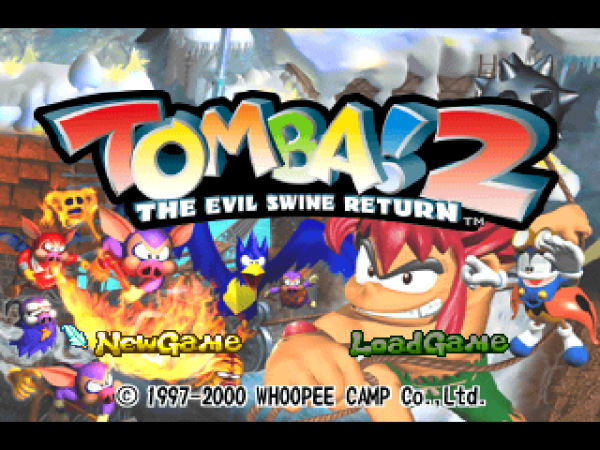
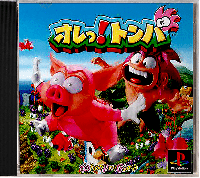
Set up your PlayStation® game console according to the instructions in its Instruction Manual. Make sure the power is OFF before inserting or removing a compact disc. Insert the TOMBA!TM 2 The Evil Swine Return disc and close the Disc Cover. Insert a game controller and turn ON the PlayStation® game console. After the movie plays the Title Screen will appear. Console Components
•
MEMORY CARD SLOTS (ABOVE CONTROLLER PORTS)
Title Screen
From the Title screen, you can select to start a "NEW GAME" or "LOAD GAME" from a Memory Card. Change several options by selecting "Options".
Options
You can change any of these options during the game. Press the START button to bring up the Pause menu, and select Options.
You can adjust the speed in which messages are displayed on the screen, or switch voices on and off.
During the game, you can switch sound quality (monaural/stereo), and adjust the volume of the background music and sound effects.
You can adjust the vertical or horizontal lines on the screen.
You can switch the vibration function on and off, and select from two pre-set button configurations.
Pause Menu
Brings up the Options screen.
If the Memory Card contains saved data from a previous Tomba! 2 The Evil Swine Return game, you can load the data.
Ends the game, and returns to the intro movie.
Basic Actions
or + the button
Enables Tomba to run faster and jump farther.
↑, or + the button
Attacks Tomba's enemies. If you hold the button, Tomba charges his weapon for a stronger attack.
When in front of a person or signpost: ↑ or the button
You can obtain information by talking to someone, or by reading a signpost.
When holding onto a ladder or other climbing surface: ↑ or
You can also make a weapon attack even while climbing.
Tomba can bite his enemies by jumping on them.
←, ↓, or → + the ✖ button
While Tomba performs a biting attack, you can throw the enemy in different directions, sometimes into another enemy.
•
SPIN ON A STICK OR ROTATE A GEARWHEEL
← or →
If you press the left or right directional buttons while hanging from a stick or handle, Tomba spins around turning faster and faster.
•
JUMPING FROM A STICK OR HANDLE
←, ↑, or → + the ✖ button
While swinging, Tomba can jump in several directions.
•
EXPLORE DIFFERENT PATHS AND ROOMS
Look for the arrows above Tomba's head to explore paths, rooms, etc.
The Evil Pig Robes
As Tomba progresses through his adventure, and successfully captures the Evil Pigs who have cursed the land, he will acquire Evil Pig Robes that give him Magic Powers corresponding to the respective characteristics of each Evil Pig.
To use the magic of the Evil Pig Robes, Tomba must gather energy in his Magic Gauge, by jumping and then biting his enemies. When you have enough energy, you can press + the button to attack enemies in Tomba's way. Keep in mind, each time you use the Evil Pig Robes magic, the energy in Tomba's Magic Gauge will decrease.
Health
Tomba's Health Gauge is displayed in the upper left part of the screen. When enemies or other dangerous obstacles hurt Tomba, his Health Gauge decreases. You can restore his health by eating "Fruit", "Lunches" or using other restorative items.
At the beginning of the game Tomba's health is 4, but during the game you may be able to increase it to higher levels.
Game Over
The Game Over screen appears whenever Tomba falls into the following conditions:
1.
Tomba's Health Gauge drops to zero
When the Health Gauge reaches zero the game is over.
2.
Falls
Falling into bottomless pits and other situations can also end Tomba's adventure.
Of course, you may continue as many times as you want.
Still Want to Play?
After the Game Over screen appears, the Save screen appears and the following screen is displayed.
•
Select "Continue" to resume gameplay from the starting point of the area where Tomba last visited.
•
If you want to load a game from your Memory Card select "Load data."
•
To exit the game, select "Quit Game."
How to Load a Game
You can use one of the following methods to load saved data.
•
From the Title screen, select "Load Game" to load a Tomba! 2 The Evil Swine Return game save.
•
During the game, you can load data from the Pause menu. Press the START button on the controller, and the Pause menu will appear. Then select "Load Data."