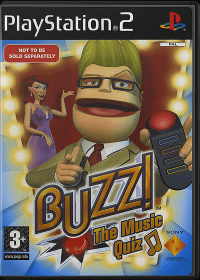
THE BUZZ!™-BUZZER
Preparation
You must connect the USB connector of the Buzzers to the console before turning on the console. To do this, hold the side of the USB connector of the Buzz!™-Buzzer with the USB symbol facing up, and connect it to one of the two USB connectors on the front of the console.
Playing with Two Sets of Buzz!™-Buzzers
Buzz!™: The BIG Quiz supports up to two sets of Buzz!™-Buzzers, so that in some game modes up to 8 players can compete against each other. If you want to buzz with more than 4 players, make sure that a set of Buzz!™-Buzzers is connected to each of the two USB connectors on the front of the console as described in the previous section.
Controls
Intro Screen
When you play Buzz!™: The BIG Quiz for the first time and a Memory Card is in MEMORY CARD Slot 1, a status message will be displayed that there is no saved data on the Memory Card. Simply press the orange button and select "Continue".
You can then decide whether you want to use the automatic save function. This means that game data and information will be automatically saved while you play. Simply press the blue button to select "Yes" and activate the automatic save function, or press the orange button to select "No" and deactivate the automatic save function.
Attention
If you insert or remove a Memory Card after starting, data may be overwritten.
The logos of the publisher and the developer will now be displayed, followed by a short introductory video that you can skip by pressing any button on the Buzz!™-Buzzer. Now you should make your way to the studios to get to know the team.
Main Menu
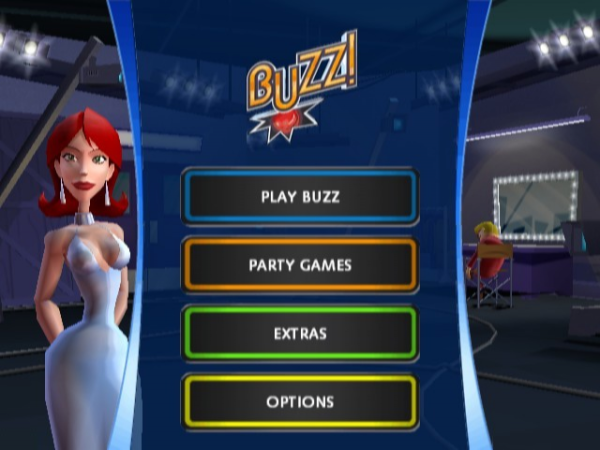
So, I'm assuming you want to take on a multiplayer game, so we should quickly organize everything we need before we head to the set. I'll explain the other options later - for now, we just need to get the show on the road!
Play Buzz
So you pressed the blue button and selected the "Play Buzz" option? Great, you've learned pretty quickly how to use these Buzz!™-Buzzers! And here's how it continues:
Game Mode
If there's one thing you can't accuse us of here at Buzz!™, it's a lack of flexibility. With us, the quiz fun can be precisely dosed.
Press the blue button to participate in a standard quiz for up to 4 candidates. Buzz your way through the various rounds and show your opponents who has the fastest gray cells.
Press the orange button to determine the course of the show yourself. All round types can be switched on and off as desired.
Press the green button to prove your skills or sharpen your abilities in some solo rounds with various quiz questions.
Press the yellow button to return to the main menu.
Quick Start
I bet you can't wait to finally take your place in the studio, can you? If you choose the "Quick Start" option, we'll get the entire quiz up and running in a flash. Candidates and buzzer tones will be assigned to the players randomly, and each participant will receive a standard name like "Player 1", "Player 2", "Player 3" well, you know.
Get Ready
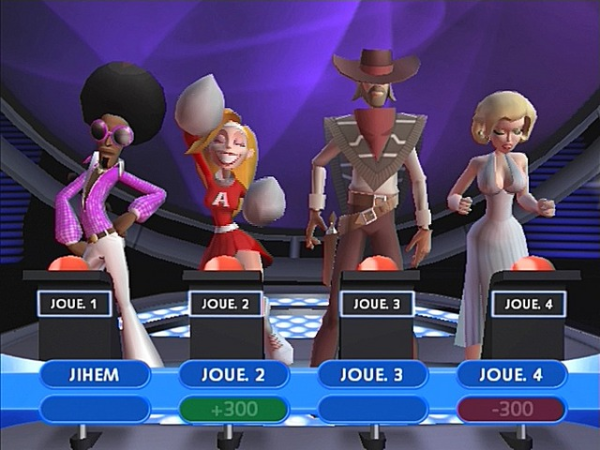
Buzz!™: The BIG Quiz is much easier to play if you sit in the same arrangement in front of the TV as the contestants in the studio. Use the colored buttons on your Buzz!™-Buzzer to select the podium that best matches your position in front of the TV. After the first player has selected a seat by pressing a button, the remaining participants must select their positions within 15 seconds, or the game will start without them.
Tip
If you are playing with two or three players, all players who are ready for the first round can simultaneously hold down the Buzz!™ button to speed up the countdown for new players to join.
Selecting Contestants
After you have chosen a position, select one of the 16 characters. None of the contestants are smarter than the others. In our show, only your knowledge counts, so simply choose the character you like best. Use the blue button to move the selection field up and the yellow button to move it down. Press the Buzz!™ button as soon as you are ready.
If you accidentally select the wrong option during contestant selection or on the following screens, simply press the green button on your Buzz!™-Buzzer to discard the decision. However, once all their Buzz!™ buttons have been pressed, there is no going back. So think carefully before you decide.
First Time?
If this is your first round in a Buzz!™ show, simply choose a contestant you like. All contestants with names are already used by other players, and according to our studio regulations, you should choose a different character if possible. However, if you absolutely want to play with an already selected contestant, choose them and enter a new name when prompted. This way you can play as a guest.
Previous Achievements?
If you are an old hand and have saved your previous results on a Memory Card, your last performance statistics will be displayed automatically. It also lists the number of shows you have participated in or won.
Selecting the Right Outfit
For us,