Language Selection
Move the directional buttons left/right and press any button to select English, German, French, Spanish, or Italian on-screen text.
Main Menu
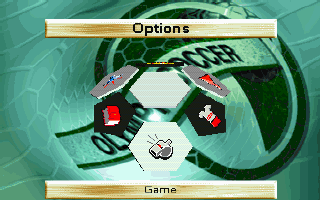
The main menu provides access to various game modes and settings. Navigate through the options to begin playing or adjust configuration preferences.
Arcade
This is an arcade-style 64-team knockout contest played over six rounds, including the final. Scroll through the list of available teams, highlight the team you wish to control, and press A, B, or C to select.
Your choice will be flagged on-screen. When finished, highlight START and press A, B, or C to continue. Note that you can only enter one team into the competition, although two players can join forces against the computer.
Olympic
The Olympic tournament is an accurate simulation of the 1996 competition in Atlanta. Scroll through the group tables, highlight the team you wish to control, and press A, B, or C to select.
Your choice will be flagged on-screen. This method allows you to allocate team control to players 1-4 or the computer. If you wish to customize the tournament line-up, highlight countries and press A, B, or C.
Countries
Follow the on-screen prompts to customize your tournament entry. Move the directional buttons up/down through the list of 33 available nations and press A, B, or C to allocate four teams to each group.
When you have finished, highlight START and press A, B, or C to proceed.
Tables
Before any Olympic match, the current status of each group in the tournament will be displayed. This is followed by the forthcoming round of fixtures.
Select tables to return to the group status screen.
League
Play a season in your own custom-built league of 2-16 teams. Scroll through the default league of 16 teams, highlight the team(s) you wish to control (subject to connected controllers), and press A, B, or C to select.
Your choice(s) will be flagged on-screen. To customize the line-up, highlight countries and press A, B, or C. Move the directional control up/down through the list of 33 available nations and press A, B, or C to choose 2-16 teams to compete, or select randomize to allocate 16 teams at random.
When you have finished, highlight START and press A, B, or C to continue.
Exhibition
Select two teams to play a single friendly match. Scroll through the team entry list, highlight the team you wish to control, and press A, B, or C to select.
Your choice will be flagged on-screen. Use the same method to choose your opponents, either another player or the computer. When finished, highlight START and press A, B, or C to continue.
Load
Move the directional control up/down to highlight a previously saved game (if applicable) and press A, B, or C to resume.
Demo
Watch a computer-controlled demo.
Saving Your Game
To save the current game, select save and press any button to enter the save game menu. Highlight “new save,” or an existing save which you wish to overwrite, and press A, B, or C.
Rules
•
Draw rule: If a match is drawn, you can either play 30 minutes extra-time followed by a penalty shoot-out if scores are still level, or adopt the sudden death rule. In sudden death, the first team to score in the shoot-out decides the outcome.
•
Offside rule: Toggle on or off.
Game
•
Game duration: Choose from 3 min, 5 min, 10 min, 20 min, 45 min, or 90 min.
•
Control: Choose from 12 preset control configurations.
•
Reset options: Revert to default game options.
•
Goal replay: On/Off. View an automatic action replay of every goal scored.
•
Scanner: Radar display on/off.
Condition
•
Wind strength: Strong, breezy, weak, or none. •
Wind direction: North, East, South, or West. •
Dampness: Dry, normal, wet, soggy, or frozen.
•
Roughness: Bumpy, slightly bumpy, or flat.
•
Stadium: Sanford, Citrus Bowl, Legion Field, Orange Bowl, or RFK Memorial.
In-Game Options
Press START at any time during a match to freeze play and access in-game options.
•
Camera view: Position/angle/controller position: 20 degrees, 35 degrees, 40 degrees, 55 degrees, 70 degrees, or top view.
•
Angle: Sidelines, goals, or 45 degrees.
•
Controller: Fixed, loose 1, or loose 2.
•
Player attributes: See team attributes.
Team Attributes
Make strategic changes to your team lineup and edit individual player characteristics.
•
Select your team formation by moving the directional buttons up/down through preset options (e.g., 4-4-2, 5-3-2).
•
Customize the characteristics of each player by moving the directional buttons left/right to highlight the desired player on the formation display.
•
Move the directional buttons up/down to

.png)

.png)
