STARTING A GAME
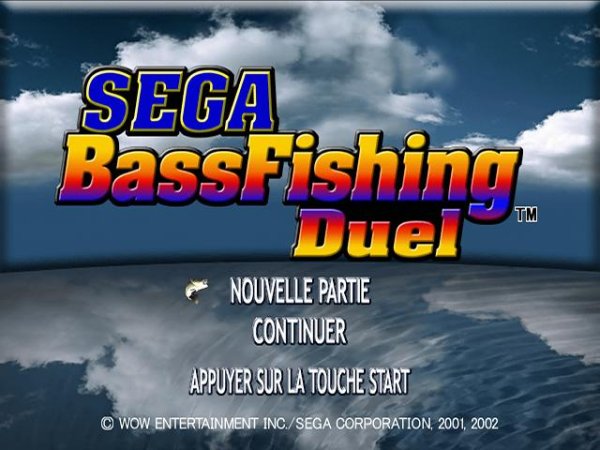
TITLE SCREEN
Use the directional pad to highlight either "NEW GAME" or "CONTINUE" and press the START button to select.
Enter "CONTINUE" to load and continue the game you saved during the previous play.
MAIN MENU
Use the directional pad to highlight a menu item and press the A button to select.
•
FREE FISHING (P.10): Fish in the area, season, time of the day, and weather conditions of your choice.
•
TOURNAMENT (P.11): Compete in a bass fishing tournament.
•
CHARACTER (P.12): Select the character to use in the game.
•
DATA BOOK (P.13): View your records based on fishes, tournaments, and lures.
•
TRAINING (P.14): Learn the basic flow of fishing from this tutorial mode.
•
VS CPU (P.15): Fishing duel against a CPU character.
•
VS 2P (P.16): Fishing duel between two players.
•
LOAD / SAVE (P.18): Load the data of previous game; save the data of current game.
•
OPTIONS (P.18): Change various settings of the game.
GAME DISPLAY
Here are the basic screens you will see in this game.
WHEN FISHING
•
TEMPERATURE/DEPTH OF WATER
•
NUMBER OF BASS CAUGHT/TOTAL WEIGHT
BEFORE CASTING
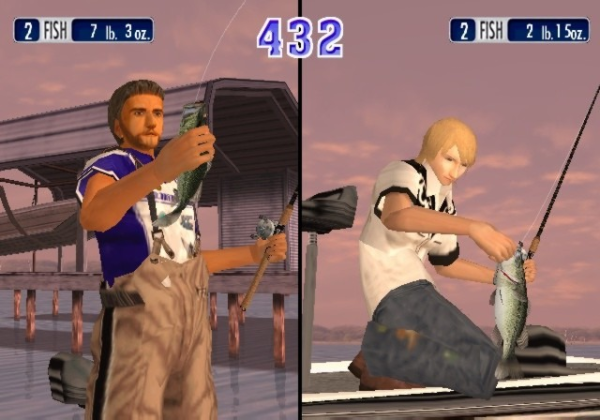
2 PLAYER BATTLE SCREEN
When 2 characters are fishing at the same time during a battle in VS 2P mode and VS CPU mode, the split screen above will be displayed. The indicator(s) that displays time limit(s) and number of bass caught/total weight will vary depending on type of battle (VS 2P mode) or the duel rules of CPU characters.
HOW TO FISH
The following controls and selections are common to all fishing modes.
SELECT AREA
First use the directional pad to select the lake/river (stage) you would like to fish. Use the up directional button to highlight the area on the lake/river and press the A button to select.
Note that "LAKE EAGLE" is the only stage available from the beginning.
PAUSE SCREEN
Once you are out in the area, press the START button to pause the game and display the Pause Menu. Use the right directional button to highlight "BACK" or "QUIT" and press the A button to select.
BOAT CONTROLS
Within the selected area of the lake, move around freely by operating the boat.
•
Left analog stick: Steering the boat
•
Y button: Speed up the boat
•
X button: Slow down the boat
•
L1 button: Slow down the boat
•
R1 button: Speed up the boat
MENU WINDOW
While operating the boat, press the A button to open the Menu Window.
•
Fish-Finder -- Map: Switches the Fish-Finder and Map.
•
Go To Other Areas: Changes the area to fish (from the Area Screen).
•
Weigh-in: End the fishing for the day, and start the weigh-in. (Tournament mode)
•
Today's fish: Displays the list of basses caught.
CASTING DIRECTION
When you selected the spot to cast, it's time to fish.
•
Left analog stick: Adjust casting direction
•
B button: Return to Boat Control
•
A button: Select casting direction
•
Y button: Lure Selection Menu
When the casting direction is decided, press the A button to advance to the Casting Method Screen.
CASTING METHOD & CASTING
When you select the casting direction, you will then select the casting method.
•
Up (left analog stick): Overhead cast
•
Down (left analog stick): Pitching cast
•
Left (left analog stick): Backhand cast
•
Right (left analog stick): Sidehand cast
•
B button: Return to casting direction
When the casting method is decided, press the L1 button to cast away. To adjust the strength of the cast, press down on the up or down directional button as you cast away. For a "thumbing" (halt the lure at the desired distance), press the A button while the lure is in the air.
LURE SELECTION
Either from the Casting Direction Screen or Casting Method Screen, press the Y button to display the Lure Selection Window to change the type of lure.
Use the directional pad to select the lure type and press the A button to enter. Press the B button to close the window.
Next, use the left/right directional buttons to select from the available lures of the type, and the up/down directional buttons to select from the available color variations. Press the A button to enter selection. Press the B button to reselect lure type.
The number of available lures will increase when certain requirements are met in the Tournament mode.
REELING ACTION
Once the lure is cast, press the R1 button or the right analog stick in any direction to reel in your line. While reeling in, use the left