GETTING STARTED
Set up your PlayStation®2 computer entertainment system according to its Instruction Manual. Ensure the MAIN POWER switch (located on the back of the console) is turned on.
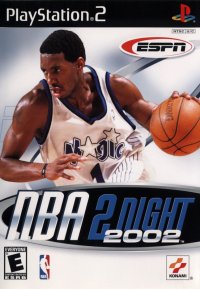
Press the RESET button. When the power indicator lights up, press the OPEN button to open the disc tray. Place the ESPN NBA 2Night 2002 disc on the disc tray with the label side facing up. Press the OPEN button again to close the disc tray.
Attach game controllers and other peripherals as appropriate. Follow the on-screen instructions and refer to this manual for information on using the software.
MEMORY CARDS
To save game settings and progress, insert a Memory Card (8MB) (for PlayStation®2) into MEMORY CARD slot 1 of your PlayStation®2 computer entertainment system. You can load saved game data from the same card, or from any memory card containing previously saved games.
At least 200 Kb of free space must be available on the memory card to save game data. If less than 200 Kb of free space exists, erase some older data before saving.
If you have inserted a memory card (8MB) (for PlayStation®2) with saved ESPN NBA 2Night 2002 game data into your PlayStation®2 computer entertainment system, the data will load automatically.
GAME CONTROLS
Free Throws
Press the L1 and R1 buttons simultaneously to start the indicator on the shot gauges moving upwards. Try to center both indicators in the blue sections of the gauge by timing the second press of both the L1 and R1 buttons.
MAIN MENU
Press the START button at the title screen to display the Main Menu screen. Press the directional button or left analog stick [up/down] to highlight a menu item and press the button to select it.
EXHIBITION
Select two NBA teams for an exhibition game. Select any of the 31 teams including East and West All-Star teams.
QUICK START
This is the fastest way to get into a game. Teams are randomly chosen and the game begins immediately.
SEASON
Compete in a regular NBA season. Play up to a maximum of 82 games with the team of your choice. Make it to the playoffs and take a shot at the World Championship.
PLAYOFFS
Go straight into the playoffs. Choose a team and the number of games for your playoff tournament.
FRANCHISE
Become the team general manager, taking care of team business on-court and off. Trade players, negotiate for free agents and draft promising rookies.
CREDITS
See who created ESPN NBA 2Night 2002.
LOAD DATA
Load saved game data. See "Saving and Loading Game Data" on page 31.
SETTING OPTIONS
You can set game options before or during a game. Settings may be different for Exhibition, Quick Start, Season, Playoffs, and Franchise modes.
OPTIONS MENU
To open the Options Menu from the Main Menu before beginning play, press the button to open the Sub Menu. Select OPTIONS and press the button.
To open the Options Menu during gameplay, press the START button to open the Pause Menu. Select OPTIONS and press the button. Some options cannot be changed during gameplay.
GAME SETTINGS
Set game options for each of the modes.
•
Game Level: Set to EASY, NORMAL, HARD, VERY HARD and SUPER HARD.
•
Quarter Length: Set the time for each quarter.
•
Stamina: Set to ON or OFF. When set to ON, players become tired and begin to play poorly. Player stamina varies. Send in subs to replace tired players.
•
Injuries: Set to ON or OFF. Players can be hurt and may need replacement during a game. Depending on the injury, players may have to sit out a game.
•
Condition: Set to ON and player condition changes during a game or season. Set to OFF and player condition remains NORMAL. View player condition on the Starting Lineups/Conditions screen prior to the beginning of a game.
•
Home Court Advantage: Set to ON or OFF. Teams perform better on their home court.
•
Player Display: Set to NAME, POSITION, NUMBER or NONE.
RULE SETTINGS
•
Defensive Goaltending: Set to ON or OFF. Enforces defensive goaltending rule.
CONTROLLER ASSIGNMENTS (IN-GAME PAUSE MENU ONLY)
Change controller configurations and add new players to the game. Press the directional button or left analog stick [left/right] on the controller to move or add a player to a team.
CONTROLLER SETTINGS
Change button settings specific to each controller and turn the vibration function on DUALSHOCK® 2 and DUALSHOCK® analog controllers ON/OFF. You can also set formations and free throws to AUTOMATIC or MANUAL.
Button Control Settings



.png)

.png)

.png)

.png)


_1.jpg)









_1.png)




.png)

