STARTING THE GAME
PLAYSTATION®2 COMPUTER ENTERTAINMENT SYSTEM
1. Set up your PlayStation®2 computer entertainment system according to the instructions in its Instruction Manual.
2. Make sure the MAIN POWER switch (located at the back of the console) is turned on.
3. Press the RESET button. When the power indicator lights up, press the open button and the disc tray will open.
4. Place the NHL® 2003 disc on the disc tray with the label side facing up. Press the open button again and the disc tray will close.
5. Attach game controllers and other peripherals, as appropriate.
6. Follow on-screen instructions and refer to this manual for information on using the software.
Multitap (for PlayStation®2)
•
NOTE: When using the Multitap (for PlayStation®2), a controller must be connected to controller port 1-A.
INTRODUCTION
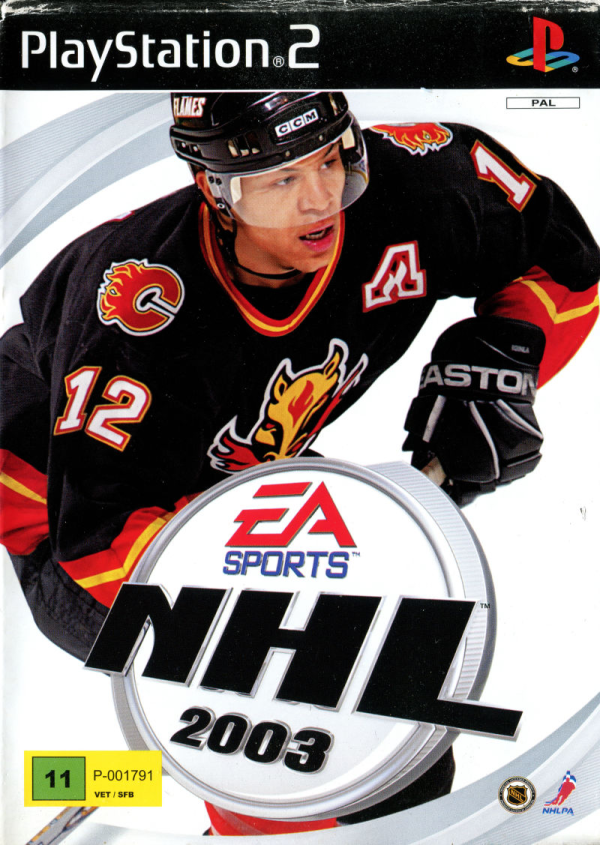
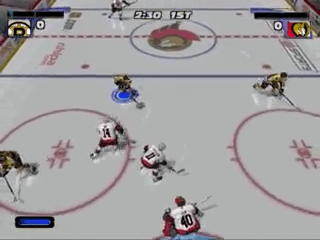
Take control of the fastest game on earth—NHL 2003. Whether you're skating as a rookie or lacing 'em up as an old pro, pull off 100-mph slapshots and awesome moves with Dynamic Deke Control.
Never before have you had this much control over the stick and puck. Show off your superior skills and earn rewards like the Game Breaker, which puts defenders in slow motion as you blow by them for the open shot.
FEATURES
•
DYNAMIC DEKE CONTROL—Trigger one of eight different moves with the touch of a button, or take complete control and create your own dekes.
•
GAME BREAKERS—Fill the meter, trigger a Game Breaker, and enter “the zone” where surroundings move in slow motion, intensity increases, and your heart pounds as you blast past for a goal.
•
“ON THE ICE” SOUND—The authentic sounds of the game with audio captured from real NHL games, including chatter from the bench, players shouting, and sticks and blades scraping the ice.
•
EA SPORTS™ GAMESTORY 2—The vastly improved EA SPORTS GameStory 2 now tracks and highlights player and team stories throughout the entire season.
•
IMPROVED GOALIE A.I.— Goalies make spectacular saves on breakaways and rebounds, plus desperation saves and other game-changing plays.
•
NHL® CARDS — Perform tasks to earn points towards the purchase of NHL Cards. Use cards to activate boosts, cheats, and other unlockable features.
•
CREATE-A-PLAYER—Put yourself in the game as an intense power forward or a bruising defenseman.
•
REAL PUCK PHYSICS—New and improved puck to player collision detection allows for great saves, realistic rebounds off goalies and players, and deflected goals.
•
CUSTOMIZABLE GAMEPLAY—Get audio tips and adjust sliders to slow down the action. Or choose an advanced skill level and adjust sliders to speed things up.
For more info about this and other titles, visit EA SPORTS™ on the web at www.easports.com.
SETTING UP THE GAME
Navigate through the Main menu and get ready for the first game of the season.
MAIN MENU
From the Main menu, you can choose a game mode, adjust your options, or go straight to the ice.
•
GO STRAIGHT TO THE FACE-OFF IN AN NHL PRE-SEASON TYPE GAME (► BELOW)
•
START A FRANCHISE, HEAD STRAIGHT TO THE PLAYOFFS, OR PLAY IN AN INTERNATIONAL TOURNAMENT (► P. 13)
•
EARN NHL Cards (► P. 17)
•
SET YOUR OPTIONS (► P. 19)
•
GET UP CLOSE AND PERSONAL WITH EA SPORTS OR VIEW THE GAME CREDITS (► P. 28)
PLAY NOW
Get your players warmed up fast because this mode takes you straight onto the ice.
NOTE: Default options are listed in bold in this manual.
To start a Play Now game:
1. From the Main menu highlight PLAY NOW and press the X button. The Game Setup screen appears.
2. To select a team, press the D-button ↕ until you see your desired team. Press the D-button ↔ to change between Home and Away teams. To select random teams, press the L1 button or the R1 button.
3. Press the D-button ↔ to position your controller next to the team you want to control. To adjust your game settings, press the ● button (► Rules on p. 21).
4. When you're finished selecting teams, press the START button to go to the Team Options screen.
TEAM OPTIONS SCREEN
•
SELECT MANUAL OR AUTO SHOT AIM
•
CHOOSE A COACHING STRATEGY (P. 12)
•
SELECT AN NHL CARDS PROFILE
•
HANDICAP THE TEAMS BY ADJUSTING THE PLAYER AND GOALIE BOOST SLIDERS
•
PRESS THE BUTTON TO ACCESS THE OTHER TEAM'S OPTIONS