Getting Around the Neighborhood
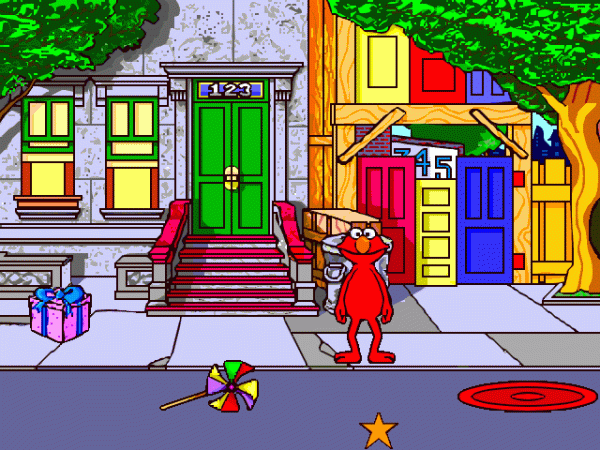
The Star on your screen shows you where you are. When you're moving around, the Star is yellow. When you're playing an activity, the Star is purple.
•
To move around the neighborhood, press the D-Pad in the direction you want to go. The Star moves in the same direction.
Look for the Sparkles
As you explore Sesame Street and move over objects and characters, you notice sparkles. These sparkles let you know that you can talk to a character, find out more about an object, or play one of the many activities. •
Whenever you see the sparkles, press A, B, or C. Something exciting is sure to begin! Sometimes pressing A, B, or C again makes something different happen.
On Sesame Street with Elmo
Elmo acts as your guide on Sesame Street, and he also has a very special game to play with you-The Present Game! This activity teaches counting and number identification skills. To Play the Present Game:
1. Find the big pink and blue present on Sesame Street. Use the D-Pad to move the Star. 2. Move the Star over the present, and press A, B, or C. The present magically opens up. Elmo asks you to fill the present with a number of things-he tells you just how many things he wants.
3. Move the Star around Sesame Street. When something sparkles, press A, B, or C, and “POOF”, the thing lands in the present! 4. When you're done, move the Star to the present's lid, and press A, B, or C. You give the present to Elmo (Elmo loves presents!), and he counts the things in the present.
Bert and Ernie's Paper Clip Game
Ernie has hidden Bert's paper clip collection! Help Bert find his paper clips hidden underneath and behind things in their home. In this activity, children learn to identify, compare, and classify objects according to physical characteristics.
To Play the Paper clip Game:
1. Move the Star over to Ernie, and press A, B, or C. Ernie gives you clues about where the paper clips are hidden.
2. Using the clues as your guide, move your Star around their home. When the Star moves over an object that fits Ernie's clue, press A, B, or C.
3. After you make three choices, Bert counts the paper clips you have found. Good Job!
Big Bird's Nest
Big Bird wants to play hide and seek with you, and he uses his birdseed. Hunt for the box of seed all around his nest. Big Bird lets you know when you're near or far. This activity reinforces listening skills, as well as the concepts of near and far.
To Play the Near and Far Game:
1. Move the Star over to Big Bird, and press A, B, or C. Big Bird explains the game, and gets you started.
2. Use the Star to move over an object, then press A, B, or C. Keep trying until you find the birdseed-Happy Hunting!
The Count's Castle
Bats are hiding in the castle, and the Count gives you clues to find them. Remember, the numbers hold the key! Basic addition and subtraction skills are emphasized in this activity.
To Play the Count's Number Game:
1. Move the Star over to the Count, and press A, B, or C. The Count explains that his bats are hiding behind one of the numbers in his castle. He gives you clues to find them.
2. Move the Star around the castle until you see the number you want. Move the Star over the number and press A, B, or C. The Count is counting on you!
Books, Radios, Televisions and Phones
Each Sesame Street pal has a storybook, radio, television, and telephone in their home. Storybooks
Open a storybook and enter a whole new world of stories about numbers.
•
To hear a great story, move the Star over a storybook, and press A, B, or C. The book opens, and the story begins.
•
To turn the pages, press A, B, or C.
•
To close the book and end the story, move the Star over the Stop sign, and press A, B, or C.
Radios
The radios play your favorite music and songs from the Sesame Street show! •
To turn on a radio, move the Star over it, and press A, B, or C. The radio grows larger and begins playing a song.
•
To change channels, move the Star over one of the three colorful buttons, and press A, B, or C.
•
To turn off the radio, move the Star over the Stop sign, and press A, B, or C.
Televisions
Each television plays a number of actual videos from the Sesame Street show. •
To turn on a television, move the Star over it, and press A, B, or C. The television grows larger, and a video begins to play.
•
To change channels, move the Star over one of the three colorful buttons, and press A, B, or C.
•
To turn off the television, move the Star over the Stop sign, and press A, B, or C.
Telephones
Talk to your favorite characters on the phone. Big Bird, Bert and Ernie, the Count, and Elmo all want to hear from you!