SUPER TAG BATTLE
Notes on use
About memory card backup
This game allows you to easily back up your progress data by using a separately sold "memory card".
Insert the memory card securely into the memory card slot of the Neo Geo console, and save/load the game as described below.
Load (data recall) method
If the memory card is correctly set, the "Load Selection Screen" will be displayed before the game starts.
•
Use the lever to select "YES" and press the A button to continue playing from the previous save.
Save (data recording) method
If the memory card is correctly set, the "Save Selection Screen" will be displayed after the game is over.
•
Use the lever to select "YES" and press the A button to record the progress data up to that point (some software may automatically save during the game).
Normally, multiple saves for the same game are not possible. Therefore, if data for the same game is saved on the memory card, the previous data will be automatically erased, so please be careful.
About card formatting (initialization)
New memory cards are not formatted (initialized). Please format the card according to the following procedure before use.
•
① Correctly set your Neo Geo cassette and memory card into the Neo Geo console.
•
② While simultaneously pressing the A~D buttons on the 1P controller, press the reset button on the Neo Geo console.
•
③ When the "Data Screen" is displayed on the TV, use the lever to select "Card Format".
•
④ Press the A button to complete the format.
Mode Select
After selecting and confirming [GAME START], choose either 1-player (you control one team by yourself) or cooperative play (two players control one team) and confirm.
For 2P Versus, press the Start button on the controller not being used after selecting 1-player.
Before mode selection, a demo of how to play will be shown, but you can cut it with the A button.
Player Select
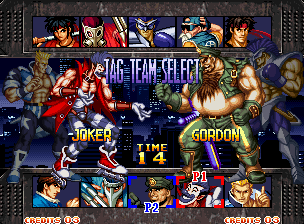
Select and confirm the player characters to use. Then, select and confirm the vanguard (the character who battles first).
Game Start!
About 2P Battle & Interruption Play
If both 1P and 2P press the controller's start button, you can enjoy 2P battle.
Also, during 1P play, if you press the start button on the controller you are not using, you can enjoy interruption play.
About Game Data Load Selection
By using a memory card (sold separately), you can save game data and continue playing from there.
For details, please refer to P4 “About Memory Card Backup”.
About Continue
When you lose a battle, a continue count will be displayed. If you want to continue the game, please press the controller's start button before the count reaches “0”.
About Tag Battle
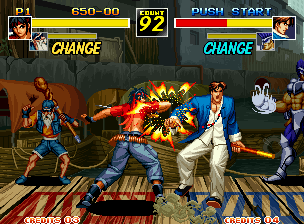
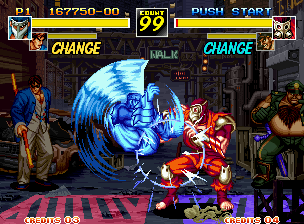
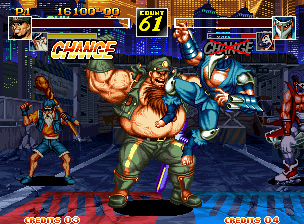
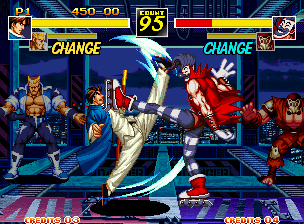
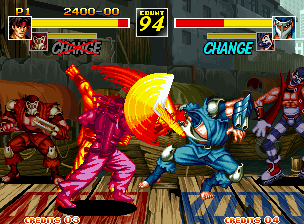
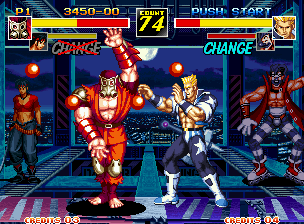
"Fuun Super Tag Battle" is a one-match tag battle.
If either of the two characters is KO'd, you lose at that point.
Also, if time runs out, victory is determined by the total remaining health of the two characters.
Advice for 2-player cooperative play
•
1 Even from a waiting player, if your ally character is within your tag area, you can switch with the D button.
•
2 The waiting player can recover health by mashing the A button.
CONFIGURATION
When selecting a mode, please select and confirm "OPTION".
LEVEL
•
1~8 (VERY EASY~STRONG HARD)
The game difficulty (CPU character strength, etc.) can be adjusted in 8 levels. The default setting is LEVEL 3.
SPEED
The overall game progression speed (character movement speed, etc.) can be adjusted in 3 levels.
TIME
•
LOW/NORMAL/FAST/NO COUNT
You can adjust the match time limit in 4 stages.
LANGUAGE
•
JAPANESE/ENGLISH/SPANISH/PORTUGUESE
You can select the language display for the game screen from Japanese, English, Spanish, or Portuguese.
PAD CONFIGURATION
You can change the controller button settings.
Selecting and confirming "EXIT" will return you to the mode select screen.