Notes on Use
This disc is compatible only with the NEO GEO CD CONSOLE. Do not use NEO GEO CD discs on other manufacturer's CD hardware or a CD music player.
Before playing, please read this manual carefully to get the most enjoyment out of this game.
How to Use NEO GEO CD
After turning on the power, the NEO GEO logo mark appears and it turns to the MAIN MENU screen. Use the joystick on your NEO GEO CONTROLLER to match the cursor to the desired key command. Press the A Button to confirm.
Control Screen
Move the cursor ( ) on the screen to select.
Settings Discs
1. Open the flap cover of the NEO GEO CD CONSOLE.
2. Matching the disc to the indentations, place the disc with the print-side up.
3. Close the flap cover gently. Now the disc is set.
Game Play
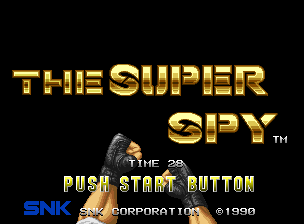
After setting the disc, "PUSH START BUTTON" will appear on the screen. Push the START button on the controller.
Music Playback
You can enjoy the game music recorded on the NEO GEO CD disc. After setting the disc, select the desired key or command on the MAIN MENU screen.
Note that some tracks cannot be played back because they are within the game program.
Basic Playback Commands
•
► (PLAY) - music playback
•
►►I (AUTO SEARCH FF) - autosearch forward
•
◄◄ (AUTO SEARCH REW) - autosearch reverse
•
► (SEARCH FF) - fast forward
•
◄ (SEARCH REW) - fast backward
•
■ (STOP) - stops playback
•
■■ (PAUSE) - temporarily stops playback
For more detailed explanations of music playback, see the instruction booklet of the NEOGEO CD CONSOLE.
The Back-Up Memory Function
Using the built-in Back-up Memory of the NEO GEO CD CONSOLE, you can easily save and load data of the game. Don't miss to first format the back-up memory before any saving and loading.
See "FORMATTING THE BACK-UP MEMORY" in the NEO GEO CD CONSOLE's instruction booklet.
To Save
After playing the game, "SAVE DATA" appears on the screen. Select "YES" with the joystick and confirm with the A Button to save data of the game.
Some titles have the function to save data automatically while playing. Note that previous data will be deleted when new data of the same title is saved.
To Load
When data of the game has been already saved, "LOAD DATA" appears on the screen before the start of the game. Select "YES" with the joystick and confirm with the A Button. You can restart your game from the stage you left off.
Resetting and Finishing Games
Return to the MAIN MENU Screen
Pressing the A, B, C and START button simultaneously will return to the MAIN MENU screen.
Resetting the Game
To restart the game, press the A, B, C and SELECT button simultaneously. The TITLE screen will appear.
While loading, the above functions cannot be effective.
Notes on the NEO GEO CD Disc
•
Remember that discs are fragile. Take the greatest care when handling discs.
•
Do not write, paint, or place stickers on the printed side of discs. It may result in the mis-reading of data. Do not bend or attempt modifications on discs.
•
Wipe marks, fingerprints or dust gathered on the surface with a soft, dry cloth, wiping in a straight motion from the center out. Do not use an organic solvent (such as thinner) or atomized cleaner to clean discs.
•
When not in use, keep discs in their protective cases. Avoid placing discs in damp areas or circumstances of high temperature.
Information
Hero's Level Up
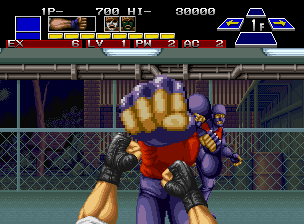
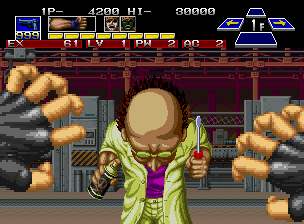
"Experience power" is gained by knocking down enemies. When experience power reaches a fixed level, the hero character's level is increased.
Since the hero gets stronger in attack & defense, you can proceed with the game more quickly.
Basic Setting of Each Room
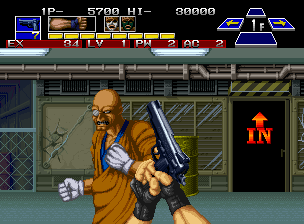
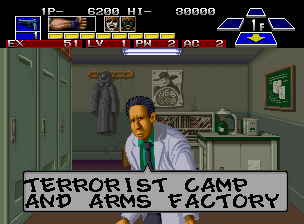
In each room of the building, you can collect information, supplement items or cure your wounds.
Some doors will not be opened without required information.
Basic Setting of Each Enemy
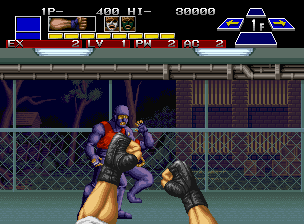
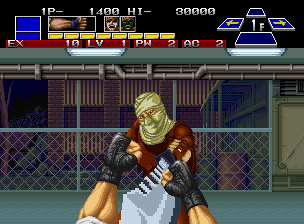
Along the aisle of the building, lower terrorists, middle class bosses and monitoring cameras appear. When a monitoring camera focuses on you, strong enemies will come out. Move with a stoop not to be caught.
In each building, enemy bosses are awaiting you. Getting cards from bosses is essential for the hero character to carry out his mission.
Stage Setting
•
Area 1: Terrorist's Factory (Terrorist's base)
•
Area 2: TADOYA MOTORS (occupied by terrorists)