Battle for the Hoop
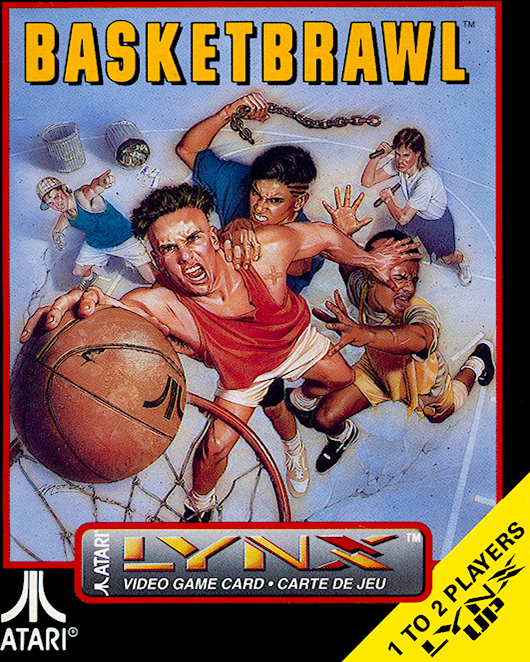
When city leaders started a basketball league to stop gang warfare, they never expected to see plays like this: Slash takes the ball and passes to Bubba. Bubba dribbles down court but loses the ball when he is hit by a knife thrown from the sideline. Vinnie grabs the loose ball. Slash punches Vinnie, but Vinnie manages to pass to Simon.
Simon aims for the basket and shoots, but a well-timed kick to the head by Bubba sends the shot wide. Vinnie gets the rebound after knocking Slash out cold. He shoots. The ball bounces off the bent rim, hits the backboard, and drops for two points!
Getting Started
•
Insert your Lynx Basketbrawl game card in your Lynx. In a two-player game, the other player will be your teammate. Insert a game card in each Lynx and connect the Lynx machines with a Comlynx cable.
•
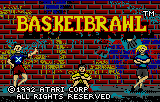
Turn on the Lynx(es). The Title screen appears.
•
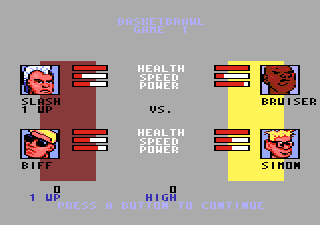
Press A or B. The Player Selection process begins with Simon (Screen 1).
•
To select Simon, press A or B. To choose a different player, press the joypad right or left as you scroll through each player. To select a player, press A or B when that player appears on the screen.
•
After you make your player choice, the Starting Level Code screen appears (Screen 2). To begin the game at the first level, press A or B.
•
To start at a higher level, enter the code for that level. Codes appear when you begin a new level. Codes allow you to return to the last level you played, but they do not save your character.
•
To enter a code, move the joypad right or left to put the selector box over the letter you wish to change, then press the joypad up or down to change the letter. When the code is complete, press A or B.
•
A message about your opponent (the School Boyz in Level 1) appears (Screen 3). This message tells you what to expect from the team you will play. Read the message, then press A or B.
•
The Level screen appears. This screen shows the current level and game, the code for that game, and a picture of your opponent. There is also a taunt from your opponent. Press A or B to begin the game.
Game Objective
The objective in Basketbrawl is to become the baddest gang in town by winning the Basketbrawl tournament. To win the tournament, you must play three games against each of the five gangs in your city.
Each time you move up to the next gang, you will play a team with more players and more dangerous weapons. Each game lasts six minutes. To win a game, you must outscore your opponent by shooting more baskets.
Gameplay Basics
•
Each basket is worth two points.
•
If the game is tied after six minutes, the first team to score wins.
•
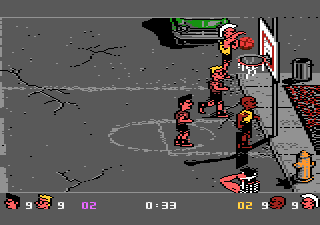
When the game begins, your player flashes as he waits for the ball to come into play (Screen 4).
Controls
•
PAUSE: Pauses the game. Press PAUSE a second time to resume play.
•
OPTION 1 + PAUSE: Restart the game.
•
OPTION 2: Toggle the sound on and off.
•
OPTION 2 + PAUSE: Flip the screen.
•
A Button (Defense): Punch or use a weapon.
•
A Button (Offense): Tap quickly to shoot a basket. Hold down to pass to a teammate.
•
B Button (Defense): Kick your opponent.
•
B Button (Offense): Throw a Power Throw at your opponent.
Power-Ups
During the game, objects will appear on the court. These objects, called power-ups, will help the player who picks them up. The power-ups stay with you during each court level, but their effects are erased when you move up to the next court.
•
Milk: Increases your health.
•
Lightning Bolt: Increases your shooting skill.
•
Fist (Screen 5): Increases your power so you do more damage in brawls and shoot farther.
•
Heart: Increases your life level, which increases your stamina.
•
Sneaker: Increases your speed.
Weapons and Power Throws
Weapons (knife, Screen 6) also appear on each court. The weapons become more dangerous as you progress through the tournament. You can use a weapon to injure your opponent, but you cannot hold a weapon while you control the ball.
You can also injure the opponent by throwing the ball at him. This is called a Power Throw. Although Power Throws hurt your opponent, you should be careful because you risk losing the ball.
Using a Power Throw
•
Hold down the B button. The player you will throw the ball at flashes.
•
While holding down the B button, use the joypad to select a different target.
•
Release the B button to throw the ball (Screen 7).
Health and Recovery
As your player takes hits from an opponent, his health will decrease. When the health rating at the bottom left of the screen reaches zero, the player falls unconscious to the ground (Screen 8). When a player is knocked out, his body becomes an obstacle on the court. You must go around the body to get to the ball and the basket.
Players remain unconscious for a limited amount of time, then return to the action. If you knock out your opponent, take advantage of the situation and score