Getting Started
Turn OFF the power switch on your Nintendo Game Boy® Advance. Never insert or remove a Game Pak when the power is on.
Insert the BIONICLE Heroes™ Game Pak into the Game Boy® Advance. Press firmly to lock the Game Pak in place.
Turn ON the POWER switch and the startup screens will appear. If you do not see the startup screens, begin again at step 1.
When you see the BIONICLE Heroes™ Title Screen, press START to begin.
Controls
Menu Controls
•
Highlight option: +Control Pad
In-Game Controls
•
Primary Fire (+ Construction): A Button
•
Secondary Fire: B Button
•
Switch TOA (Free Play): L Button
•
Strafe Toggle: R Button (hold)
•
Proto Spawn Customize: SELECT
Main Menu
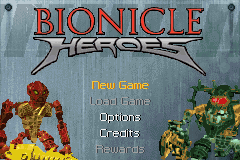
After the opening sequence, you will see the Main Menu. Select any option:
•
New Game: Begin a New Game of BIONICLE Heroes™ and then select an empty Save Game slot.
•
Load Game: Continue a previously saved game. The menu will show you three Save Game slots.
•
Options: Adjust game options. (Press START to open the in-game Options Menu during play.)
•
Credits: See the team responsible for creating BIONICLE Heroes™.
•
Rewards: Once you receive a Reward in the game, access this option to open and view your achievements so far.
Options
•
Strafe Mode: Select Auto-Face (the TOA will auto-face the nearest enemy) or Hold (hold down the R Button to face an enemy).
•
Music Volume: Press the +Control Pad ◄/► to adjust the game's music volume.
•
Sound Volume: Press the +Control Pad ◄/► to adjust the game's sound effects volume.
Playing the Game
Getting Into the Game
To start a game of BIONICLE Heroes™:
1. Highlight New Game on the Main Menu and press the A Button.
2. Highlight an empty Save Slot (marked “No Rank”) and press the A Button.
3. After the opening sequences, the Hero will emerge from the Protodermis Lake. Move the Hero forward (press the +Control Pad ▲) until you pick up the Fire TOA Mask.
Tutorial
During the Tutorial, you'll learn the basics of using the BIONICLE Heroes™ game controls. The Tutorial uses visual help icons to teach what you must do. The Hero has taken on the guise of the Fire TOA and now has the powers and weapons of that TOA.
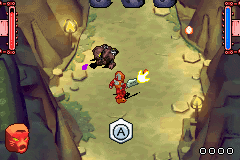
You are ready to do battle against Makuta's Minions! Your first task is to free one of the Matoran villagers imprisoned by Makuta. Check the game controls to make sure you understand the HUD icons.
LEGO Pieces & Constructions
LEGO pieces and “constructions” are objects that do something in the game. (In LEGO terms, “construction” means “construction + action.”)
•
Pick up individual pieces by walking over them. Doing this adds them to your score and TOA Health.
•
Shoot at constructions (A Button for primary fire; B Button for secondary fire) to release more LEGO pieces.
•
Build working structures such as bridges, platforms and elevators by standing close to the LEGO pieces and holding down the A Button.
Strafing
You will have to fight some of Makuta's minions in the Tutorial, and it is very important to understand strafing. Your TOA will only fire at what it is facing, so when an enemy approaches, you must face it and fire.
From the Options Menu, you can choose the method you'll use to Strafe:
•
Auto-Face: Your TOA will automatically turn to face the nearest enemy.
•
Hold: Your TOA will remain facing in the same direction as long as you hold down the R Button.
It's very important to experiment with both Strafe options and then choose the one that works best for you. You don't want to waste vital time and energy firing into empty space!
Proto-Spawn Orb
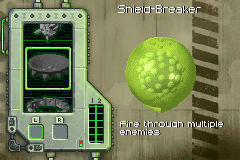
Once you rescue the villager in the Tutorial, you will link up with the Proto-Spawn orb that will then hover around you, firing at your enemies. You can customize and upgrade your Proto-Spawn by pressing SELECT to open the Proto-Spawn Customize Menu.
Completing the Tutorial
When you complete the Tutorial successfully, follow the arrow icon to exit. Check the Rank/Score Screen, and then proceed to the Level Select Screen.
Free Play
In Free Play mode, you can return to previously completed levels in the guise of any TOA from Zones you've already completed. You don't have to be in the guise of the TOA from the Zone you choose.
You can swap between TOA (L Button) and use upgraded weapons and Cheats to access secret and hidden areas. Additionally, in this mode, you can access the Progress, Arena and Boss levels of a Zone separately.
Collectibles
There are many different upgrades, pick-ups, Cheats and power-ups you can collect throughout BIONICLE Heroes:
Masks
You will start the game with the first Mask (the Fire TOA) and then pick up the next elemental Mask after you have defeated the Piraka at the end of the first Zone. The Mask icon on the HUD will change to show the new TOA Mask. Mask upgrades are picked up throughout the levels.

 (En,Fr,De,Es,It,Da).png)
 (En,Fr,De,Es,It,Da).png)
