Getting Started
Make sure the power switch is OFF. Insert the Dave Mirra Freestyle BMX™ 3 Game Pak into the Game Boy® Advance slot as described in your Nintendo Game Boy® Advance instruction manual. Turn the power switch ON.
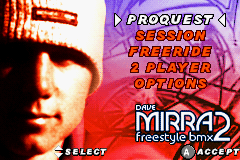
At the title screen, press START to advance to the Main Menu.
NOTE: The Dave Mirra Freestyle BMX™ 3 Game Pak is for Game Boy® Advance ONLY.
Controls
Button Layout
Manuals
•
Quick Tap ↓↑ (while in Air) Enter Front Manuals (rhythmically tap B to change manual pose)
•
Press ↑↓ (while in manual) Balance Front Manuals
Flips and Rotates
•
Hold + Tap L Button: Front flip
•
Hold + Tap L Button: Back flip
•
Tap L Button: Rotate 180+
•
Hold + Tap L Button: Right 180+
•
Hold + Tap L Button: Left 180+
Any Big Air or Quick Trick can be combined with Flips and rotates. This enables you to go for even sicker tricks, so go on try it and watch those trick scores go massive.
Balancing
Holding that mass of metal and rubber steady while you grind, manual and stall isn't easy in real life, and it isn't easy here. To help you know how close you are to falling, there's a handy little balance meter just for you.
The balance meter consists of two parts: the balance bar, and the balance ring. The bar shows you the ideal balance, and exactly how far you can go before you fall. The balance ring indicates how cool you're staying, or how far you're pushing your luck. The color of the ring and its position on the bar make it clear. Use the Control Pad to correct your balance, but don't push too hard, you'll just fall the other way.
Balance Meter Meaning
•
Green with white border: Perfect balance. You da man!
•
Green: Not perfect, but still safe.
•
Yellow: Coming unstuck... But you can still save it.
•
Orange: It's all falling apart... a Pro could pull it back though.
•
Flashing white with (!): About to Bail! Better jump off the grind now...
•
Big Red X Bailed!: You blew it! Hope you like the taste of dirt!
Scoring
The scoring system is based on tricks performed with bonus modifiers (including Spins, Flips, Transfers and Gap jump bonuses).
Challenges and Environments
As you complete challenges you're rewarded with Money. As you earn money new environments become available. You can use money to buy stat ups and new bikes. To beat the game you have to complete all challenges across AMATEUR, PRO and HARDCORE environments.
There are 8 wild environments in Dave Mirra Freestyle BMX 3. To start with, the AMATEUR levels are open: Skate park and Building Site. Once new levels are unlocked, they become available in all game modes.
Unlock additional levels by meeting the challenges and objectives on the early levels. Each environment has the relative amount required to open it displayed in the front-end.
Game Modes
Proquest
Show the world your skills in Proquest mode. Start in the Amateur circuit, completing the challenges and objectives to progress on to the Pro circuit. If you can keep up and complete the objectives here, you'll be allowed to join the hallowed ranks of the truly Hardcore riders on the Hardcore circuit.
Complete the Hardcore objectives, and prove your mastery of the BMX to everyone. Boost your stats, develop your trick-style, ride like the wind, and grab wild air. Become one with the bike and success is only a 360 superman back flip away. But watch out, you're up against the real lords of freestyle, Dave Mirra, Mike Laird, Ryan Nyquist, and the rest of the crew. Can you mix it with the masters? Session
No pressure, dude. Improve your skills on any course unlocked through Proquest mode. No objectives. Earn points against the clock.
Freeride
No time limit, no objectives, just cold hard BMX freestylin'. A great way to hone your skills.
Create-a-Rider
Dave Mirra Freestyle BMX™3 comes with 3 editable riders (EDIT1, EDIT2 & EDIT3). Change the clothes, colors and name to create the full look of your favorite dude. All edits are saved to the battery, so you won't lose a thing!
Rider Development
The further you go, the better you get... points are awarded for completing the challenges and levels, and these points can be used to boost your rider's stats and purchase bikes.
Editing Stats
Select the EDIT STATS from the rider select menu to view and edit your current stats. Notice how each stat up costs money. How much money depends on how high up the scale the stat modifier is



_1.png)
 (En,Fr,De,Es,It).png)
 (En,Fr,De,Es,It) (Rev 1).png)
.png)

.png)
 (Rev 1).png)
 (Rev 2).png)
_1.png)
 (Rev 1).png)







 (En,Fr,De).png)


_1.png)